Can't flash STM32H7B3I-EVAL Hex Demo Code
Hello,
I am using the STM32H7B3I-EVAL board with STM32H7B3LIH6Q controller.
The board revision I am using is MB1370-lcd-b02 a254300030.
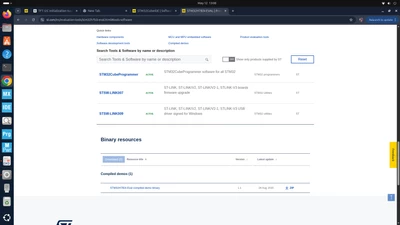
I downloaded the official demo package from the ST website:
STM32H7B3I-EVAL → Tools & Software → Demo Code Package.
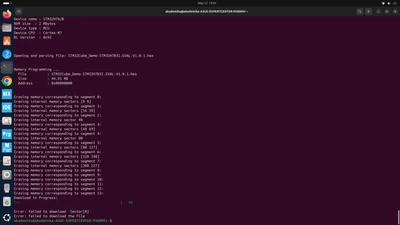
After extracting the ZIP file, I tried flashing the provided .hex demo file into the controller using STM32CubeProgrammer.
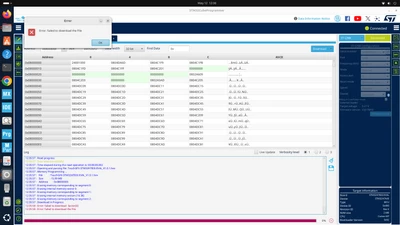
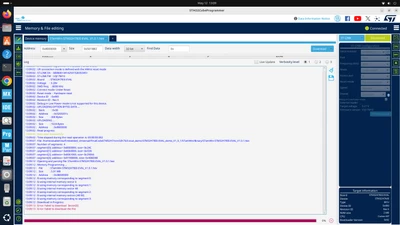
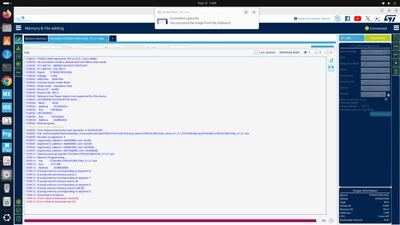
However, programming fails with the following errors:
Error: failed to download Sector[0]
Error: failed to download the File
The board is detected correctly through ST-LINK, and connection is successful. I already tried:
Reducing SWD frequency
Full chip erase
Hardware reset / Under reset mode
But the issue still occurs.
Could anyone please suggest:
Whether the provided demo .hex file is directly compatible with STM32H7B3LIH6Q?
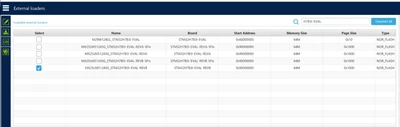
If any special option bytes or external memory configuration is required?
Whether the demo depends on external QSPI/OSPI memory or specific boot settings?
Thank you.