This topic has been closed for replies.
TDK
TDKBest answer
August 1, 2023

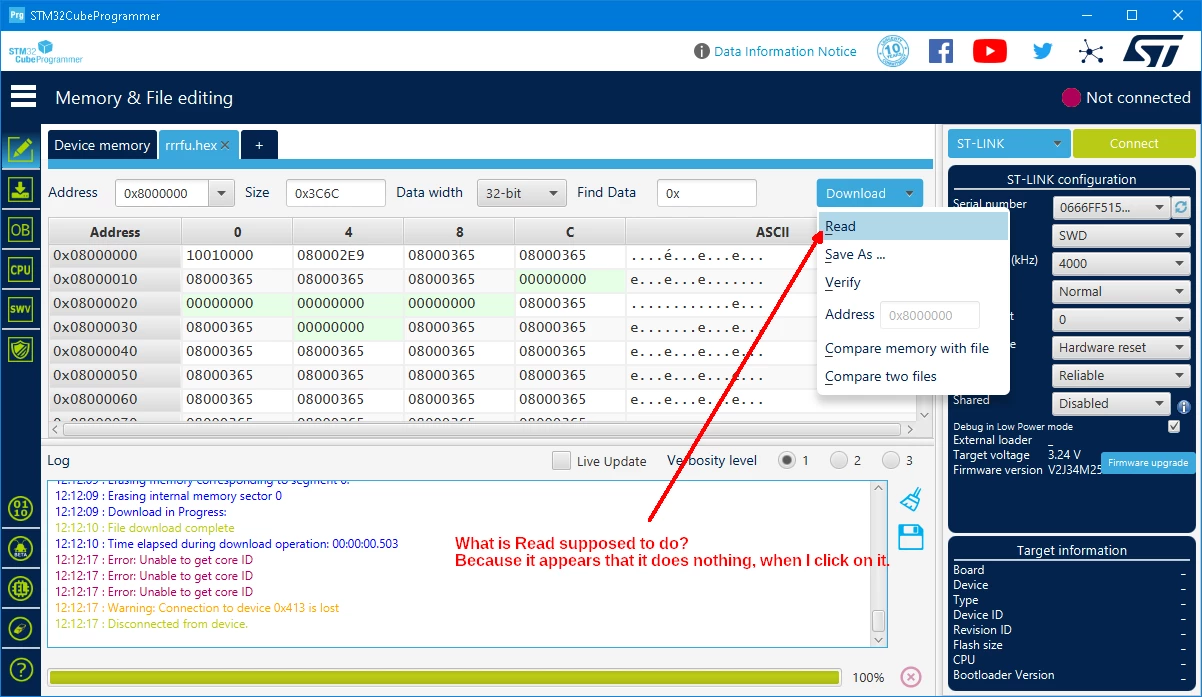
On the device memory tab, it refreshes the data. If you change the address, then click "Read", it will update to the new location. Not super useful since it also refreshes if you press enter or click somewhere else.

On a file tab, it does the same, but files shouldn't be changing so it's not super useful here either.

"If you feel a post has answered your question, please click ""Accept as Solution""."

5 replies

TDK
TDKBest answer
August 1, 2023

On the device memory tab, it refreshes the data. If you change the address, then click "Read", it will update to the new location. Not super useful since it also refreshes if you press enter or click somewhere else.

On a file tab, it does the same, but files shouldn't be changing so it's not super useful here either.

"If you feel a post has answered your question, please click ""Accept as Solution""."

waclawek.jan
Super User
August 1, 2023

> On a file tab, it does the same

Oh, so it's supposed to re-read data from a potentially changed file? That's not entirely without logic, but quite unusual.

Thanks.

JW

waclawek.jan
Super User
August 1, 2023

... except that I've just tried that, and nope, it does not load a changed file.

It still does nothing for me... :‑(

JW

Sara BEN HADJ YAHYA
ST Technical Moderator
August 1, 2023

Hello @waclawek.jan , @TDK 

Indeed, the Read is not useful in File panel. I have submitted an internal ticket to remove it.

Internal ticket number: 158534 (This is an internal tracking number and is not accessible or usable by customers).

Sara.

In order to give better visibility on the answered topics, please click on 'Best answer' on the reply which solved your issue or answered your question.
waclawek.jan
Super User
August 1, 2023

Thanks Sara!

Jan

@Sara BEN HADJ YAHYA