Associate
Feb 13, 2025 10:37 PM UTC
Solved

Cannot make STLINK v2 connection with STM32WL33

Hi ,

I am using STM32WL33 in my design and just received my first PCB assembled.

i am trying to flash the board with basic program but no success yet , it would be great if you can help to find the problem.

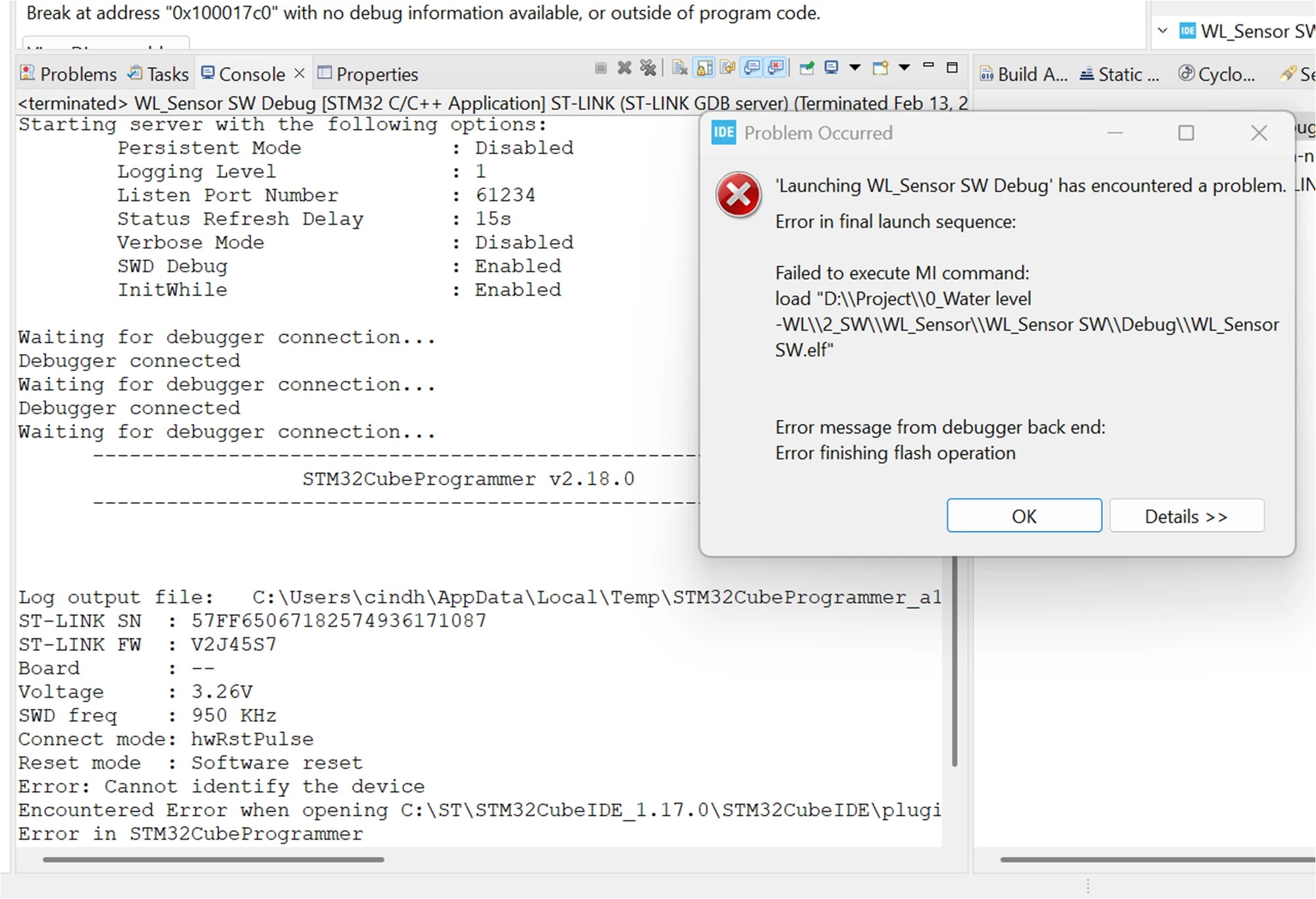
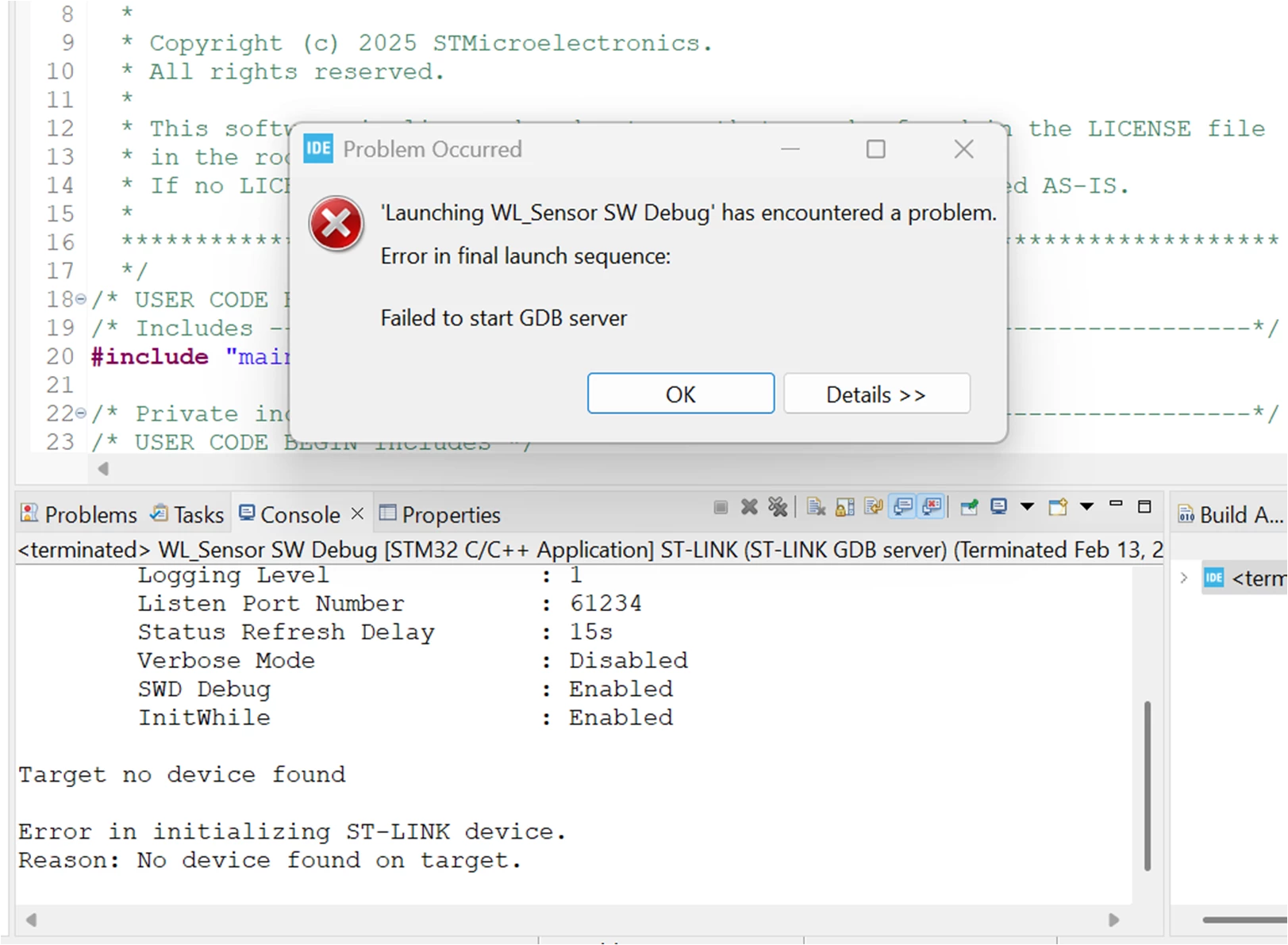
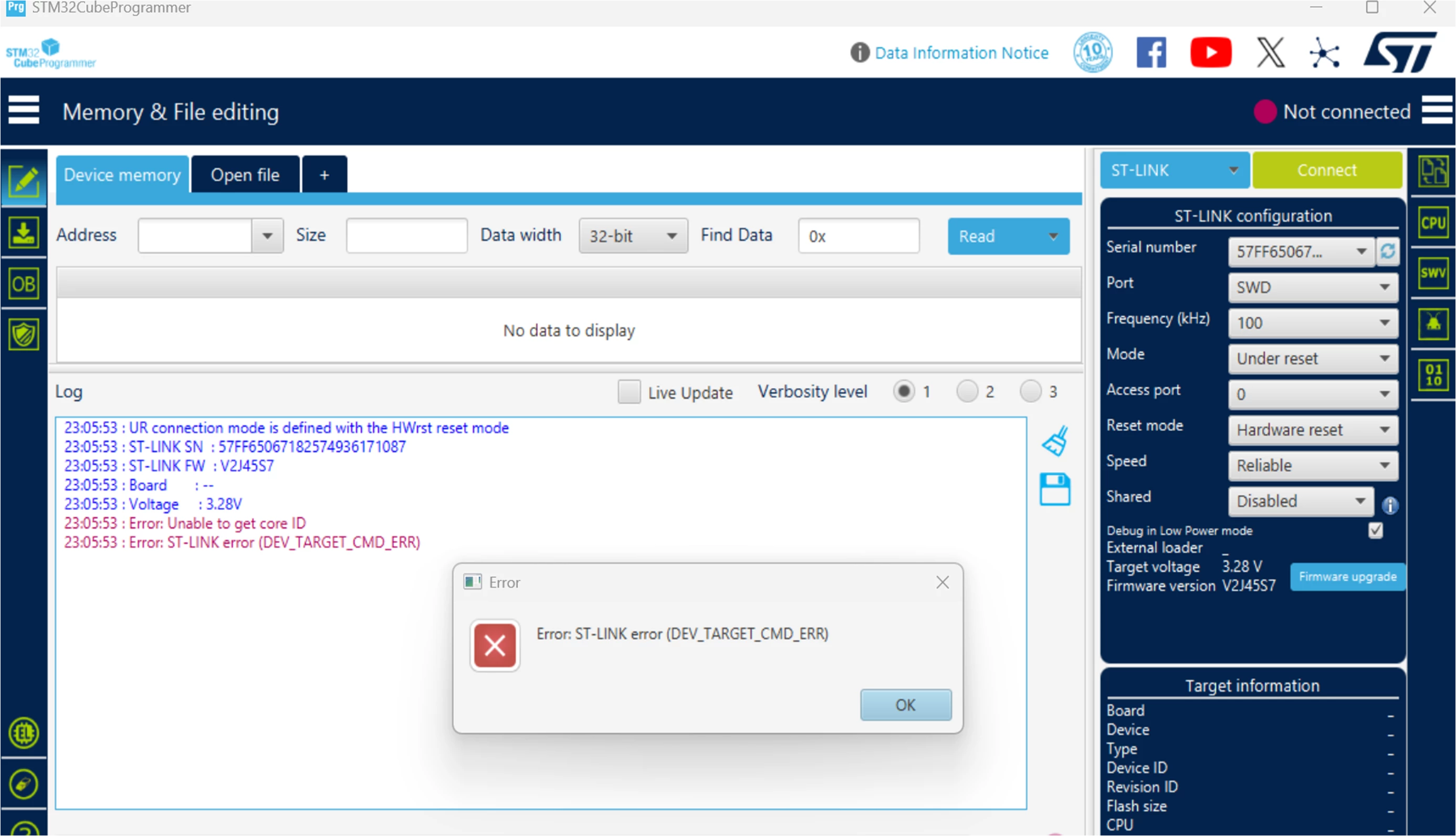
i have tried with both CubeIDE and Cubeprogramer with STlink V2 , seems like debugger is connected but not going to further steps .here is the screen shots

i have used same ST linkV2 and setup in another board (STM32WLE5) and i can connect.
KarthikGo_0-1739485547936.png


KarthikGo_1-1739485560267.png


KarthikGo_2-1739485567705.png

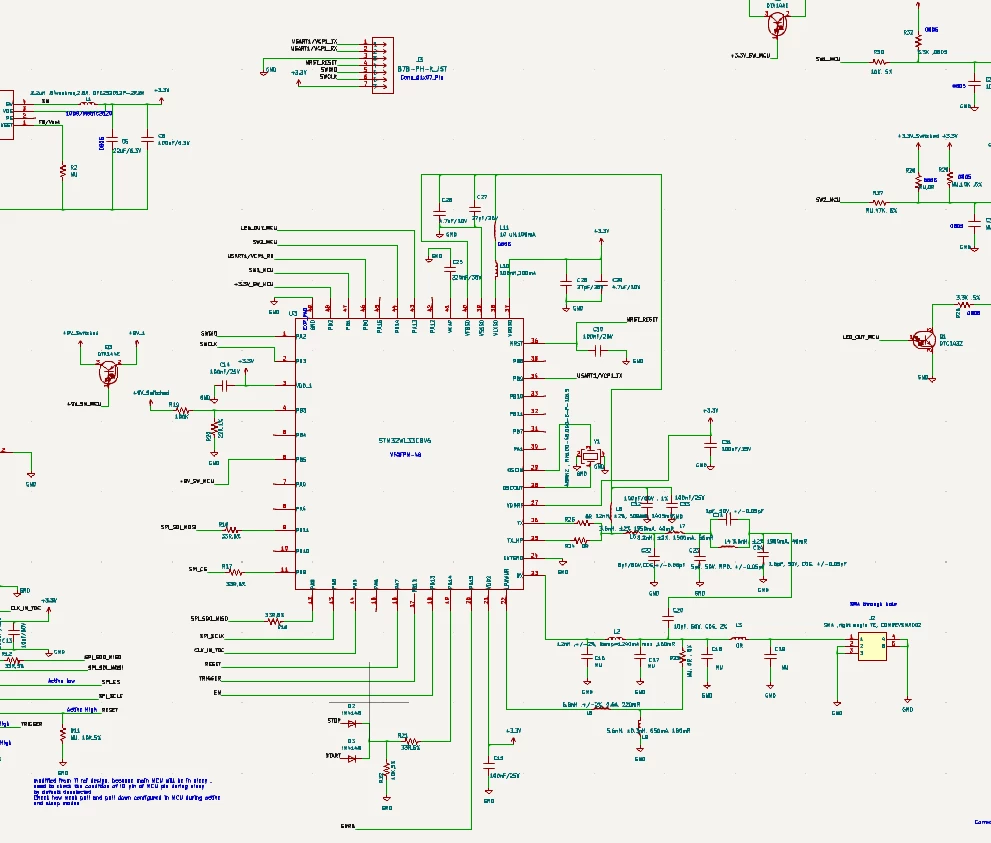
schematic:

KarthikGo_3-1739485977860.png


 I checked the SWDIO, SWCLK, VDD, GND and NRST pin connection to ST link it looks okay

I checked the voltages VDD : 3.3V, VCAP:1.2V , NSRST:3.3V , VFBSD(SMPS output):1.4V

No pullup resistor in NRST and PA10 pin is floating.

Circuit is design based on ST reference design

Any help is appreciated 

//Karthik



This topic has been closed for replies.
Maryem
MaryemBest answer
ST Employee
Mar 4, 2025 9:11 AM UTC

Hello @KarthikGo,


I apologize for the delayed response.

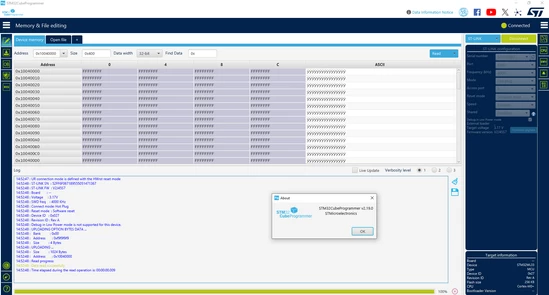
I have successfully connected an STM32WL33 using the ST-Link V2 with version 2.19.0 of STM32CubeProgrammer.

Maryem_0-1741079120486.png

Could you please try again using this version? You can download it from the following Link.


Maryem.


In order to give better visibility on the answered topics, please click on 'Accept as Solution' on the reply which solved your issue or answered your question.

1 reply

Maryem
MaryemBest answer
ST Employee
Mar 4, 2025 9:11 AM UTC

Hello @KarthikGo,


I apologize for the delayed response.

I have successfully connected an STM32WL33 using the ST-Link V2 with version 2.19.0 of STM32CubeProgrammer.

Maryem_0-1741079120486.png

Could you please try again using this version? You can download it from the following Link.


Maryem.


In order to give better visibility on the answered topics, please click on 'Accept as Solution' on the reply which solved your issue or answered your question.