


Andrew Neil
Super User
July 6, 2026
Question

v1.0.1: Failed to add cube-wrapper to PATH

  • July 6, 2026
  • 4 replies
  • 46 views

Even when running stm32cubemx2-1.0.1-X64-Windows-installer.exe as Admin:
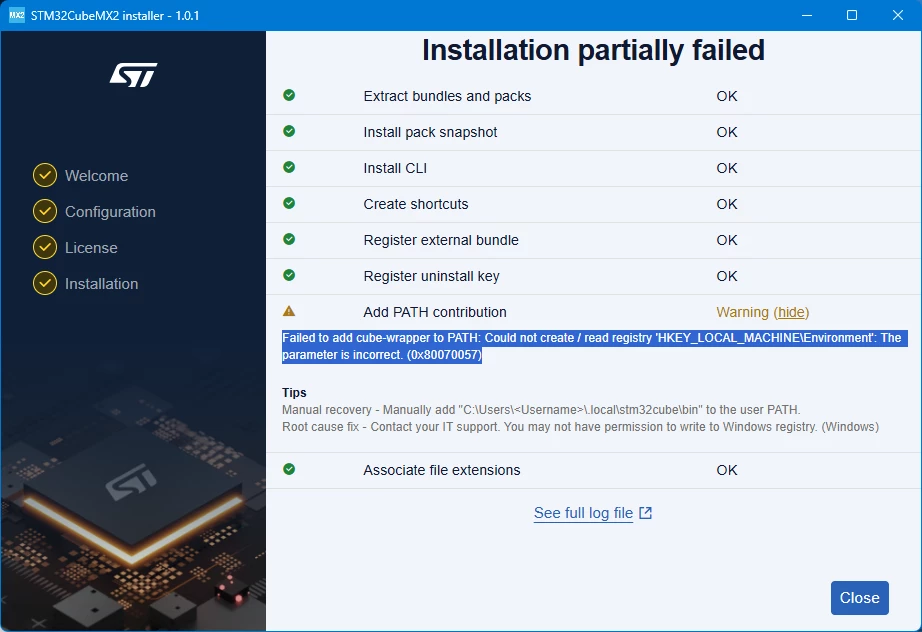
 

Failed to add cube-wrapper to PATH: Could not create / read registry 'HKEY_LOCAL_MACHINE\Environment': The parameter is incorrect. (0x80070057)


On Windows 11 Pro


Installing to C:\Program Files\STMicroelectronics\STM32Cube\MX2\1.0.1

4 replies

Andrew Neil
Super User
July 6, 2026

and then, when trying to uninstall it, I get:


Failed to unregister external bundle: Failed to deregister external bundle: program not found

Tips

Manual recovery - Externally registered bundle can be removed manually with 'cube bundle external remove /c/Users/<Username>/AppData/Local/STMicroelectronics/STM32CubeMX2/1.0.1/ext'


Root cause fix - Contact your IT support. You may not have permission to write to application directories.

A complex system that works is invariably found to have evolved from a simple system that worked.A complex system designed from scratch never works and cannot be patched up to make it work.
Andrew Neil
Super User
July 6, 2026

Installing to C:\Program Files\STMicroelectronics\STM32Cube\MX2\1.0.1


Exactly the same issue when installing to the default location:

C:\Users\<user>\AppData\Local\STMicroelectronics\STM32CubeMX2\1.0.1

A complex system that works is invariably found to have evolved from a simple system that worked.A complex system designed from scratch never works and cannot be patched up to make it work.
Sara BEN HADJ YAHYA
ST Technical Moderator
July 7, 2026

Hi ​@Andrew Neil ,

Thanks for your feedback.

Usually, this error does not occur when launching in standard mode and is only seen when running as administrator or when there are permission issues,

Admin mode is currently not supported as mentioned in the release notes.

However, you are right that the error is currently occurring in both cases.

As a workaround, please add the cube-wrapper path manually to the user PATH.

The team is working on a fix, which is expected in an upcoming release.

We apologize for any inconvenience caused.


Internal ticket number: CDM0062859 (This is an internal tracking number and is not accessible or usable by customers).

Regards,

Sara.

In order to give better visibility on the answered topics, please click on 'Best answer' on the reply which solved your issue or answered your question.
Sara BEN HADJ YAHYA
ST Technical Moderator
July 21, 2026

Hi ​@Andrew Neil 

I'm happy to let you know that this issue has been fixed in STM32CubeMX2 release 1.1.0.
Could you please update to this version and check again?

If you still notice any problem after the update, please feel free to let us know and we will be happy to help.

Best regards,
Sara

In order to give better visibility on the answered topics, please click on 'Best answer' on the reply which solved your issue or answered your question.