
TFuji.4
Associate II
March 15, 2019
Solved

Why is my clock configuration NG on STM32CubeMX?

  • March 15, 2019
  • 3 replies
  • 2079 views

Hi, everyone

I am using the STM32CubeMX for the first time.​

I have a problem with clock configuration on it.

But I do not know why the problem is occurring.
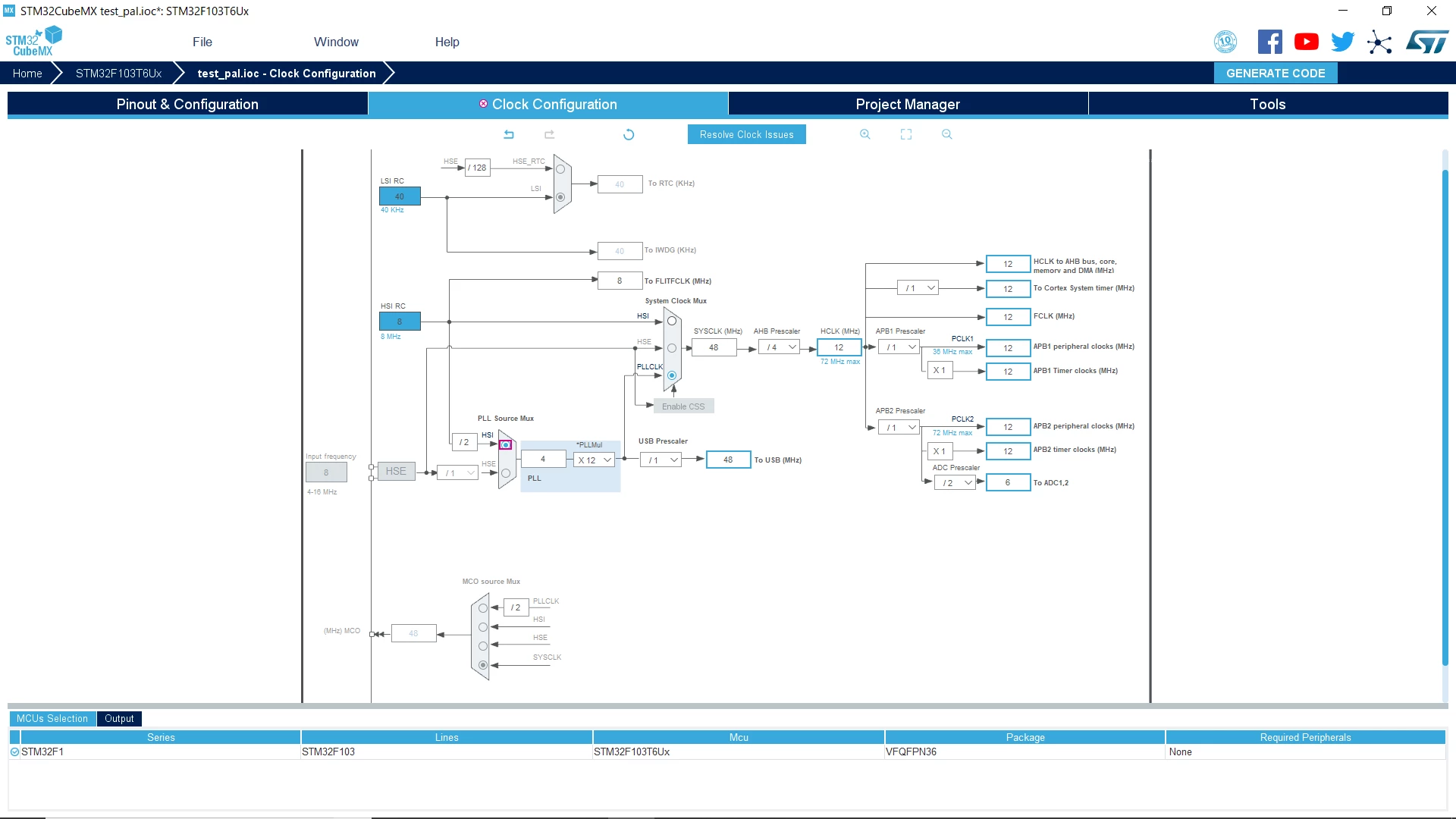
0690X00000881PUQAY.png

I need help.

Best regards,

This topic has been closed for replies.
Best answer by Nesrine.JLASSI

Hi @TFuji.4​ 

You must enable the RCC to solve this clock problem.

Best regards.

Nesrine.

3 replies

Nesrine.JLASSI
Visitor II
March 15, 2019

Hi @TFuji.4​ 

Try to click on Resolve clock issues. If it does not work, could you please send me your .ioc file to check the problem?

Best regards.

Nesrine

TFuji.4
TFuji.4Author
Associate II
March 18, 2019

Hi Nesrine-san,

Thank you for your reply.

I tried a suggestion from you.

I tried clicking on Resolve clock issues.

However, the following message was displayed.​0690X00000887m5QAA.png

​Next I clicked on Generate code and the following message was displayed.

0690X00000887mUQAQ.png

I think the problem is not solved.

Please find the attached ".ico" file.

Best regards,

Toru Fujita

Nesrine.JLASSI
Nesrine.JLASSIBest answer
Visitor II
March 22, 2019

Hi @TFuji.4​ 

You must enable the RCC to solve this clock problem.

Best regards.

Nesrine.

TFuji.4
TFuji.4Author
Associate II
March 22, 2019

Hi, Nesrine-san

Thank you for your response.

I tried the suggestion from you, and the problem was solved.

Thank you again.

Best regards,

Toru​

