ABasi.2
Senior
July 20, 2026
Solved

USBX custom_hid_parameter.ux_device_class_hid_parameter_report_id

  • July 20, 2026
  • 1 reply
  • 16 views

Hello

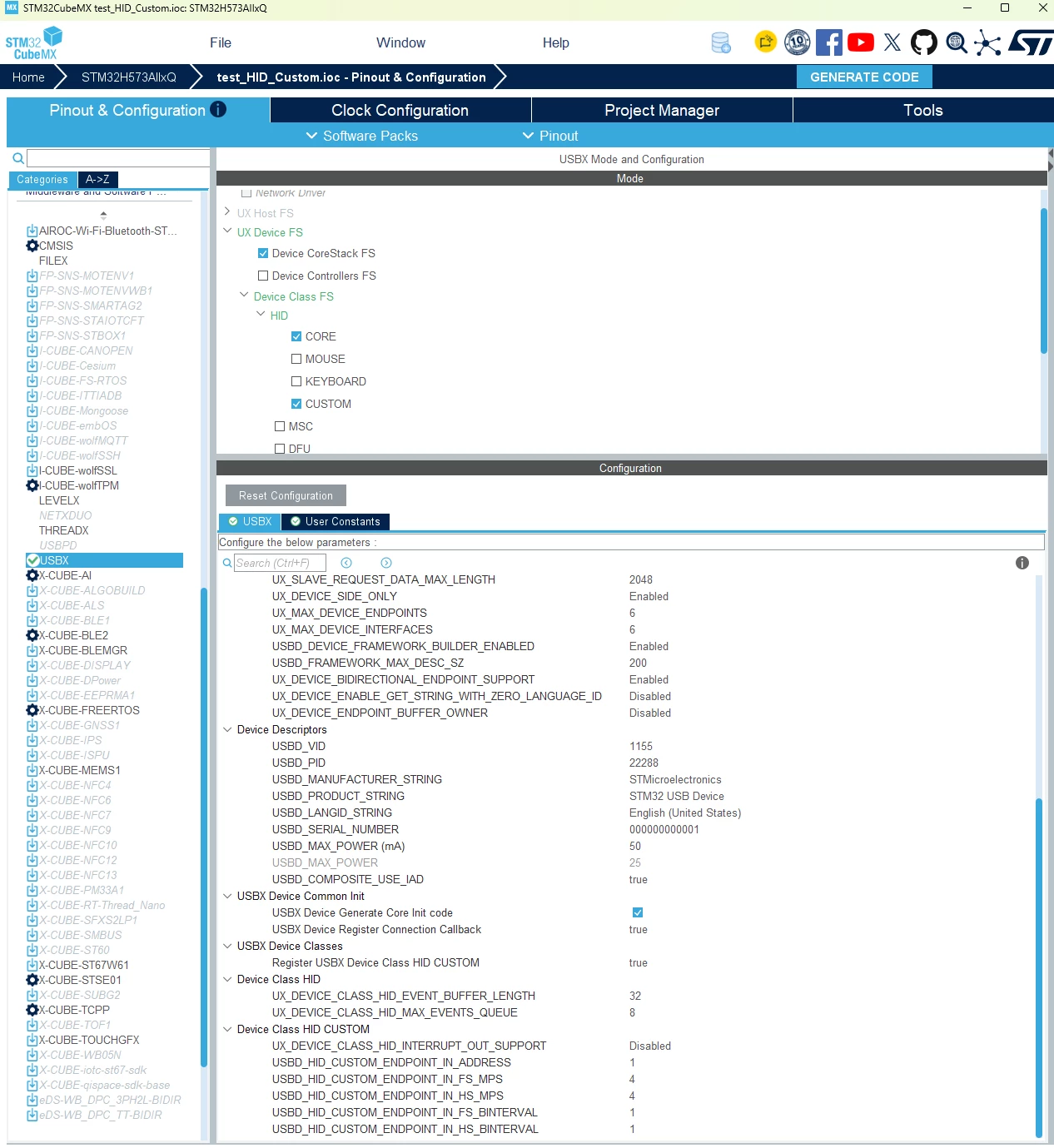
i’m using USBX 6.4.0 with CUBEMX to make a custom id device on a stm32H5 


everything work fine BUT my report descriptor have four report ID


i wanto to use :

hid_event.ux_device_class_hid_event_report_id = 3;

// some data in the buffer

ux_device_class_hid_event_set(hid_custom, &hid_event);


and in order to do that i have to change 

custom_hid_parameter.ux_device_class_hid_parameter_report_id = UX_FALSE;

to custom_hid_parameter.ux_device_class_hid_parameter_report_id = UX_TRUE;

in the function: UINT MX_USBX_Device_Stack_Init(void)


i can’t find in cube MX the property to change.. where is it??


thank you in advance

best reguards



Best answer by Ghofrane GSOURI

Hello ​@ABasi.2 

After checking, there is currently no GUI option in STM32CubeMX to configure the USBX HID parameter custom_hid_parameter.ux_device_class_hid_parameter_report_id, meaning you cannot select whether the generated code sets this field to UX_FALSE or UX_TRUE. I have raised a change request with the development team under ticket #0064512 to add this option in a future update. For now, the parameter must be modified manually in the generated code.


THX

Ghofrane

1 reply

Ghofrane GSOURI
Ghofrane GSOURIBest answer
ST Technical Moderator
July 21, 2026

Hello ​@ABasi.2 

After checking, there is currently no GUI option in STM32CubeMX to configure the USBX HID parameter custom_hid_parameter.ux_device_class_hid_parameter_report_id, meaning you cannot select whether the generated code sets this field to UX_FALSE or UX_TRUE. I have raised a change request with the development team under ticket #0064512 to add this option in a future update. For now, the parameter must be modified manually in the generated code.


THX

Ghofrane

To give better visibility on the answered topics, please click on Accept as Solution on the reply which solved your issue or answered your question.