Solved
USART3 (VCP) Mode stuck on "Disable" and greyed out in CubeMX — NUCLEO-H755ZI-Q dual-core project
I'm working on a dual-core project (Cortex-M7 + M4) for the NUCLEO-H755ZI-Q board in CubeMX/CubeIDE.
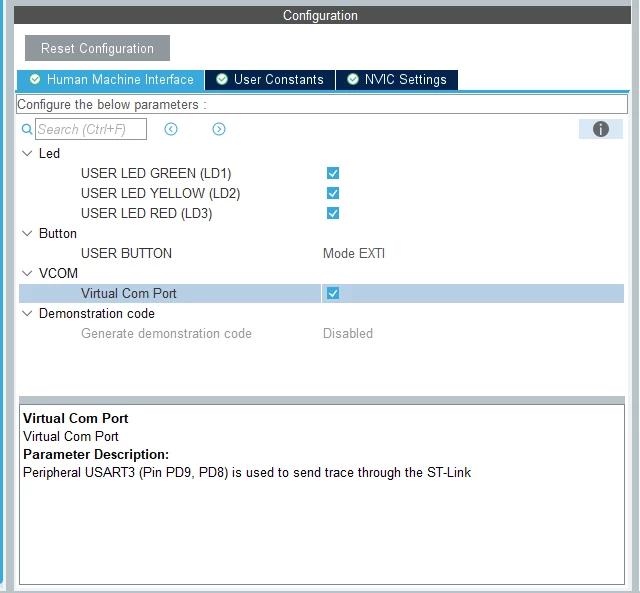
I created the project using Board Selector (searched "NUCLEO-H755ZI-Q", selected the board, accepted the default LED/Button/Virtual Com Port options popup). Despite this, USART3's Mode dropdown is stuck on "Disable" and greyed out/unselectable in the peripheral configuration panel.
Pins PD8/PD9 initially showed as "under BSP control". I right-clicked on PD8/PD9 in the pinout view and manually assigned them as USART3_TX and USART3_RX. The pins now show these labels correctly on the diagram — but the USART3 Mode dropdown is still stuck on "Disable" and I still cannot select Asynchronous mode, set baud rate, or configure anything.
I also tried:
- Toggling the M7 core-assignment checkbox off/on for USART3
- Creating a brand new project from scratch via Board Selector (same issue every time)
- What to do ?