


PPoob.1
Associate II
November 19, 2020
Solved

STMCubeMX MDK-ARM project generation have a problem

  • November 19, 2020
  • 12 replies
  • 5732 views

Hi

I am facing issue with the "generate code" to generate the boiler plate code for the nucleo-f44re
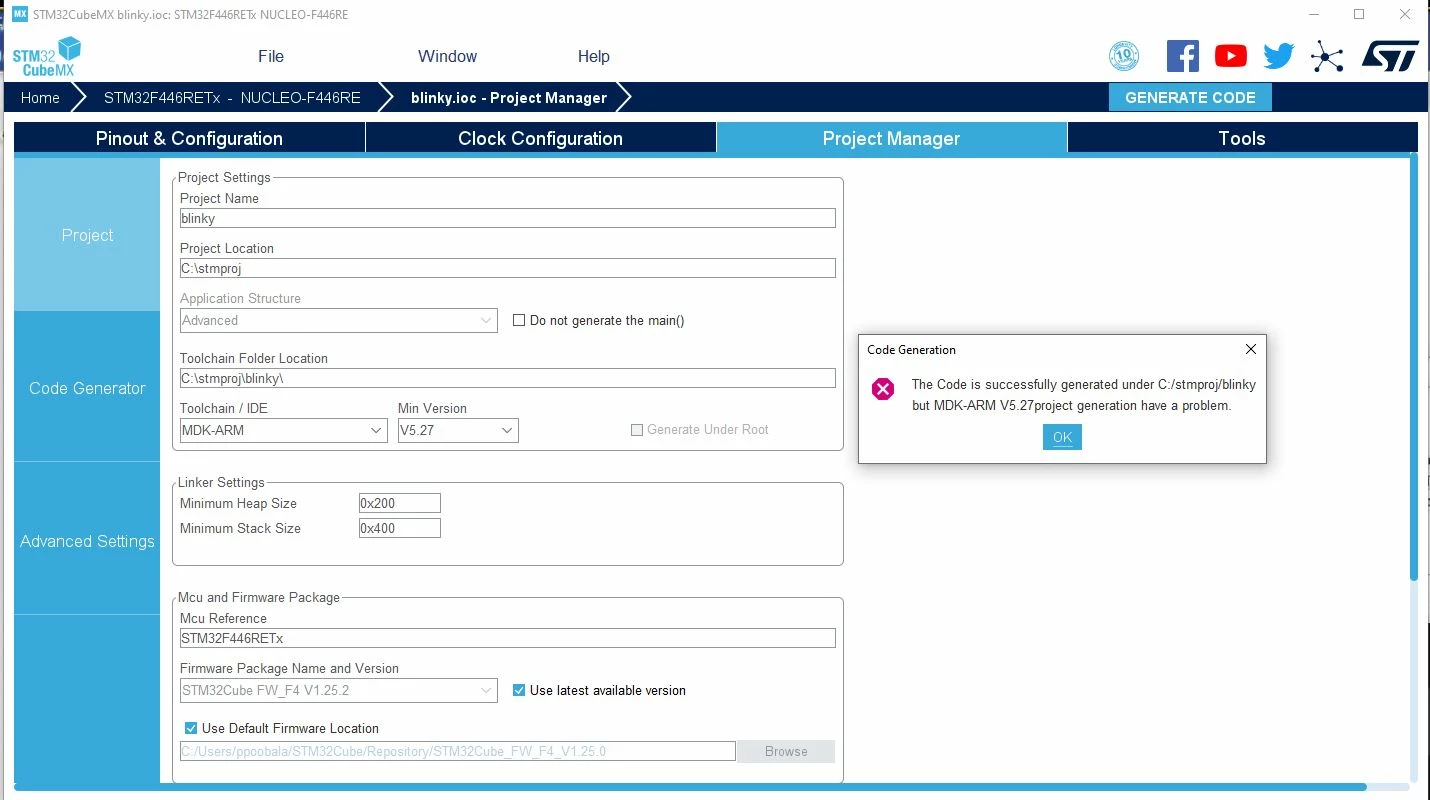
0693W000005Bu6gQAC.jpghere is the software that I am running with :

STMCubeMX_v6-0-1

Keil ARM-MDK 5.32

java version "1.8.0_271" (Java 8 I believe) , which is the recommended version of Java to run the CubeMX

*I even install the STM32CubeMX in the most shallow C directory "C:\<here>", so that I would not encounter any issues with too long path names*

This "generate code" issue comes right after I resolved another Issue with "installing stm32cube_fw_f4_v1252 libraries"
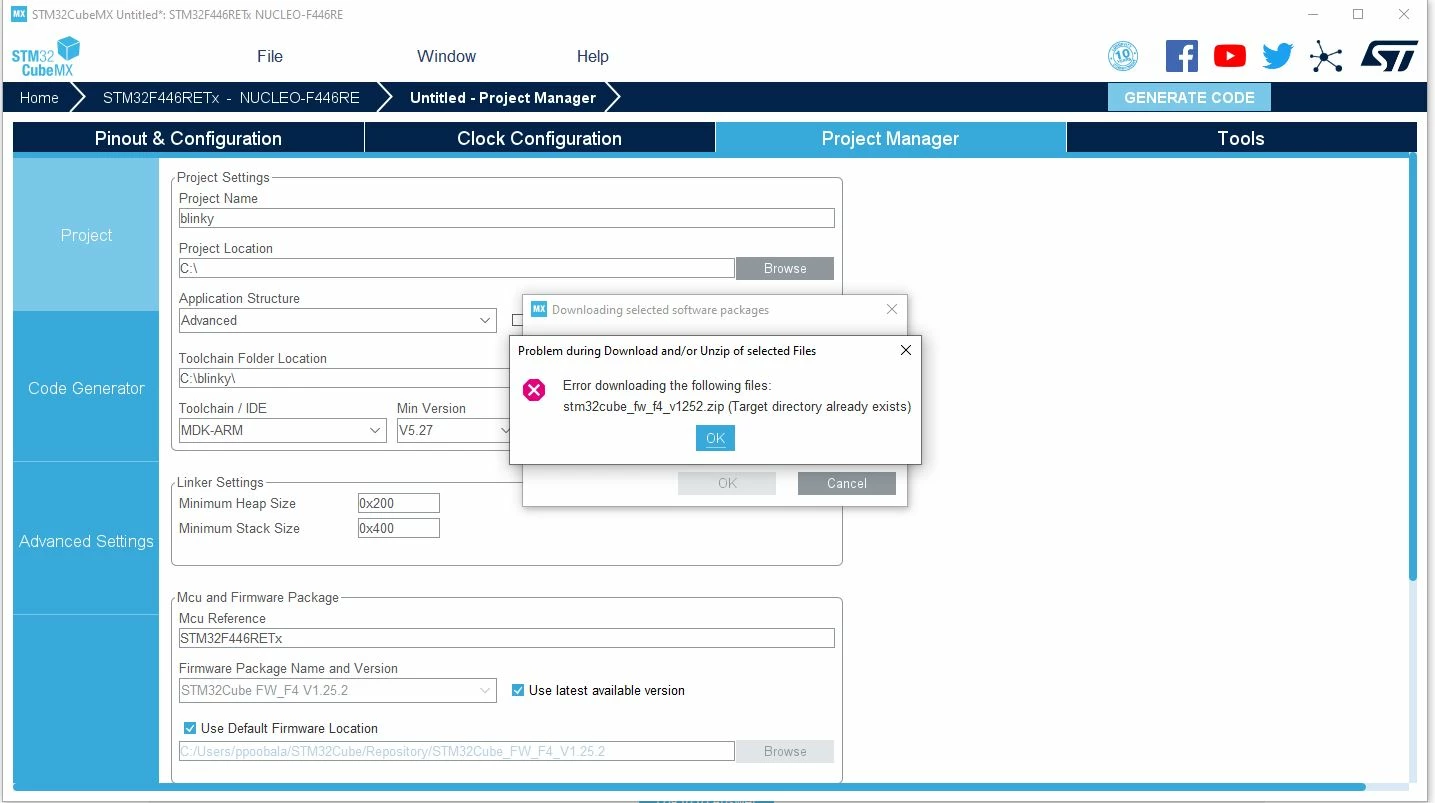
0693W000005Bu7jQAC.jpgI managed to resolved this "stm32cube_fw_f4_v1252" library installing issue by manually going to the C:\\<User>\STM32Cube\Repository and manually unzipping the files .

could the problem of "generating the code", stem from this method of resolving "the stm32cube_fw_f4_v1252 library installing issue"?

are there anyone familiar with this issue of "project generation" or this software able to provide some assistance in resolving this issue ?

A swift reply and solution would be much appreciated :grinning_face:

Thanks

This topic has been closed for replies.
Best answer by Nesrine.JLASSI

Good, I found your issue !

STM32CubeMX is pointing to JAVA 13

2020-11-19 13:52:38,448 [INFO] MicroXplorer:564 - Detected Java Version = 13.0.2

As described in the STM32CubeMX User Manuel UM1718.pdf, CubeMX is not validated with JAVA 13.

Can you clean your environment by installing only JAVA8 and updating your Java path is configured?

Best regards,

Nesrine

12 replies

Nesrine.JLASSI
Visitor II
November 19, 2020

Hi @PPoob.1​ 

Can you please provide us the JAVA version used in your Windows 64-bit.

You can open CMD console and do the command:

java -version

Best regards,

Nesrine

PPoob.1
PPoob.1Author
Associate II
November 19, 2020

thanks for he quick reply

here is the screen shot of the java version:

0693W000005BviHQAS.jpg

Nesrine.JLASSI
Visitor II
November 19, 2020

I need the STM32CubeMX log file.

Can you please send us the STM32CubeMX.log under "C:\Users\<username>\.stm32cubemx".

Best regards,

Nesrine

Nesrine.JLASSI
Visitor II
November 19, 2020

For the second point, as the message is reporting, it indicate a directory with the CubeFW name exists in the repository.

So, to fix the issue (workaround) the user should inspect the Repository folder, and delete the unexpected directory.

Best regards,

Nesrine

PPoob.1
PPoob.1Author
Associate II
November 19, 2020

yup i have already resolve the second pictures issue, I extracted the zip file and place it in the Repository folder, and no longer see that error message.

The issue now seems to be the "project generation problem"

Nesrine.JLASSI
Visitor II
November 19, 2020

Good News !

Best regards,

Nesrine