martin239955_stm1_stmicro_com
Associate
January 14, 2016
Question

STM32CubeMX not running

  • January 14, 2016
  • 6 replies
  • 2347 views
Posted on January 14, 2016 at 09:55

My installation of STM32CubeMX is not working.

I tried to reinstall the application but the Windows Control Panel -> Programs and Features Uninstall function does not work. 

I deleted the installation directory manually and installed the application without success.

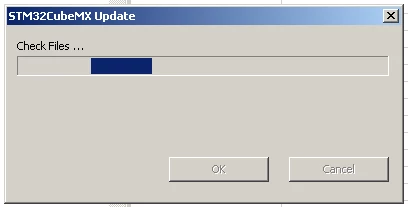
When I try to run the application STM32CubeMX.exe I see a window popping up for a short time:

0690X00000604lBQAQ.png

Can anyboldy help me?

Thanks,

Martin

#stm32cubemx #bug #stm32cube
This topic has been closed for replies.

6 replies

mikael23
Visitor II
January 14, 2016
Posted on January 14, 2016 at 10:23

I have the same problem !

Nickname5522_O
Visitor II
January 15, 2016
Posted on January 15, 2016 at 12:02

Hi all,

Which version of java are you using?

-Shahrzad-

martin239955_stm1_stmicro_com
Associate
January 15, 2016
Posted on January 15, 2016 at 13:26

I have installed Java Version 8 Update 66.

mikael23
Visitor II
January 15, 2016
Posted on January 15, 2016 at 13:41

The same. (on a 32bits)

But on other PC (64bits Java 8 update 66) STM32CubeMX is running

mikael23
Visitor II
January 20, 2016
Posted on January 20, 2016 at 08:17

Anybody have solution?

Nickname5522_O
Visitor II
January 28, 2016
Posted on January 28, 2016 at 11:08

Hi jacob.mikael,

STM32CubeMX is running with java 8 (update 66) on windows 7 and windows 8 (32 bits ans 64 bits).

Which windows version are you using? Could you send us the STM32CubeMx.log file under C:\Users\yoursession\.stm32cubemx?

-Shahrzad-