Visitor
July 1, 2026
Question

STM32CubeMx 6.18.0 missing X-CUBE-AZRTOS-H5

  • July 1, 2026
  • 5 replies
  • 30 views

I updated to the newest STM32CubeMx 6.18.0
Now i miss X-CUBE-AZRTOS-H5 support.
I can see only an empty display after loading my .ioc file.

5 replies

Ghofrane GSOURI
ST Technical Moderator
July 1, 2026

Hello ​@Gehs 

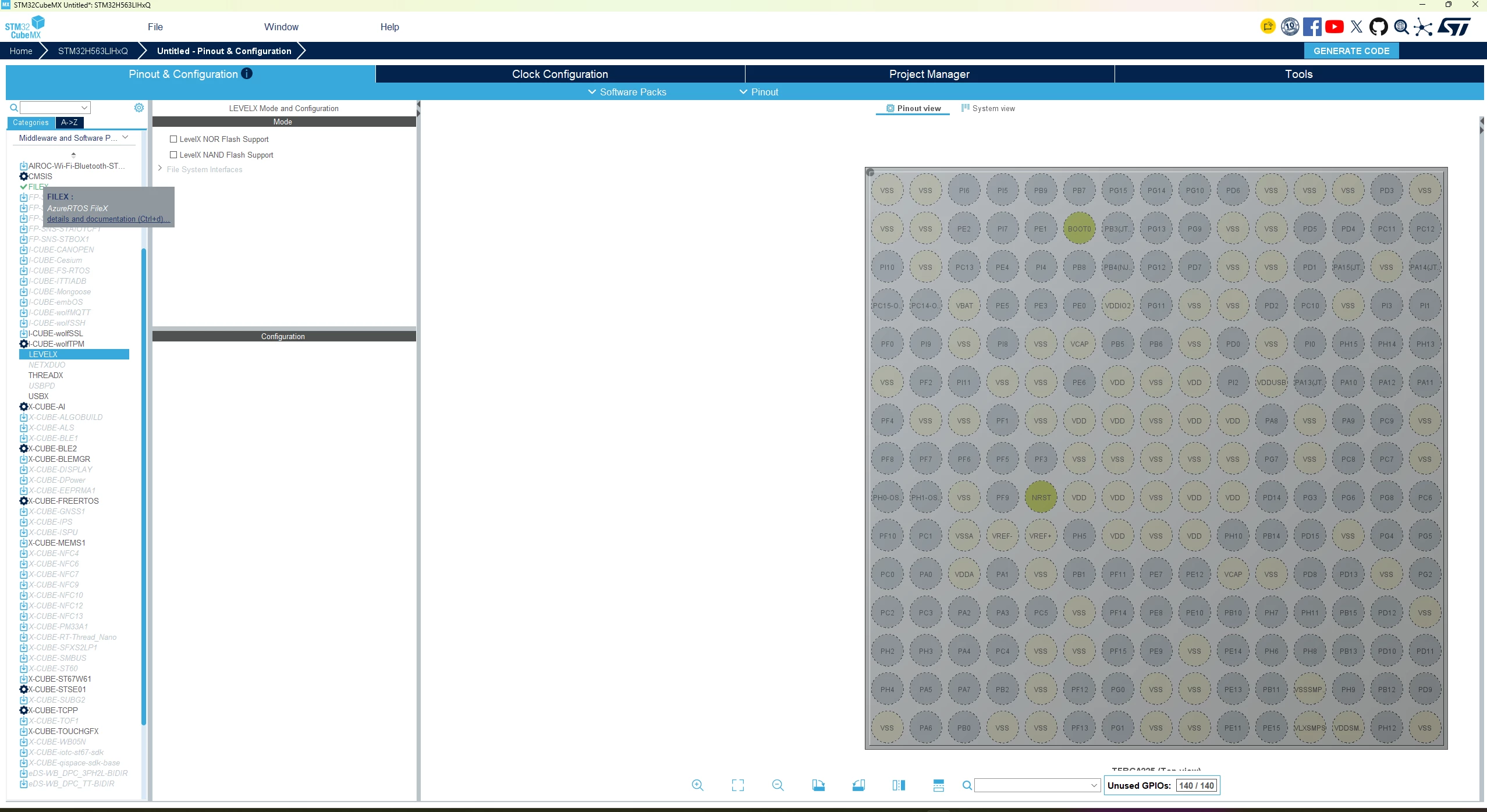
ThreadX and FileX already appear in the Middleware section of STM32CubeMX for your STM32H5 MCU ,this means Azure RTOS support is already integrated and you do not need to install X-CUBE-AZRTOS-H5 separately.

In case of need , use this link to install it :X-CUBE-AZURE-H5 | Product - STMicroelectronics

THX

Ghofrane

To give better visibility on the answered topics, please click on Accept as Solution on the reply which solved your issue or answered your question.
GehsAuthor
Visitor
July 1, 2026


Ghofrane GSOURI
ST Technical Moderator
July 1, 2026

Hello ​@Gehs 

Could you please let me know why you are trying to download X-CUBE-AZRTOS-H5 and integrate it in STM32CubeMX  for your project ?

For STM32H5  Azure RTOS is already integrated natively in STM32CubeMX  so there is normally no need to use a separate X-CUBE expansion pack. In addition, X-CUBE-AZRTOS-H5 is not compatible with STM32CubeMX, so the recommended approach is to enable and configure ThreadX, FileX, USBX, or NetX  from Middleware section .

To give better visibility on the answered topics, please click on Accept as Solution on the reply which solved your issue or answered your question.
GehsAuthor
Visitor
July 1, 2026

You are right!
Everything works if i create a new project.

The migration to CubeMX version 6.18 seems to fail.
So the problem seems to be in the .ioc file.
I attached that .ioc file.

I have also a simpler G070xx which migrated without any problems.

Ghofrane GSOURI
ST Technical Moderator
July 1, 2026

Hello ​@Gehs 

Thank you for sharing the .ioc file.

I checked it with STM32CubeMX6.18.0 ,I was able to load the project configuration successfully.


To give better visibility on the answered topics, please click on Accept as Solution on the reply which solved your issue or answered your question.