


SidBr
Associate
April 7, 2020
Solved

STM32CubeMX 5.6.0 (latest) Code Generation Freezes

  • April 7, 2020
  • 8 replies
  • 3680 views

I'm trying to generate the code on the STM32F407G-DISC1 evaluation board for the TrueStudio project environment.

The code generation just freezes.

Has anyone else seen this?

I'm running on Windows 7 Pro, 64 b0693W000000VReZQAW.pngit
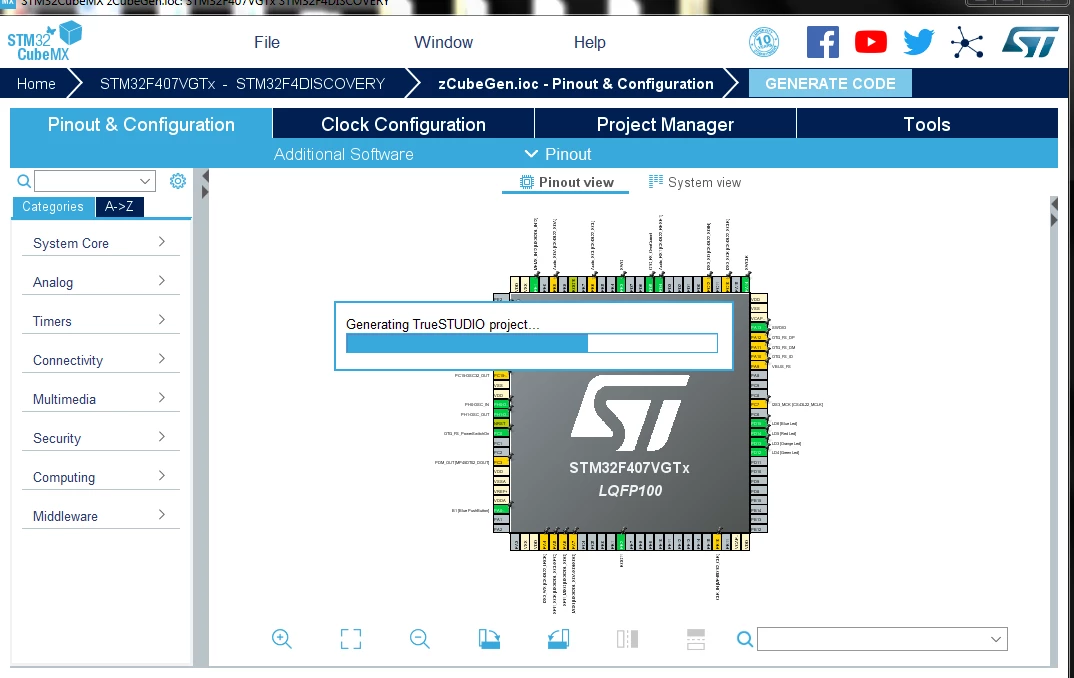
I've tried different combinations of projects and processors but the result is the same.

This topic has been closed for replies.
Best answer by Imen.D

Hello @SidBr​ ,

Please check if your project path location contains special character as "#" or "&".

Then, please keep us informed about your progress.

Best Regards,

Imen

8 replies

Imen.DBest answer
ST Technical Moderator
April 7, 2020

Hello @SidBr​ ,

Please check if your project path location contains special character as "#" or "&".

Then, please keep us informed about your progress.

Best Regards,

Imen

In order to give better visibility on the answered topics, please click on 'Best answer' on the reply which solved your issue or answered your question. Thanks
SidBr
SidBrAuthor
Associate
April 8, 2020

Thanks @Imen DAHMEN​ 

This was the problem.

Since I started working from home, the IT department gave me a laptop where the User account was “R&D�?, which appeared in the STM32CubeMX repository path.

I created a new admin user not containing an '&', and it now works.

This has solved most of my other issues.

ST Technical Moderator
April 8, 2020

I already reported highlighted this issue internally to CubeMx team for analysis.

Best Regards,

Imen

In order to give better visibility on the answered topics, please click on 'Best answer' on the reply which solved your issue or answered your question. Thanks
sschu.236
Visitor II
April 9, 2020

Hello, I have the same thing when I had upgrade the system windows 10 (1093 -> 1909). And it's the same even when I try to generate for stm32cubeide

SidBr
SidBrAuthor
Associate
April 9, 2020

Hi @sschu.236​ ,

Have you managed to fix it?

Take a look in the 'Project Manager' options and check to see what the path of the 'Repository' is.

'&' and '#' breaks the code generation.

sschu.236
Visitor II
April 9, 2020

Hello, I looked the path, i don't have any special caracters. My path is like that:

0693W000000VdRIQA0.png

Jim Frederick_2
Associate II
January 11, 2021

I see this frequently, randomly, roughly 2 out of 10 times, on several projects. The associated paths have no special characters other than a space. My solution is to kill the process with the Windows process manager and try again. The odds are in my favor!