

STM32CubeMX 5.0.1 No vertical bar for window scrolling
The vertical scroll bar in the GPIO Settings window used in various peripheral does not appear.
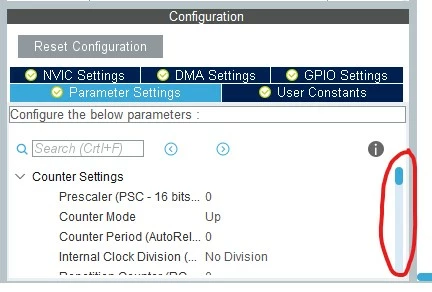
Left-click on a timer (for example), in the central window you can see the "Configuration -> Parameter Settings" with the vertical scrol bar, this is OK. It's possible to scrol the window:
Instead selecting "GPIO Settings" and clicking on a line of a GPIO to check the settings, we get:
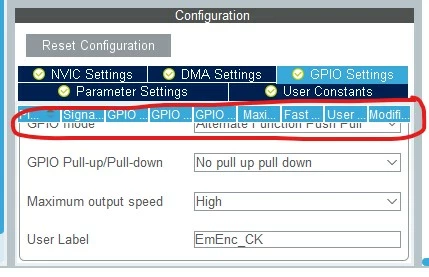
The vertical scroll bar is missing, and the upper part overlaps with the lettering and does not allow you to read the settings. There is no way to scroll the window.
Obviously this happens with small monitors (15 "). With large monitors (22") this does not happen because seeing all the lines of the parameters it is not necessary to scroll the window.
Are you already aware of this defect?
Regards
Andrea
