

Visitor II
April 2, 2024
Question

pinout compatible couldn't load

  • April 2, 2024
  • 1 reply
  • 6882 views

Hi, all,

I am trying to port my preconfigured H743 Nucleo board pinout setting to H753ZI Nucleo board, which is pin to pin compatible. I clicked the "list compatible MCU" under the pinout tab, but for some reason, the window just stuck in the loading process forever. Please see the picture below:
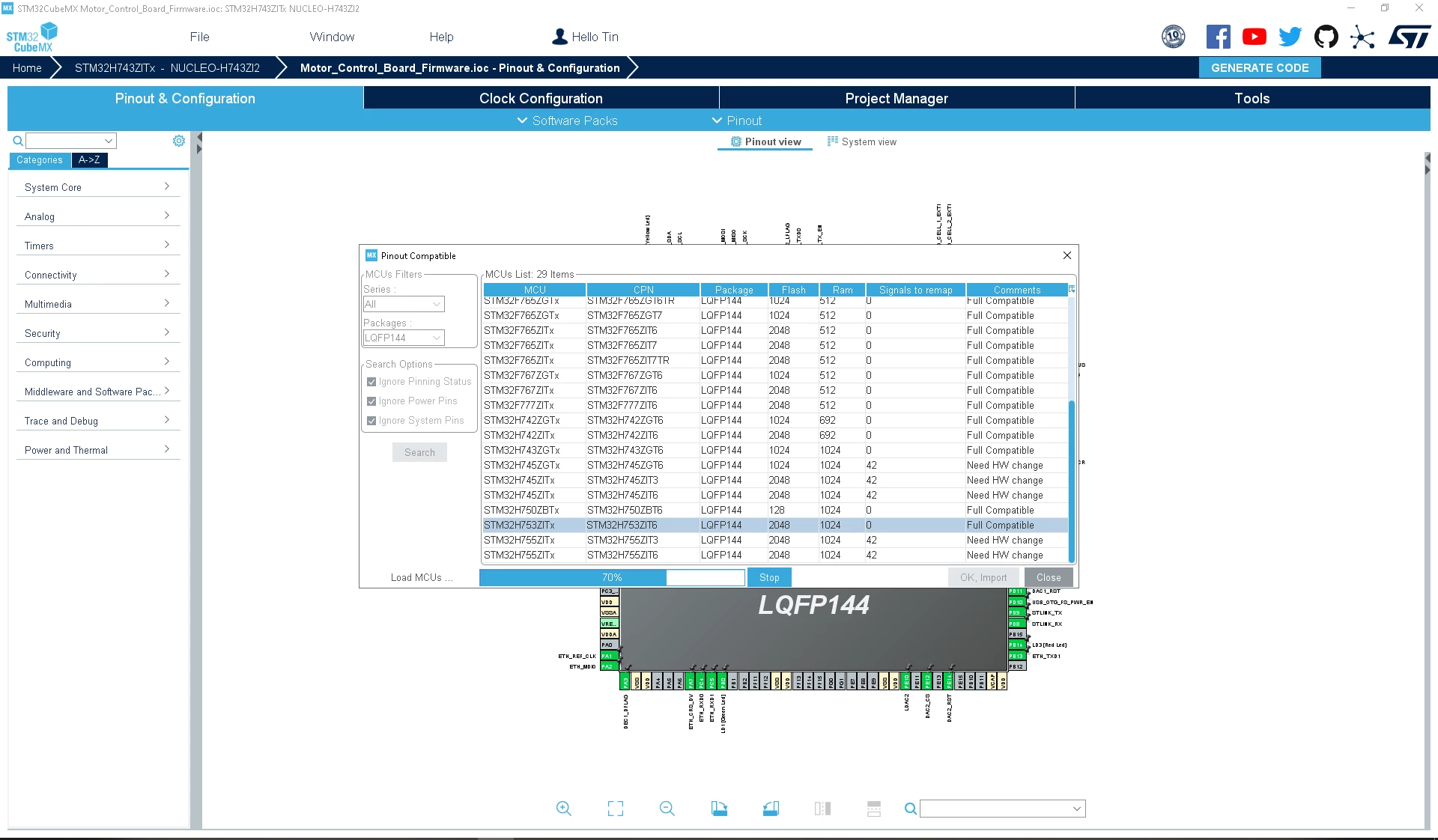
 

TinNotTim_0-1712093557458.png

The progress stuck at exactly 70%, I can see the MCU I want, but I couldn't click on it because the loading is not done. Any idea on how I can fix this? Thanks for any suggestion in advance.

This topic has been closed for replies.

1 reply

STTwo-32
Technical Moderator
April 2, 2024

Hello @TinNotTim and welcome to the ST Community :smiling_face_with_smiling_eyes:.

I suggest you to restart your PC and try again.

Best Regards.

STTwo-32 

To give better visibility on the answered topics, please click on Accept as Solution on the reply which solved your issue or answered your question.
Visitor II
April 17, 2024

Hello,

same behaviour for me. At 70% it doesn't go ahead also restarting PC.

I'm using STM32CubeIDE
Version: 1.14.1
Build: 20064_20240111_1413 (UTC)

Actual microprocessor is STM32H563ZIT6.

STTwo-32
Technical Moderator
April 17, 2024

Hello @Maxer 

I've tested For the STM32H743ZITx:

STTwo32_0-1713336994127.png

and for the STM32H563ZIT6:

STTwo32_1-1713337149696.png

And it works fine. Please update your CubeMX to the last versions (V 6.11.0).

Best Regards.

STTwo-32

To give better visibility on the answered topics, please click on Accept as Solution on the reply which solved your issue or answered your question.