ADesp.1
Associate II
July 21, 2025
Solved

Nucleo-H755ZI-Q wrong HSE setting ?

  • July 21, 2025
  • 2 replies
  • 547 views

Hello, 

From the UM2408 document, the HSE is connected to ST-Link MCO output which is supposed to be 8MHz.
When you select Nucleo-H755ZI-Q board, the HSE input is locked to 25MHz. 
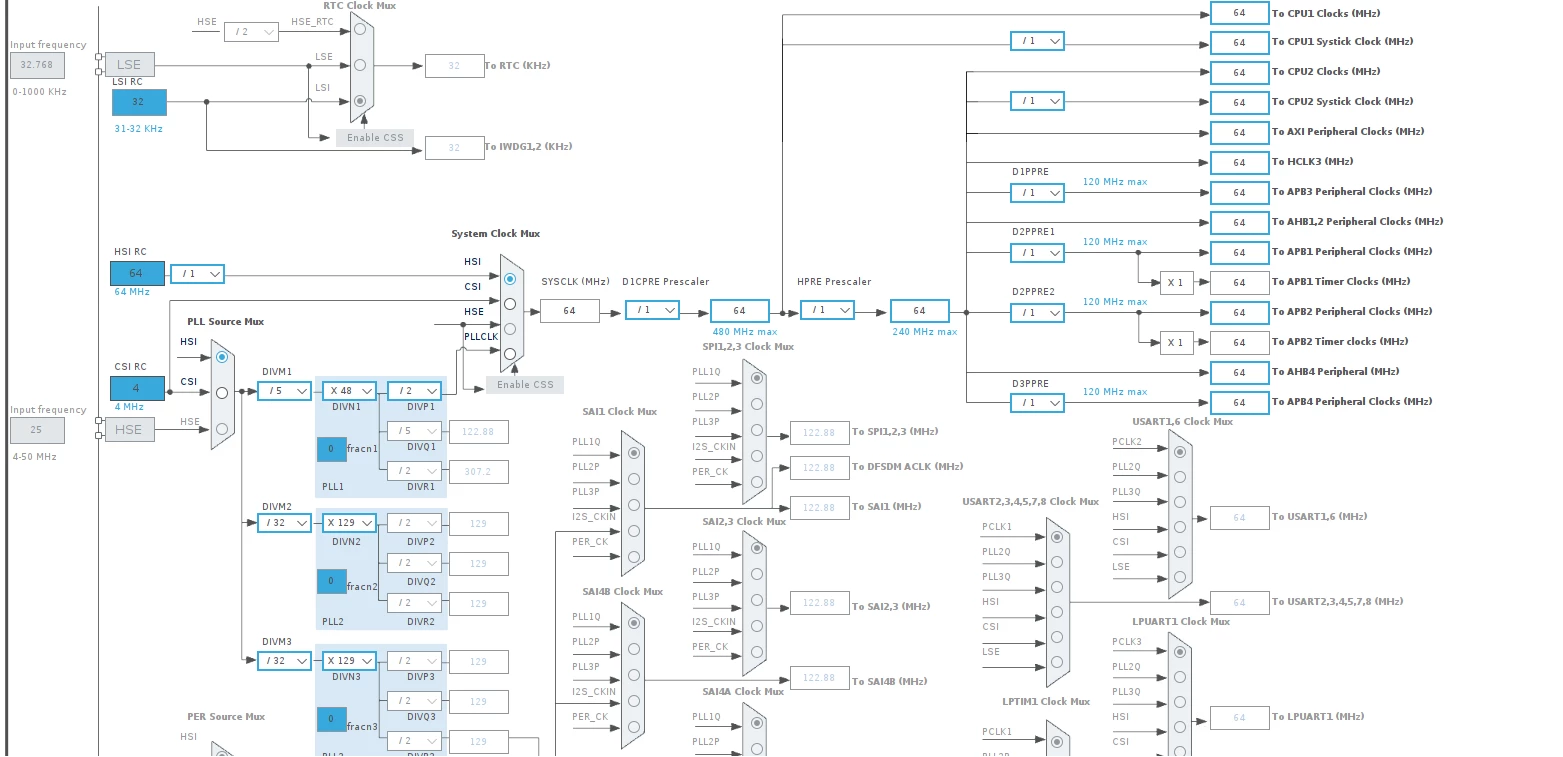
ADesp1_0-1753100480424.png

Is it a CubeMX bug or does the MCO clock really 25MHz ? 

This topic has been closed for replies.
Best answer by TDK

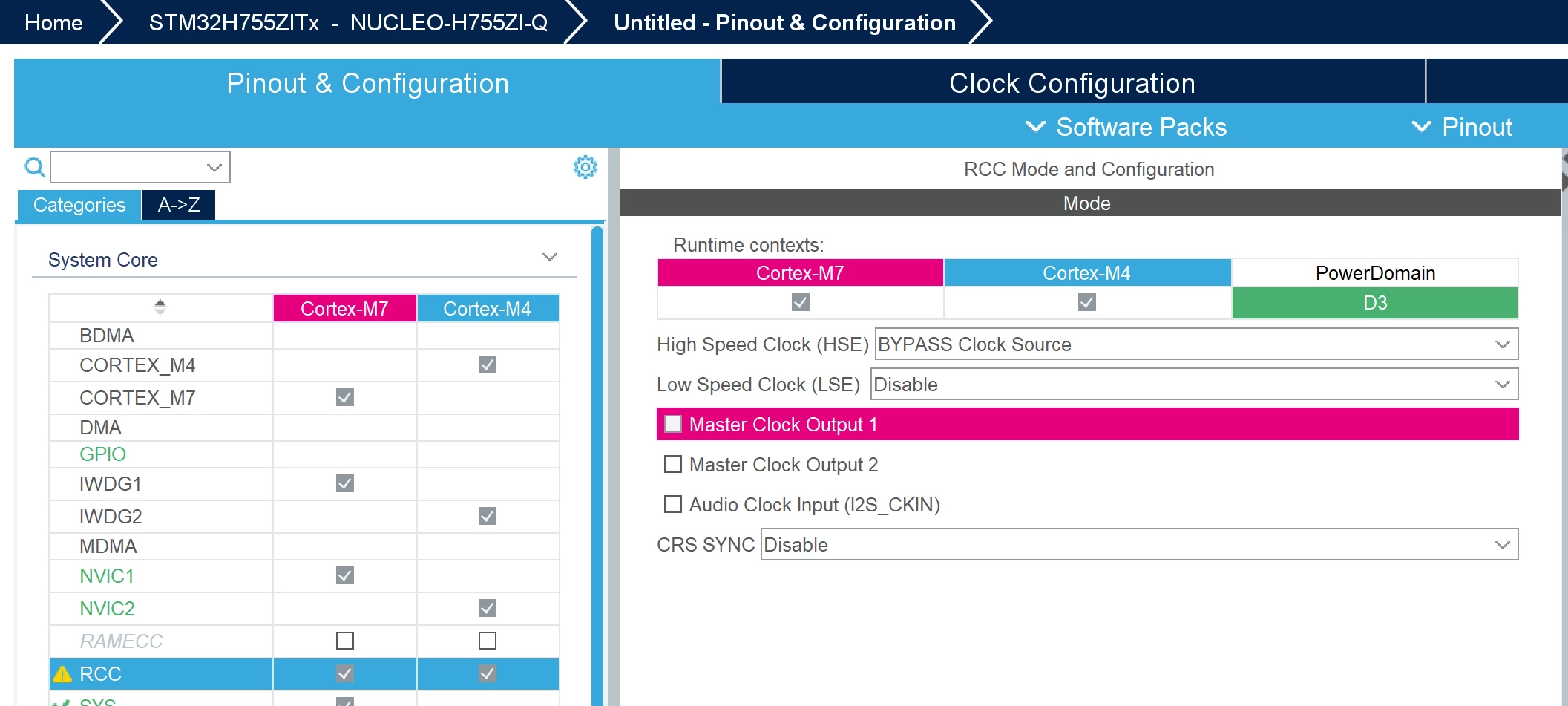
It's grayed out, which means HSE is not enabled.

Enable HSE in the RCC tab and you can set it to 8 MHz or whatever the ST-Link is outputting, which is configurable in the ST-Link firmware upgrade.

By default, it should be set to HSE Bypass at 8 MHz.

TDK_0-1753101946521.png


2 replies

TDK
TDKBest answer
July 21, 2025

It's grayed out, which means HSE is not enabled.

Enable HSE in the RCC tab and you can set it to 8 MHz or whatever the ST-Link is outputting, which is configurable in the ST-Link firmware upgrade.

By default, it should be set to HSE Bypass at 8 MHz.

TDK_0-1753101946521.png


"If you feel a post has answered your question, please click ""Accept as Solution""."
ADesp.1
ADesp.1Author
Associate II
July 21, 2025

That was an easy find, I should have a deeper look before !
Thanks a lot