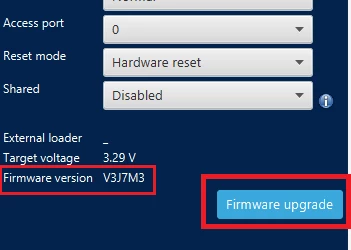
Solved
No STM32 target found error after configuring the clock to max 480 MHz through STM32CubeMx
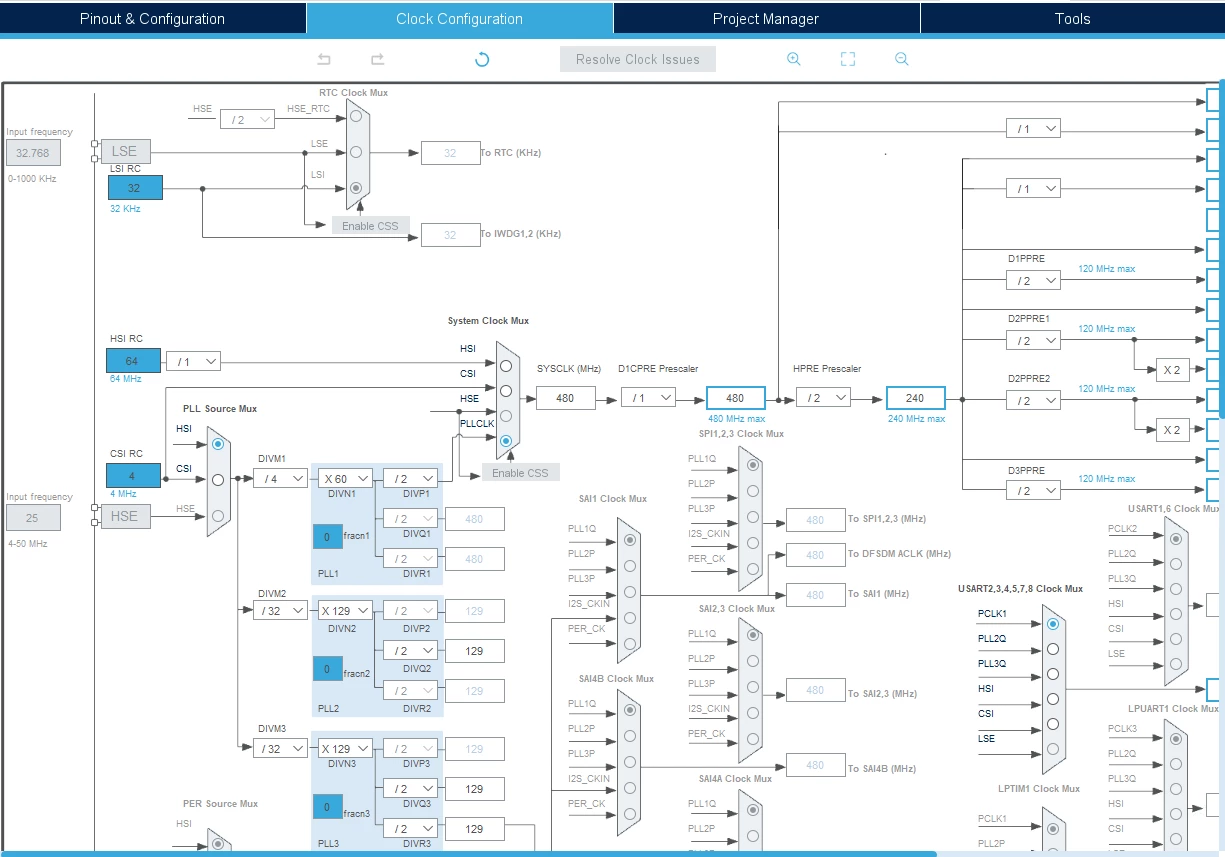
I'm working on the NUCLEO-H745ZI-Q development board and recently configured the clock to its max 480 MHz through STM32CubeMx and tried debugging the code generated by CubeMx on STM32CubeIDE. While suddenly the micro failed to respond after the `SystemClock_Config();` step. From then the micro is failed to communicate with STlink.
/**
 * @brief System Clock Configuration
 * @retval None
 */
void SystemClock_Config(void)
{
 RCC_OscInitTypeDef RCC_OscInitStruct = {0};
 RCC_ClkInitTypeDef RCC_ClkInitStruct = {0};
 RCC_PeriphCLKInitTypeDef PeriphClkInitStruct = {0};

 /** Supply configuration update enable
 */
 HAL_PWREx_ConfigSupply(PWR_LDO_SUPPLY);
 /** Configure the main internal regulator output voltage
 */
 __HAL_PWR_VOLTAGESCALING_CONFIG(PWR_REGULATOR_VOLTAGE_SCALE0);

 while(!__HAL_PWR_GET_FLAG(PWR_FLAG_VOSRDY)) {}
 /** Initializes the RCC Oscillators according to the specified parameters
 * in the RCC_OscInitTypeDef structure.
 */
 RCC_OscInitStruct.OscillatorType = RCC_OSCILLATORTYPE_HSI;
 RCC_OscInitStruct.HSIState = RCC_HSI_DIV1;
 RCC_OscInitStruct.HSICalibrationValue = RCC_HSICALIBRATION_DEFAULT;
 RCC_OscInitStruct.PLL.PLLState = RCC_PLL_ON;
 RCC_OscInitStruct.PLL.PLLSource = RCC_PLLSOURCE_HSI;
 RCC_OscInitStruct.PLL.PLLM = 4;
 RCC_OscInitStruct.PLL.PLLN = 60;
 RCC_OscInitStruct.PLL.PLLP = 2;
 RCC_OscInitStruct.PLL.PLLQ = 2;
 RCC_OscInitStruct.PLL.PLLR = 2;
 RCC_OscInitStruct.PLL.PLLRGE = RCC_PLL1VCIRANGE_3;
 RCC_OscInitStruct.PLL.PLLVCOSEL = RCC_PLL1VCOWIDE;
 RCC_OscInitStruct.PLL.PLLFRACN = 0;
 if (HAL_RCC_OscConfig(&RCC_OscInitStruct) != HAL_OK)
 {
 Error_Handler();
 }
 /** Initializes the CPU, AHB and APB buses clocks
 */
 RCC_ClkInitStruct.ClockType = RCC_CLOCKTYPE_HCLK|RCC_CLOCKTYPE_SYSCLK
 |RCC_CLOCKTYPE_PCLK1|RCC_CLOCKTYPE_PCLK2
 |RCC_CLOCKTYPE_D3PCLK1|RCC_CLOCKTYPE_D1PCLK1;
 RCC_ClkInitStruct.SYSCLKSource = RCC_SYSCLKSOURCE_PLLCLK;
 RCC_ClkInitStruct.SYSCLKDivider = RCC_SYSCLK_DIV1;
 RCC_ClkInitStruct.AHBCLKDivider = RCC_HCLK_DIV2;
 RCC_ClkInitStruct.APB3CLKDivider = RCC_APB3_DIV2;
 RCC_ClkInitStruct.APB1CLKDivider = RCC_APB1_DIV2;
 RCC_ClkInitStruct.APB2CLKDivider = RCC_APB2_DIV2;
 RCC_ClkInitStruct.APB4CLKDivider = RCC_APB4_DIV2;

 if (HAL_RCC_ClockConfig(&RCC_ClkInitStruct, FLASH_LATENCY_4) != HAL_OK)
 {
 Error_Handler();
 }
 PeriphClkInitStruct.PeriphClockSelection = RCC_PERIPHCLK_USART2|RCC_PERIPHCLK_I2C1;
 PeriphClkInitStruct.Usart234578ClockSelection = RCC_USART234578CLKSOURCE_D2PCLK1;
 PeriphClkInitStruct.I2c123ClockSelection = RCC_I2C123CLKSOURCE_D2PCLK1;
 if (HAL_RCCEx_PeriphCLKConfig(&PeriphClkInitStruct) != HAL_OK)
 {
 Error_Handler();
 }
}
On top of the auto-generated code, I've commented out the code which use to wait for CPU2 to boot and enter stop mode. I was only using CM7 and not used CM4 for my initial testing so commented out the while loop.
 /* Enable D-Cache---------------------------------------------------------*/
 SCB_EnableDCache();

/* USER CODE BEGIN Boot_Mode_Sequence_1 */
 /* Wait until CPU2 boots and enters in stop mode or timeout*/
 //timeout = 0xFFFF;
 //while((__HAL_RCC_GET_FLAG(RCC_FLAG_D2CKRDY) != RESET) && (timeout-- > 0));
 //if ( timeout < 0 )
 //{
 //Error_Handler();
 //}
Did I brick my development board? What are the options left to recover the board/micro?