


Need HELP :( A proven procedure (not trial and error) to add drivers to a core project created by MXCube.
I am designing a sensor board from scratch. It will be similar to evaluation board ..\STM32Cube\Repository\STM32Cube_FW_L4_V1.16.0\Projects\B-L475E-IOT01A.
I have tried example projects, they work great. Since ST do not have .ioc files for the this board, I do not know what IDE was used and how the codes were generated with correct configuration and correct driver files in the correct directory structure.
I tried recreating a project with this board (using CubeMX ) and adding one component only from
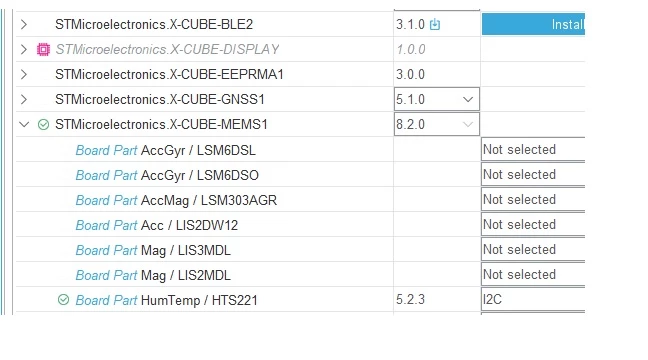 It created the project with this structure
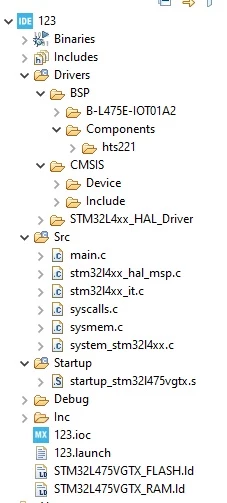 It builds without any errors. So far so good.
Now I want to copy just one function from the example such as
while (1)
{
Temperature_Test();
}
This code will look for the associated driver files, API and other supporting configuration codes.
Can someone guide me or show me a procedure to identify the files with their locations and copy them to relevant directory and also paste the codes (with any changes if necessary) so that it will be compatible and will build without errors.
I have tried doing this, but encountered too many errors. I do not want to start debugging as the codes are from a working example for the same board. My understanding is it is more of configuration issue and adding missing driver files. Copying drivers files similar to the example project did not work, I think there is more to that than just copy.
Regards
Shaun
