

GKrei.1
Associate
December 3, 2020
Question

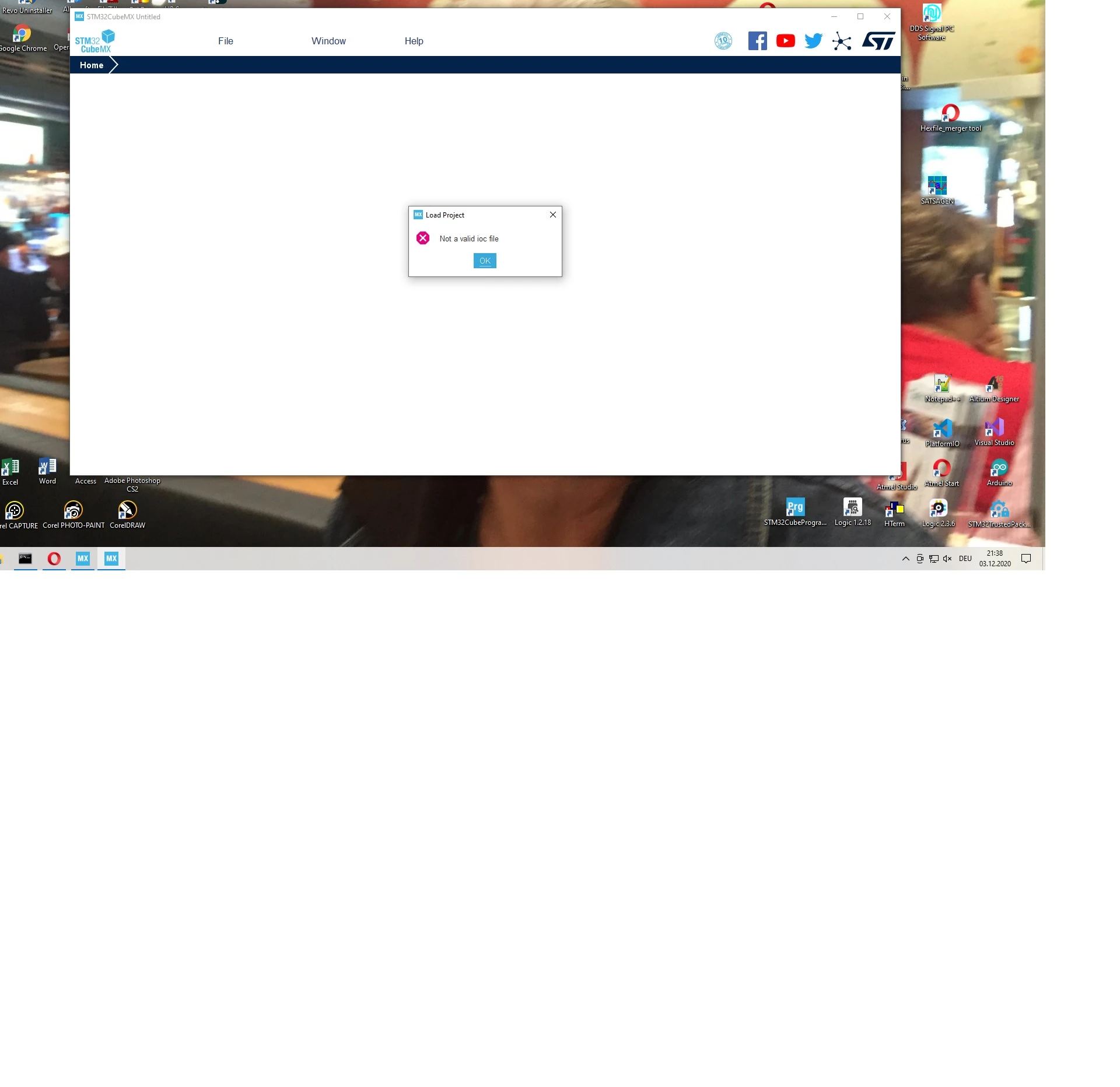
I'm having a problem with CubeMX. When I create a new project and want to open the project, I get the error message "Not a valid IOC File". Windows 10 CubeMX 6.1.0

  • December 3, 2020
  • 9 replies
  • 4686 views

0693W000006EZa1QAG.jpg

This topic has been closed for replies.

9 replies

Khouloud OTHMAN
Associate
December 4, 2020

Hello GKrei.1,

Welcome to our community :)

Could you please attach your .ioc file to check the problem.

Thanks in advance,

Khouloud.

GKrei.1
GKrei.1Author
Associate
December 4, 2020

I reinstalled CubeMX yesterday but got the same result. I also make a new project in a directory without spaces (test), the same result. I installed the latest Version of Java and deleted the "old" Java installations with the Java Removal Tool, still the same result.

I tried to open an "old" project, the same error message.

I hope you can help me. Thanks and best regards

Guenther

Khouloud OTHMAN
Associate
December 4, 2020

Hi  GKrei.1,

I can't reproduce the issue from my side, your attached project is loaded correctly. Can you please attach the STM32CubeMX.log file that you'll find under [C:\<User_path>\.stm32cubemx] to further check.

I will be waiting for your response.

Khouloud.

BCina.1
Visitor II
June 30, 2021

First enter the file where the HAL projects are saved. Then open .project file with Atollic (click left and open together Atollic)