

BRaja.1
Associate
May 28, 2021
Solved

I have installed STM32CubeMX plug-in in Eclipse but it seems to not allow me the options of creating a project

  • May 28, 2021
  • 3 replies
  • 2322 views

I am trying to use the Eclipse Cube MX plug-in to create a project, generate code, write my application code and run and test it on my board.

I have installed STM32CubeMX (v5.1.0) plug-in in Eclipse (v4.19.0).

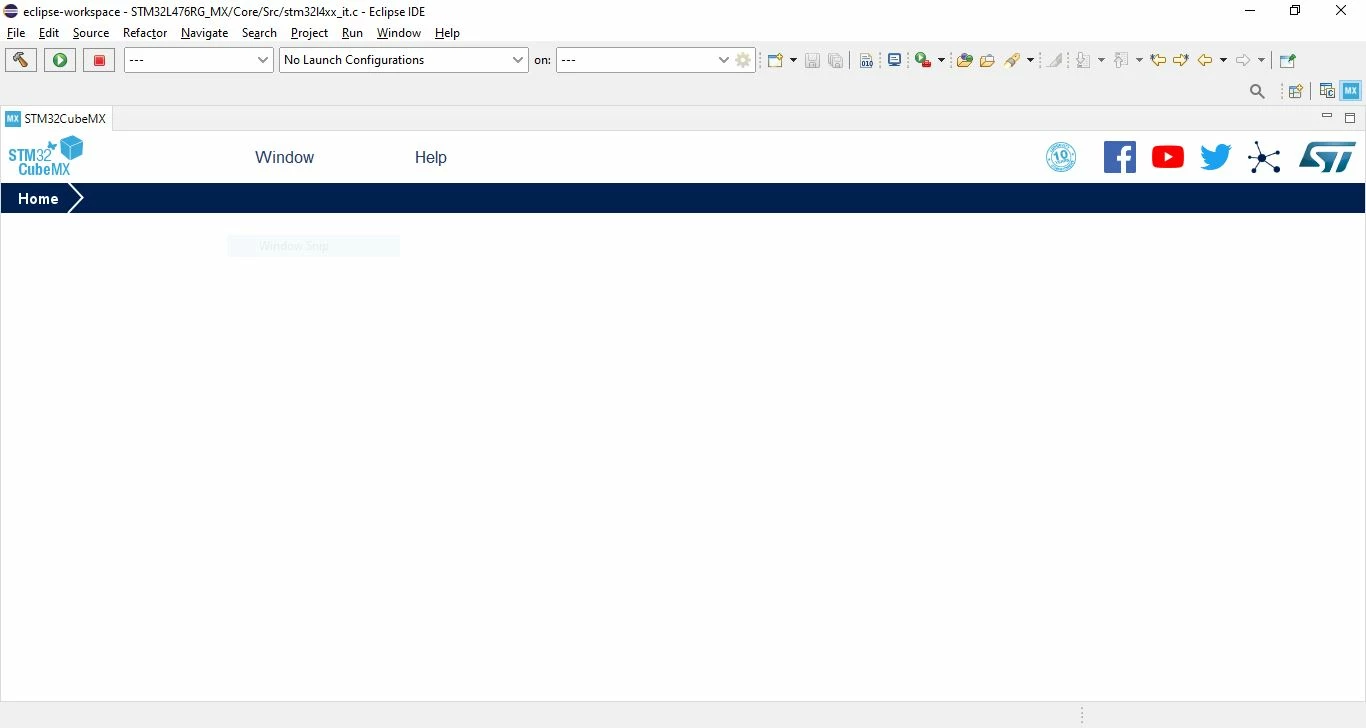
The STM32CubeMX is visible in my perspectives but I am unable to use it to create any projects using the tool. I have attached a screenshot of how the window looks when I open the CubeMX perspective. The "File" tab is missing.

Have I missed anything during the installation or are there any versioning constraints that the MX tool is only compatible with certain versions of Eclipse?

Looking forward to your support.
0693W00000AQ9ybQAD.jpg

This topic has been closed for replies.
Best answer by Houda GHABRI

Hi @BRaja.1​ ,

thanks for your feedback.

As mentioned by @TDK​ the NRND status means that there is no development effort will be done on this pack.

ST recommendation is to switch to the new ST IDE based on eclipse which is STM32CubeIDE.

Hope this helps you.

Houda

3 replies

TDK
Super User
May 28, 2021

If you want to debug in Eclipse and use STM32CubeMX, why not just use STM32CubeIDE instead?

If you're talking about this plug-in, note that the status is NRND:

https://www.st.com/en/development-tools/stsw-stm32095.html

"If you feel a post has answered your question, please click ""Accept as Solution""."
BRaja.1
BRaja.1Author
Associate
May 31, 2021

Hello!

We are required to use the Eclipse IDE for the project and hence the attempt to do the above in Eclipse IDE.

When trying to setup the plug-in, I got stuck at the above mentioned issue.

Not sure if I missed anything with the installation or if there is some mismatch with the versions and their compatibility.

Yes, I have noted the status. When will the new pack (which is not NRND) would be available?

Thank you for your response.

TDK
Super User
May 31, 2021
NRND in this case means it’s no longer being developed. Doesnt make sense to continue considering stm32cubeide exists.
"If you feel a post has answered your question, please click ""Accept as Solution""."
BRaja.1
BRaja.1Author
Associate
June 1, 2021

Okay, then is there any other way to initialize the peripherals to default values and generate the code for an ST MCU within Eclipse itself?

Houda GHABRI
Houda GHABRIBest answer
ST Employee
June 1, 2021

Hi @BRaja.1​ ,

thanks for your feedback.

As mentioned by @TDK​ the NRND status means that there is no development effort will be done on this pack.

ST recommendation is to switch to the new ST IDE based on eclipse which is STM32CubeIDE.

Hope this helps you.

Houda
