


Arman Ilmak
Senior
December 6, 2023
Solved

How to debug dual core simultaneously in mdk arm

  • December 6, 2023
  • 2 replies
  • 3624 views

Hi every body.

I have a project with stm32h747aii and i use mdk arm. Recently i did it with cubeide and i could debug both cores at the same time and within one window.

I wanted to know that if it is possible in mdk arm 5.36 or not?

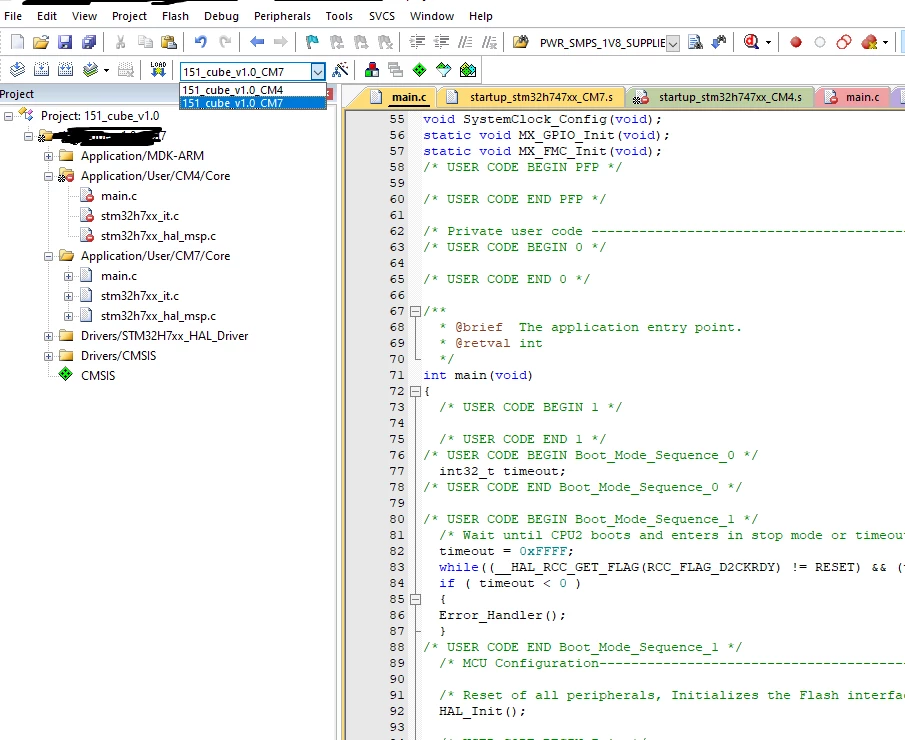
When i enter each core debug i cant switch between cores in debug mode.

Id better mention that cube has generated only one mdk arm project that both m7 and m4 are listed within.
ArmanIlmak_0-1701851987312.png

I think if they were two separate project it would be easy to do as mdk arm has tutorials for that. But i dont see any tutorials for this one.
This topic has been closed for replies.
Best answer by Arman Ilmak

Thanks for your reply.

I did the same configuration in this document for debugger.

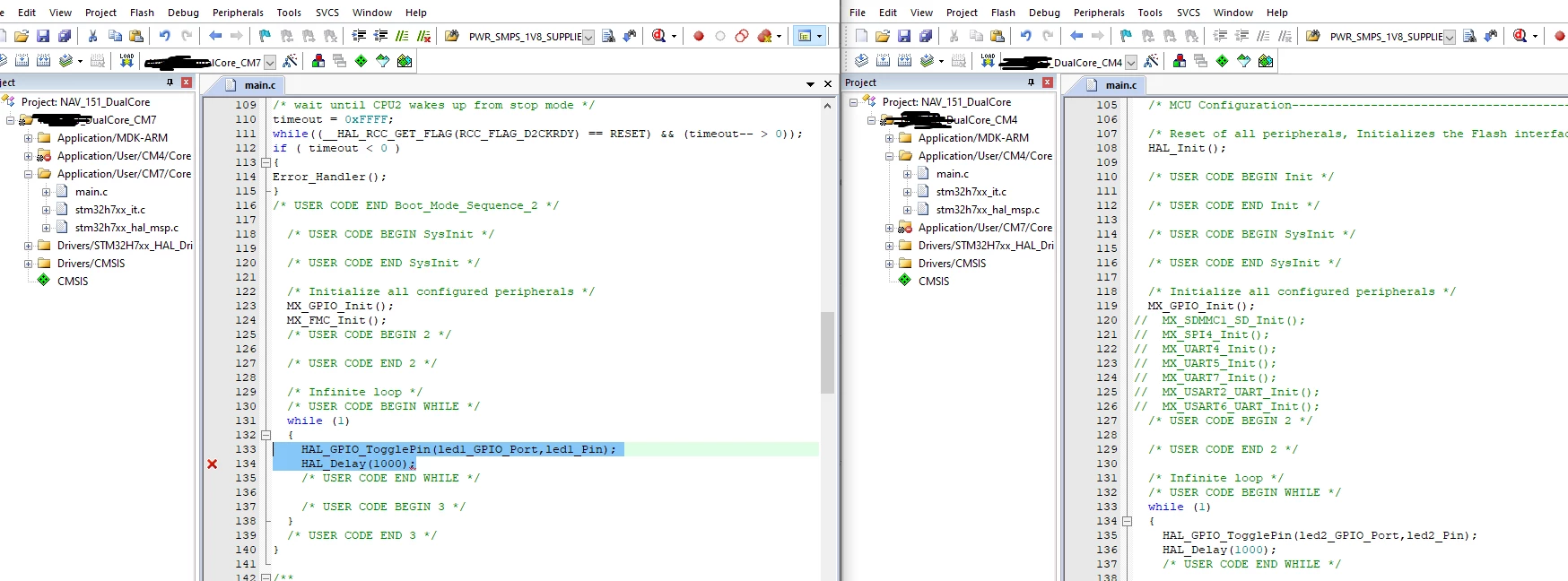
I opened the same project twice so with one of them m7 is selected and with the other m4 and simultaneous debugging was ok.

Thanks.

ArmanIlmak_0-1701870126430.png


2 replies

ST Technical Moderator
December 6, 2023

Hello @Arman Ilmak ,

Dual-core debugging allows the simultaneous debugging of both cores.

(Both cores run individually or simultaneously from each of the GUI instances).

I advise you follow the steps for dual debug on MDK-ARM in the AN5286: STM32H7x5/x7 dual-core microcontroller debugging

ImenD_0-1701854296439.png

Thanks

Imen

In order to give better visibility on the answered topics, please click on 'Best answer' on the reply which solved your issue or answered your question. Thanks
Arman Ilmak
Arman IlmakAuthorBest answer
Senior
December 6, 2023

Thanks for your reply.

I did the same configuration in this document for debugger.

I opened the same project twice so with one of them m7 is selected and with the other m4 and simultaneous debugging was ok.

Thanks.

ArmanIlmak_0-1701870126430.png