

MJavi.1
Associate II
May 6, 2023
Question

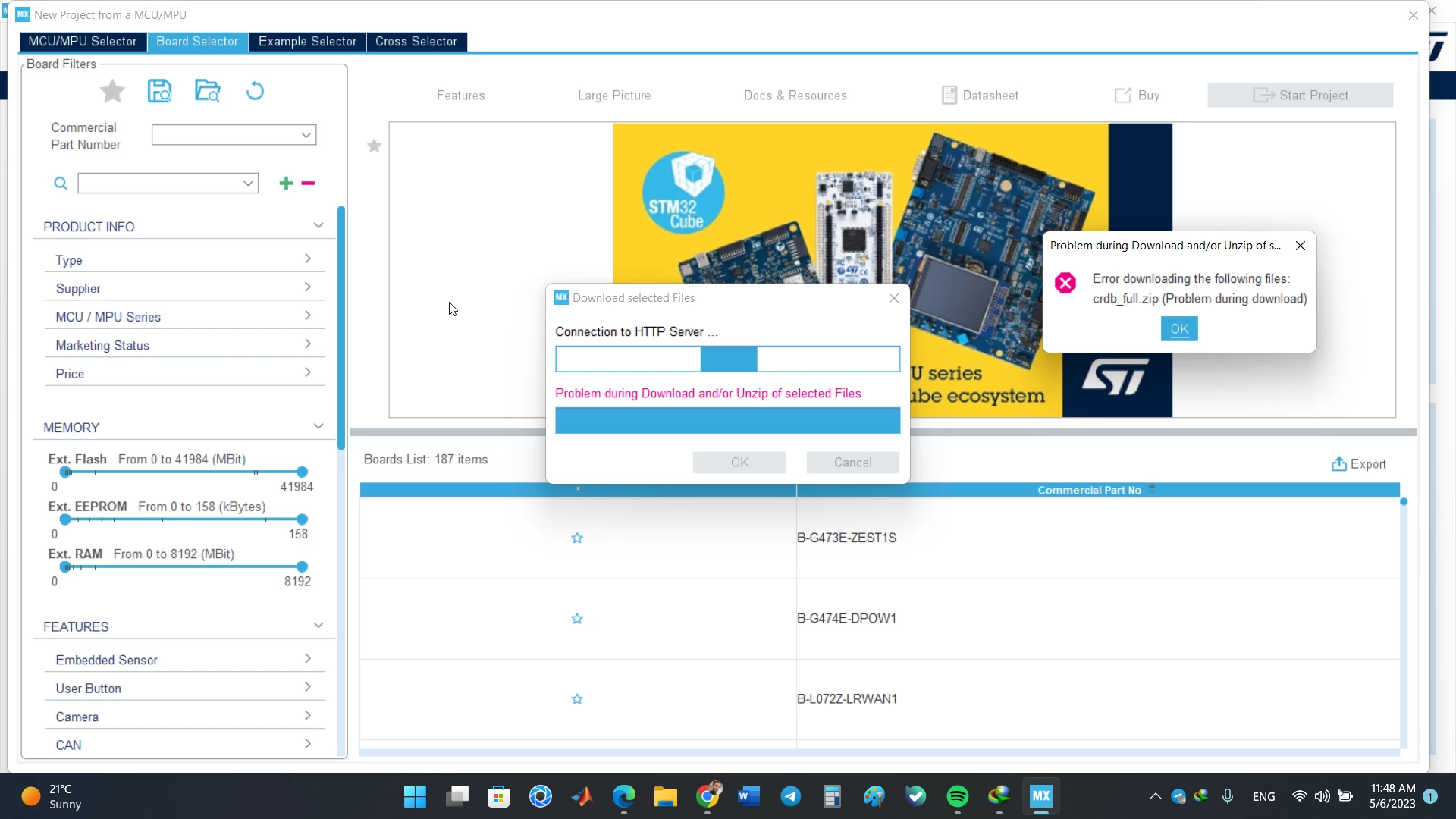
how to deal with this error? error downloading the following files: crdb_full.zip

  • May 6, 2023
  • 3 replies
  • 3321 views

I get this error in downloading files in side stm32cubemx:

error downloading the following files: crdb_full.zip

_legacyfs_online_stmicro_images_0693W00000bjW6xQAE.png

This topic has been closed for replies.

3 replies

ST Technical Moderator
May 8, 2023

Hello @MJavi.1​ ,

Did you trying using CubeMX with admin right?

Please have a look at this post, it may help you.

If you still have issues, don't hesitate to come back with update.

When your question is answered, please close this topic by choosing Select as Best.

Imen

In order to give better visibility on the answered topics, please click on 'Best answer' on the reply which solved your issue or answered your question. Thanks
Visitor II
June 15, 2024

Sorry, I am running as an administrator in version 6.11.1 of STM32CubeMX, and in Start My Project from MCU
This error still occurs when ACCESS TOMCU SELECT

PSYM_0-1718442997464.png

PSYM_1-1718443007391.png


FluxPower42
Associate III
February 18, 2025

Hello!

I think you have fixed the problem by now. But maybe someone who has the same problem will be interested.

I had a similar problem when I tried to install the SMT32G474 package.
After I moved the folder for the firmware repository from my user directory to a general directory on the C disk, the problem no longer occurred.
You can find the settings under: [Help/Connection & Updates] and the [Updater Settings] tab in the dialog.
In the [Firmware Repository] section, I set the directory to
C:\Local\Tools\STMicroelectronics\STM32Cube\Repository
But all other generally accessible directories without spaces(?) should work.
It was then possible to install the packages.

With kind regards,
Timo