parth kothiya
Associate III
August 11, 2021
Solved

How to create Custom board configuration settings in STM32 CUBE MX?

  • August 11, 2021
  • 1 reply
  • 1784 views

I make my own custom board using STM32 MCU(ex Stm32f4 disco) so I want to store it's gpio clock settings all configuration next time I want to use this board then all settings are initialise automatically how can I do this?

This topic has been closed for replies.
Best answer by Khouloud ZEMMELI

Hello @parth kothiya​ ,

Thanks for your question,

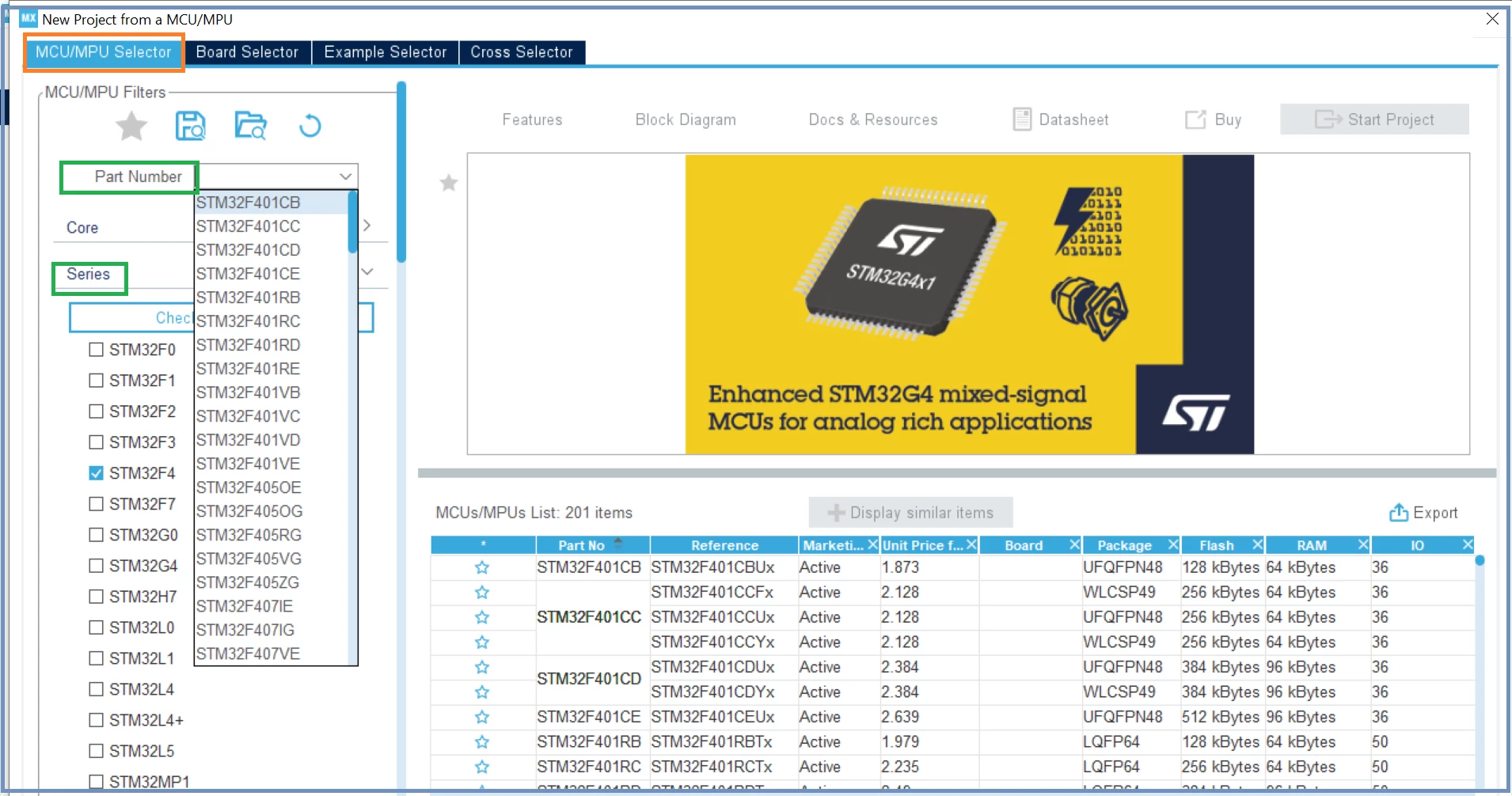
You can configure the STM32 chip through STM32CubeMX, first, you need to enter your exactly part number that will be used and press Start project:
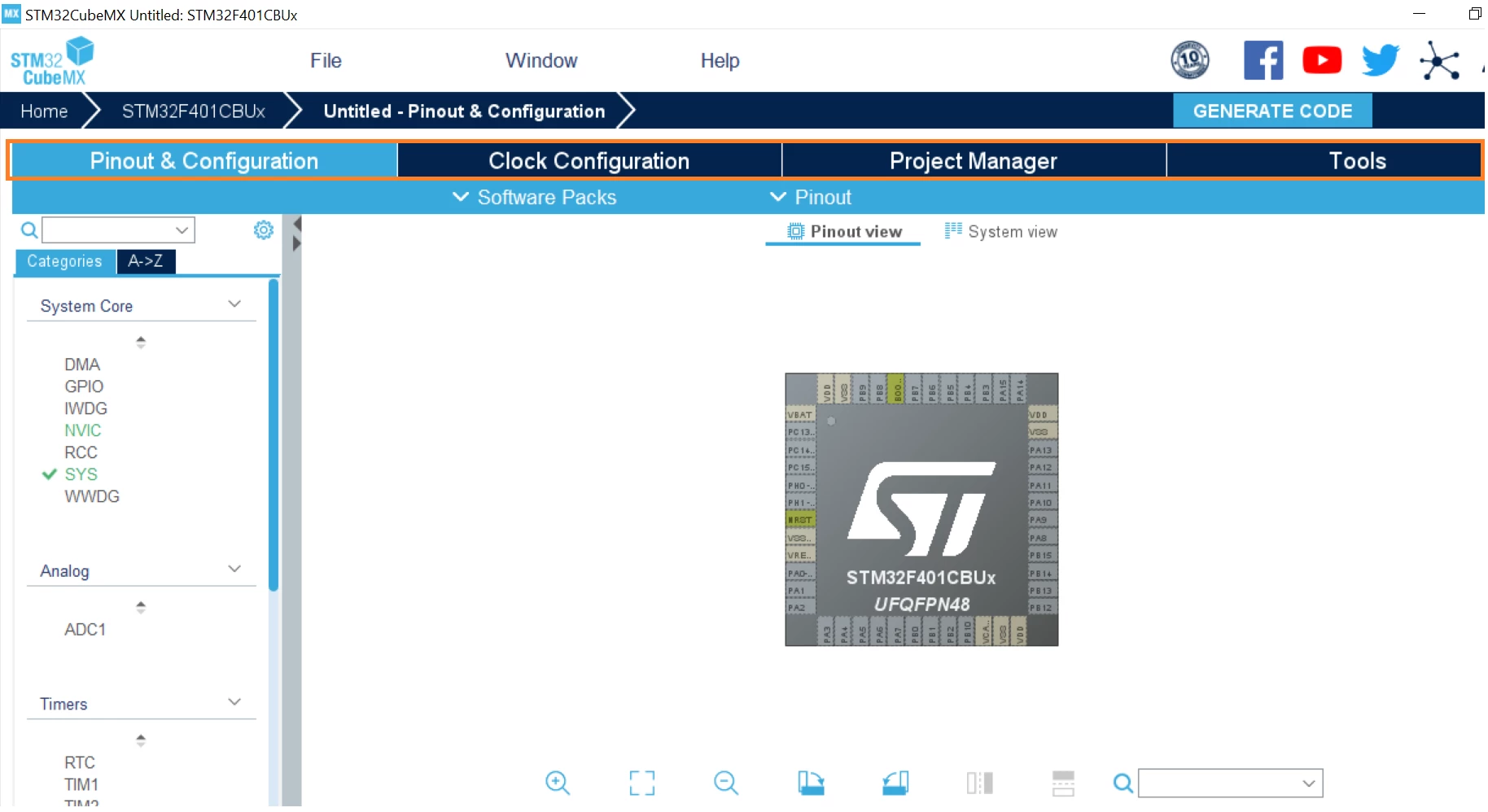
0693W00000D2YM7QAN.pngYou can set/configure all the available peripherals, Clock and all the other options and parameters according to your need:
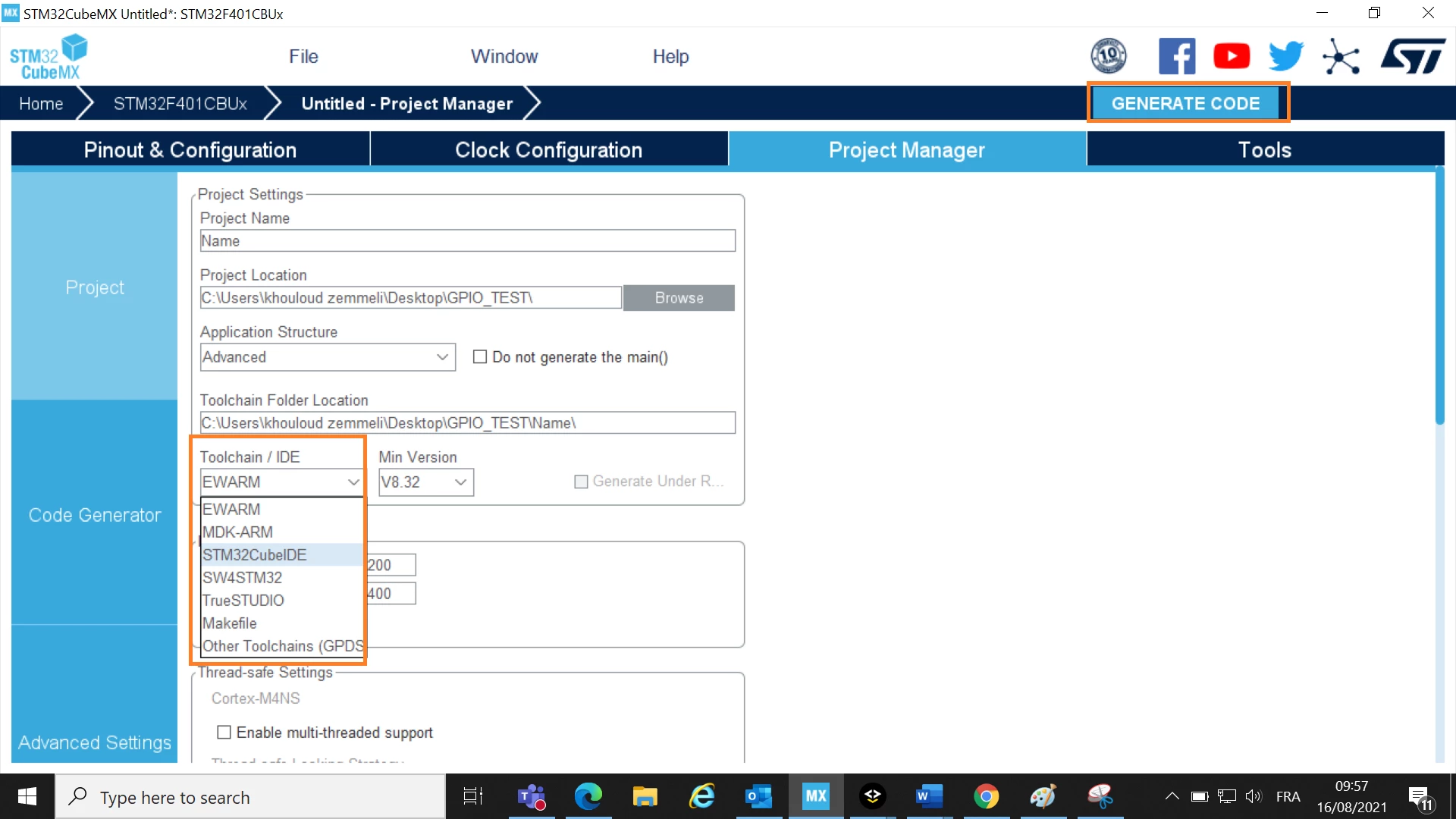
0693W00000D2YMlQAN.pngAnd then, you should choose the IDE to finally generate your configuration made in the previous step:
0693W00000D2YPkQAN.pngFor your own code, please add it in the preserved user sections.

Hope my answer helped you :) When your question is answered, please close this topic by choosing Select as Best. This will help other users find that answer faster.

Thanks, Khouloud

1 reply

Khouloud ZEMMELI
Khouloud ZEMMELIBest answer
ST Employee
August 16, 2021

Hello @parth kothiya​ ,

Thanks for your question,

You can configure the STM32 chip through STM32CubeMX, first, you need to enter your exactly part number that will be used and press Start project:

0693W00000D2YM7QAN.pngYou can set/configure all the available peripherals, Clock and all the other options and parameters according to your need:

0693W00000D2YMlQAN.pngAnd then, you should choose the IDE to finally generate your configuration made in the previous step:

0693W00000D2YPkQAN.pngFor your own code, please add it in the preserved user sections.

Hope my answer helped you :) When your question is answered, please close this topic by choosing Select as Best. This will help other users find that answer faster.

Thanks, Khouloud