


Miles1
Associate III
Aug 30, 2020 6:42 AM UTC
Solved

How to change HAL firmware version in STM32CubeIDE

Is it possible to revert a project to an earlier firmware version? I was able to upgrade, but now I can't figure out how to change back to the previous version.

I also can't create a new project with the older firmware version either (the dropdown is greyed-out / disabled), even though I have multiple firmware versions installed.
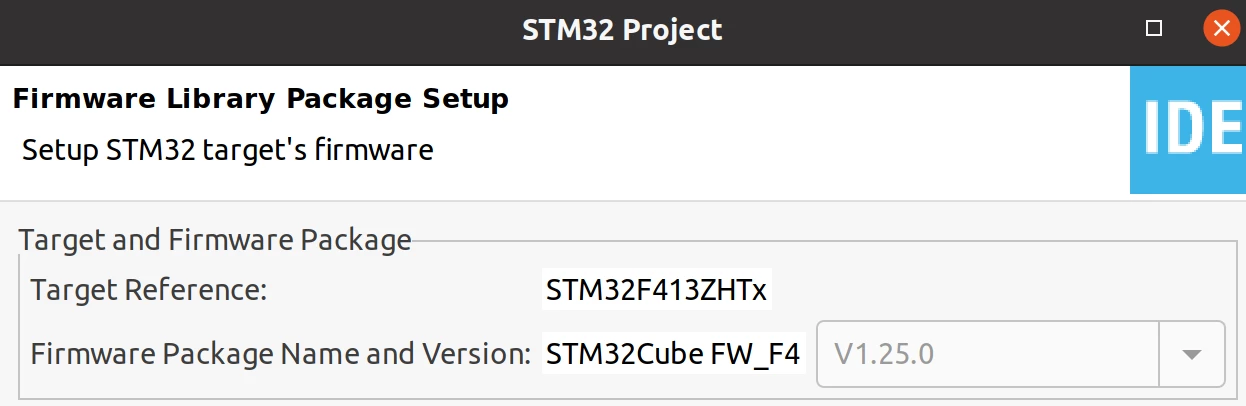

0693W000002liS6QAI.png

0693W000002liS1QAI.png

This topic has been closed for replies.
TDK
TDKBest answer
Aug 30, 2020 2:19 PM UTC

If you run CubeMX in standalone mode, you can select the firmware repository for the chip in Project Manager -> Project -> Mcu and Firmware Package. Just tried it.

Probably won't work for project created with STM32CubeIDE, but you could create in CubeMX and then import the project.

"If you feel a post has answered your question, please click ""Accept as Solution""."

6 replies

TDK
TDKBest answer
Aug 30, 2020 2:19 PM UTC

If you run CubeMX in standalone mode, you can select the firmware repository for the chip in Project Manager -> Project -> Mcu and Firmware Package. Just tried it.

Probably won't work for project created with STM32CubeIDE, but you could create in CubeMX and then import the project.

"If you feel a post has answered your question, please click ""Accept as Solution""."
Miles1
Miles1Author
Associate III
Aug 30, 2020 3:43 PM UTC

Thanks for the suggested workaround with CubeMX.

Seems like STM32CubeIDE is not fully baked yet.
