

SWhit.7
Visitor II
November 11, 2021
Question

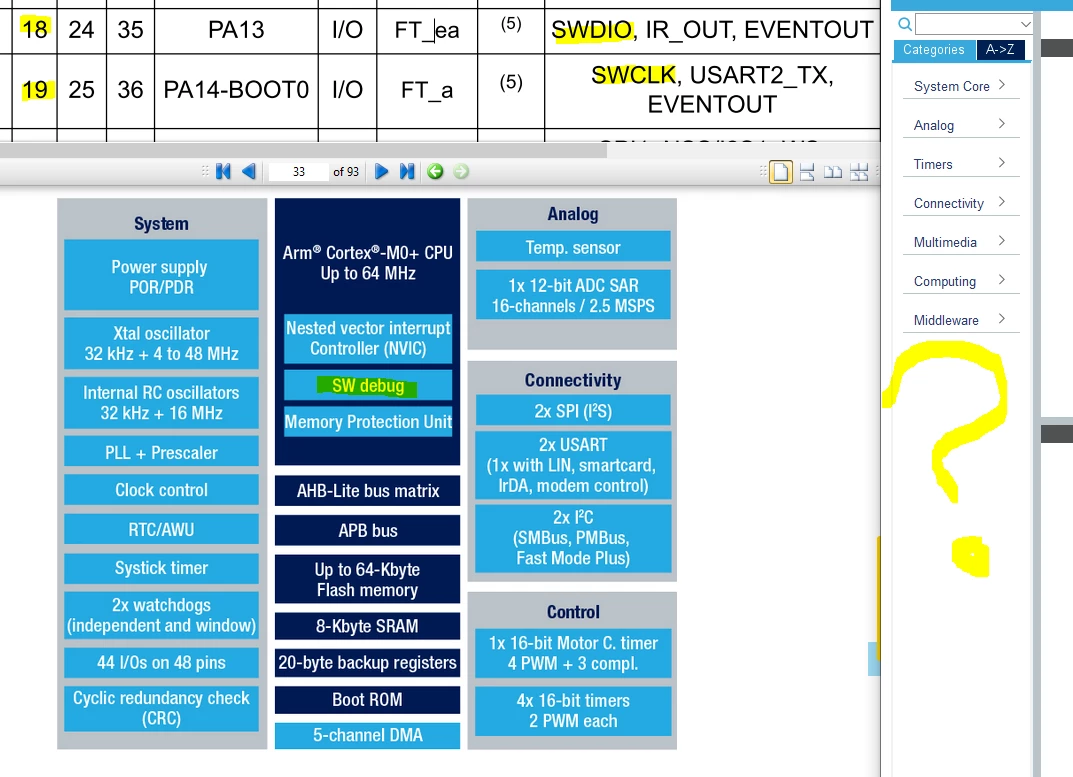
How do I enable serial wire debugging for STM32G030F6 in CubeMX?
  • November 11, 2021
  • 3 replies
  • 3869 views

0693W00000GXDi1QAH.pngThe datasheet says PA13 (SWDIO) and PA14 (SWCLK) but there is no "Trace and Debug" category in CubeMX for STM32G030F6.

This topic has been closed for replies.

3 replies

KnarfB
Super User
November 11, 2021

SWDIO and SWCLK are enabled by hardware after reset, before the first CPU instruction is executed. CubeMX generates a software config that will override the pin functions soon after the CPU has started. Enabling SWD in software would be too late and could create hen/egg issues.

hth

KnarfB

SGümü.1
Associate
April 16, 2022

0693W00000Ly8yXQAR.png 

Is this configuration true?

I have chosen connect under reset and I want to debug with StLink V2.

TDK
November 11, 2021

If you want the pins listed in CubeMX, you set them in System Core -> SYS -> Serial Wire.

But this doesn't actually do anything since the pins are already in those modes after reset, as KnarfB says. But it will prevent you from assigning them to different functions.

0693W00000GXHDMQA5.png

"If you feel a post has answered your question, please click ""Accept as Solution""."