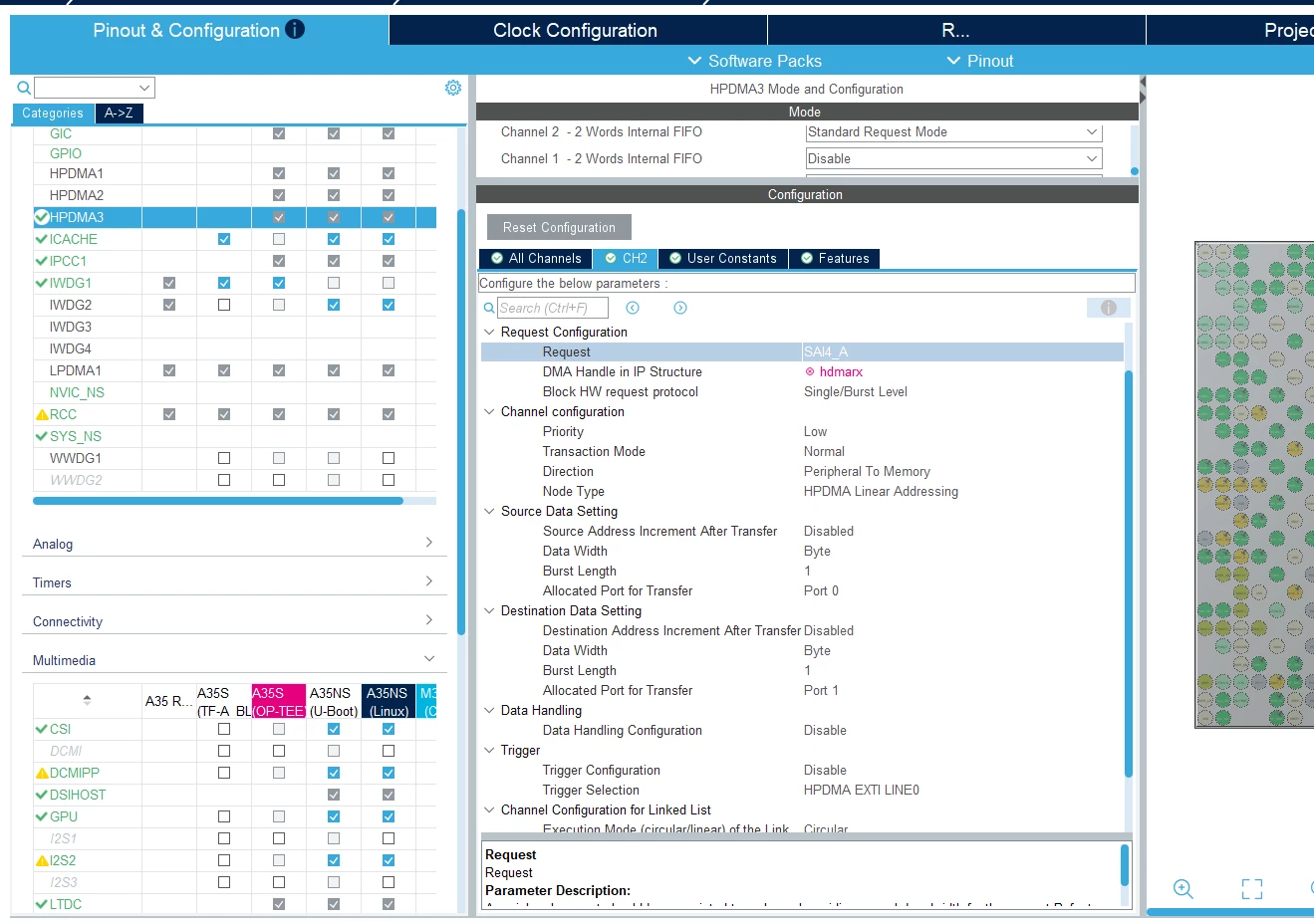
DMA Handle in IP Structure" field for SAI4 DMA request stuck/grayed-out (unable to select), causes red cross / build errors on STM32MP257F-DK
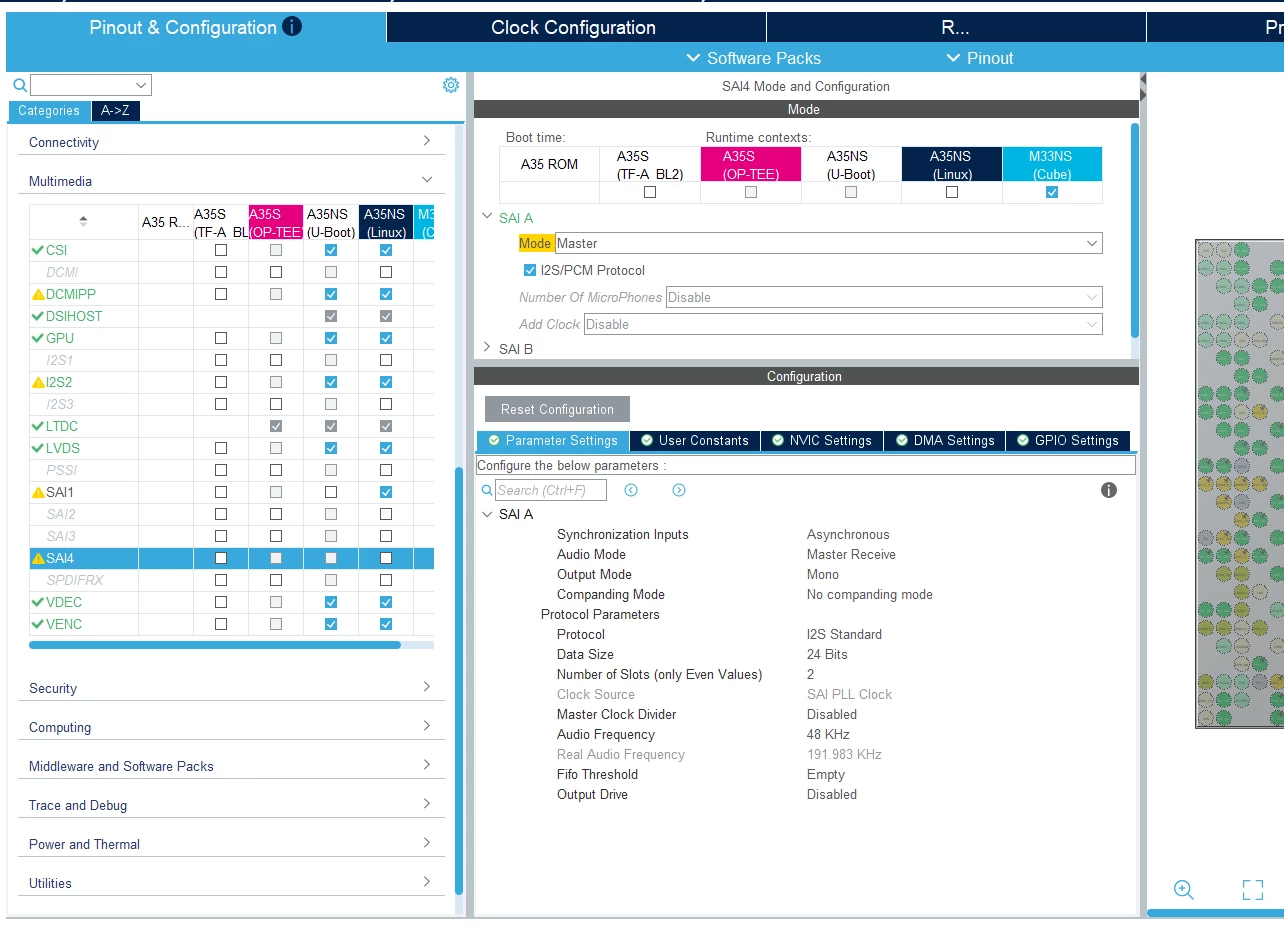
I'm configuring SAI4 (Block A) to receive I2S audio from an external microphone (Knowles SPH0645), using HPDMA3 for continuous circular DMA transfer, targeting the Cortex-M33 (Cube) context.
Configuration so far:
- SAI4 → SAI A → Mode: Master, I2S/PCM Protocol, Audio Mode: Master Receive, Data Size: 24 bits, Mono
- HPDMA3 Channel (currently CH2) → Request: SAI4_A
- Circular Mode: Enable
- Direction: Peripheral To Memory
- Priority: High
Problem:
The field "DMA Handle in IP Structure" under Request Configuration shows a red ⊗ error icon, with the value stuck as a placeholder. When I try to click the dropdown to select a proper handle (e.g. DMA_Handle1, DMA_Handle2), the available options appear grayed out / not selectable — I cannot click or choose any of them. This leaves the field marked invalid (red cross), which propagates up to the HPDMA3 channel, CH tab, and Features tab all showing red crosses.
I confirmed:
- SAI4's runtime context is properly checked (currently testing M33NS)
- The Request field correctly shows SAI4_A (not SAI4_B)
- Other channels' Request Configuration (e.g., I2C2_TX on a different channel) auto-populate their DMA Handle correctly (e.g.
hdmatx), but SAI4's does not offer any selectable handle.
What I've already tried:
- Single-click and double-click on the field
- Clicking a different field first, then returning to this one
- Resetting HPDMA3 configuration and reconfiguring from scratch
- Switching between different free channels (Channel 1, Channel 2)
- Confirmed RIF/CID ownership for SAI4 and HPDMA3 both point to the same context
None of these resolved the grayed-out dropdown.
Question:
Is this a known CubeMX bug for SAI + HPDMA3 configuration on STM32MP2? Is there a specific order of steps required (e.g., must NVIC/GIC settings be configured first, or must the SAI DMA request only be added via a specific "Add" button rather than editing an existing channel) to properly populate the DMA Handle dropdown? Any guidance appreciated — happy to attach my .ioc file if useful.