Associate II
July 1, 2026
Solved

CubeMX Version 6.18.0 introcudes wrong check of clock limits for STM32H753

  • July 1, 2026
  • 4 replies
  • 235 views

After I updated to CubeMX Version 6.18.0 (and newer CPU firmware pack 1.13 but this one not related to issue) I opened my older project and migrated to newer version. As a result I got error on Clock Configuration Page (see pic.1).
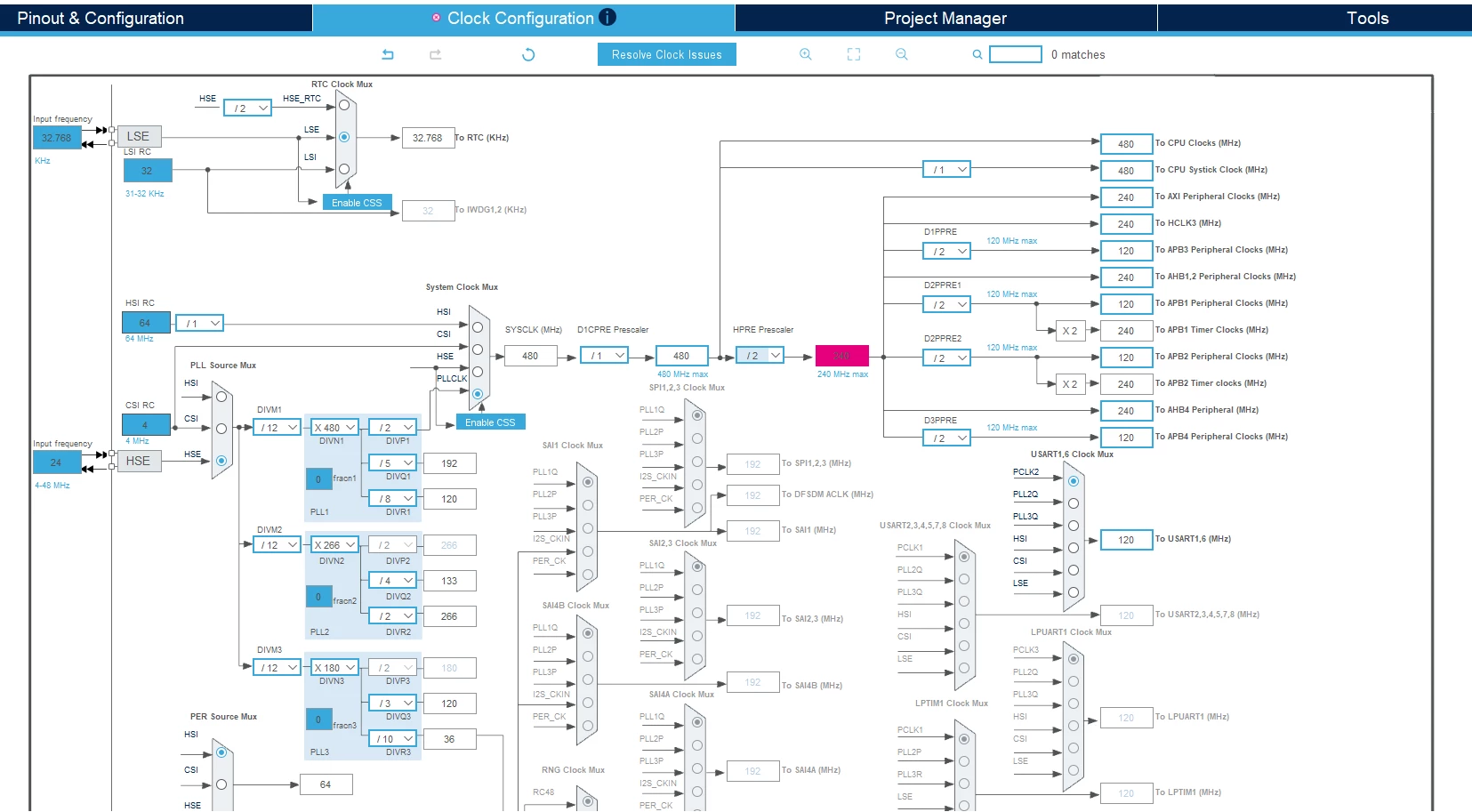
pic.1

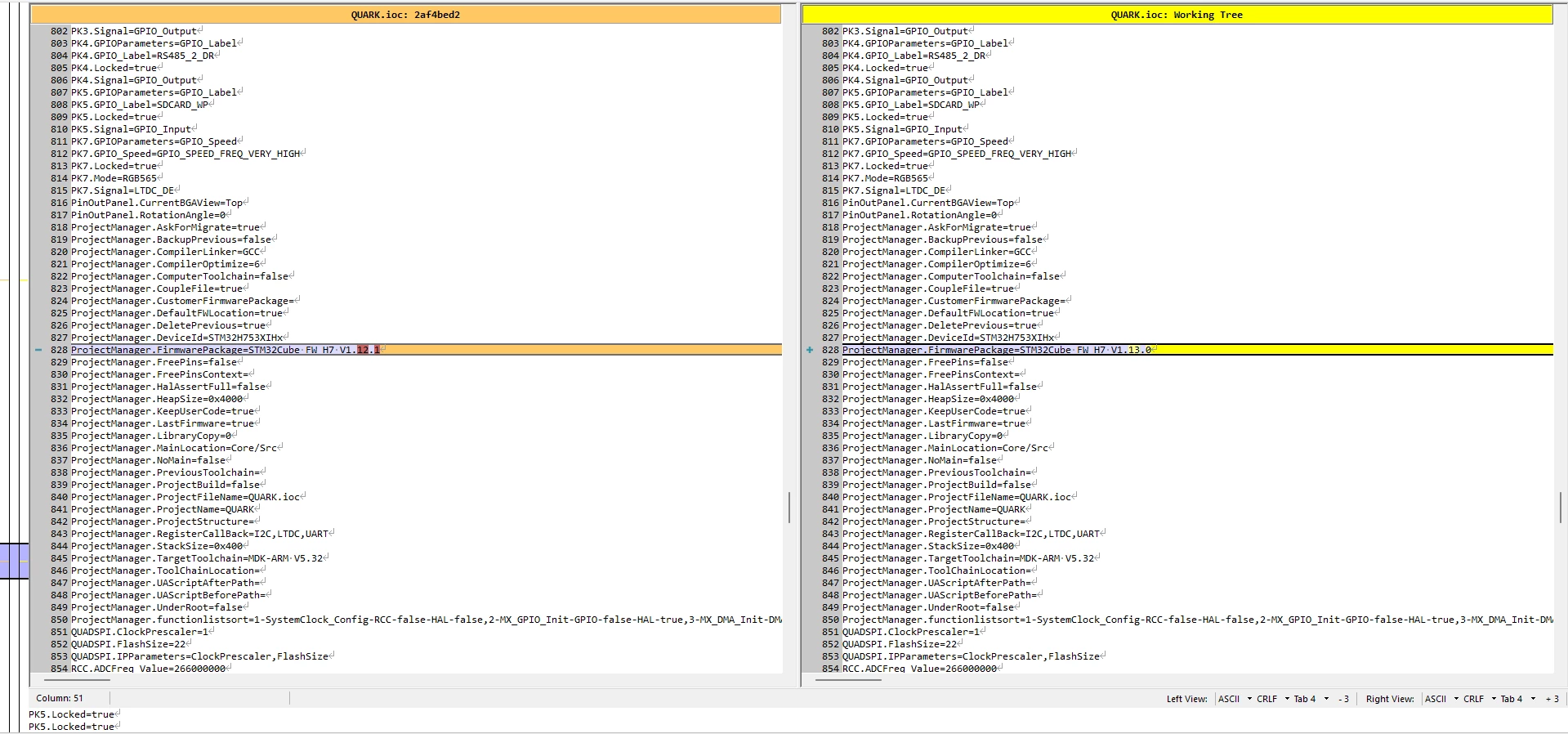
I saved project and checked if anything changed... I did not hound any changed, but versions (see pics. 2 and 3)
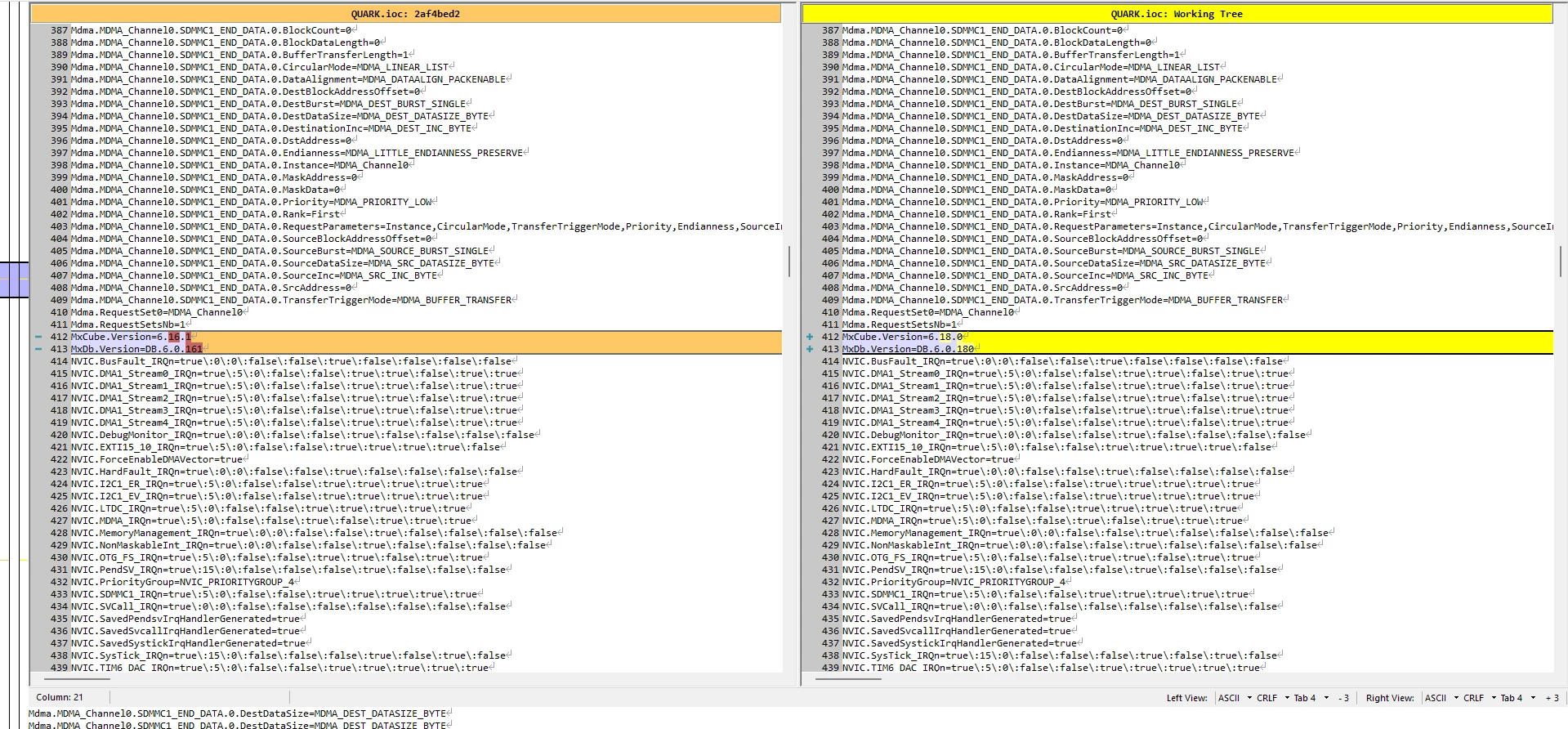
 

pic.2
pic.3

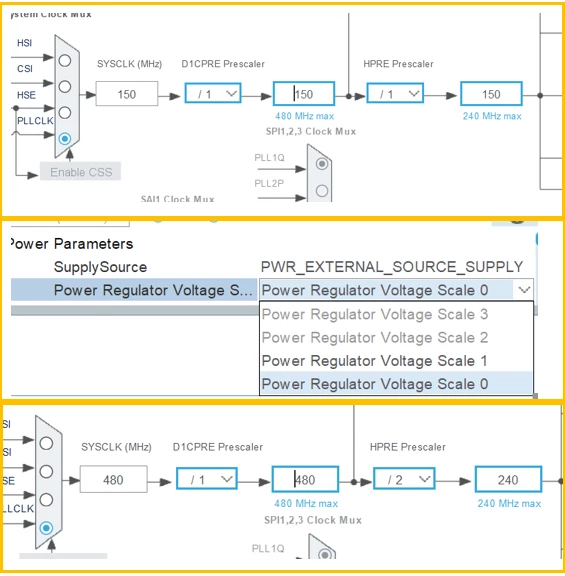
So, I downloaded older version 6.17.0 and there is no such issue. See pic.4 and pic.5 shows RCC block config.
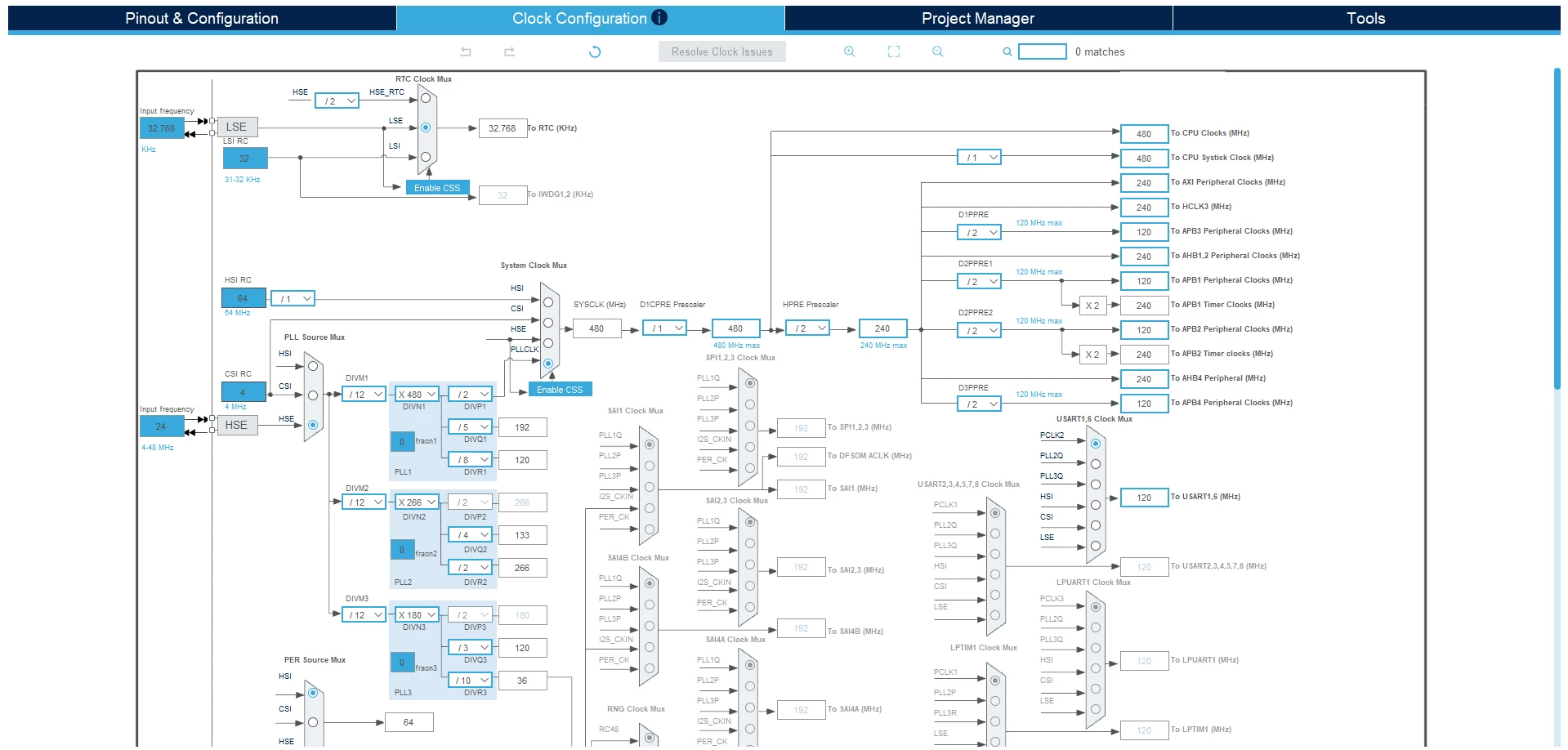
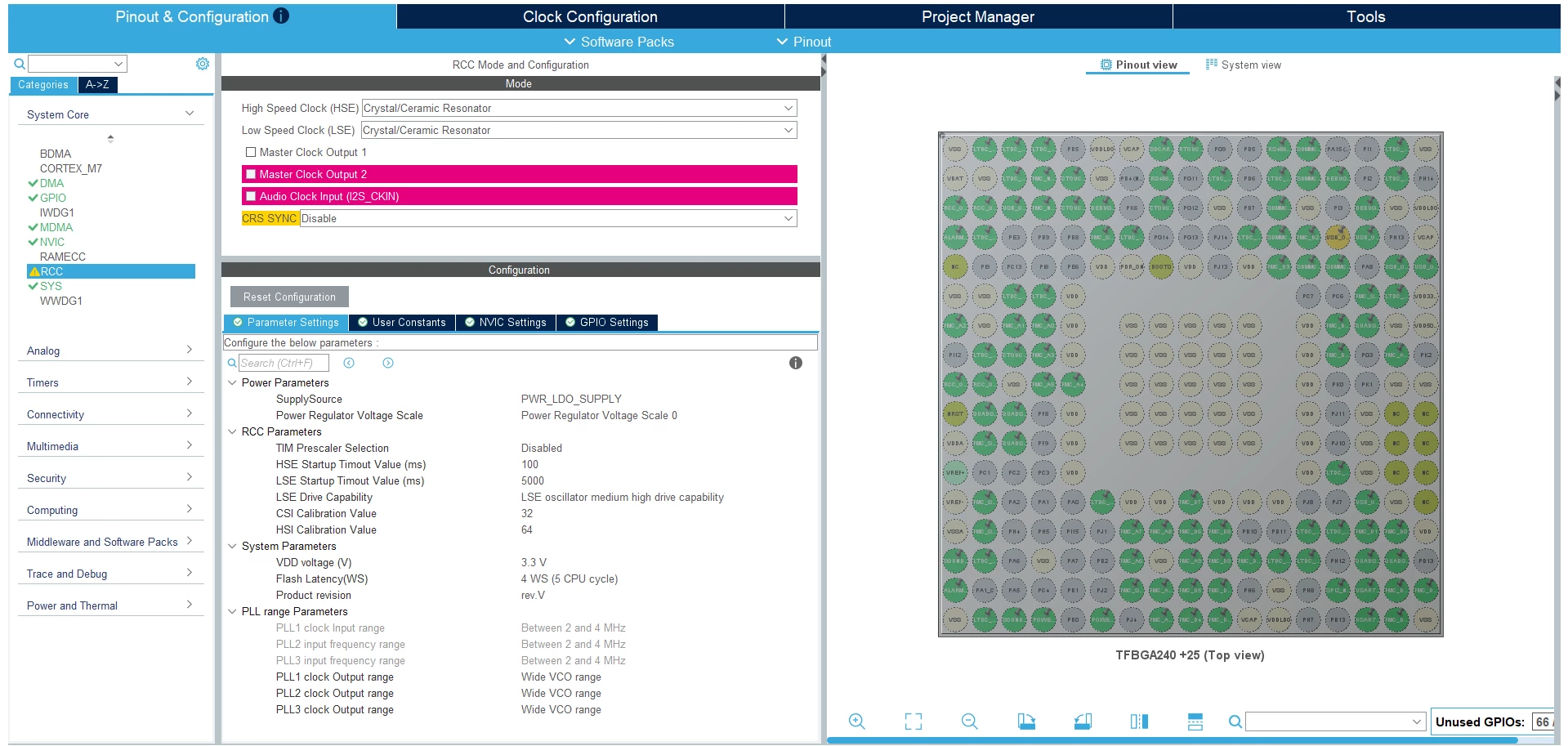
 

pic.4
pic.5 RCC block config


Best answer by Souhaib MAZHOUD

Hello all,

in order to avoid the clock error above can you please try this workaround as follow:
Set SYSCLK to 150 MHz, and go to RCC configuration and select "Power Regulator Voltage Scale 0". Then return to Clock configuration and set SYSCLK to 480 MHz


BR, Souhaib

4 replies

ST Technical Moderator
July 1, 2026

Hello ​@Rostyslav 

Thanks for your prompt feedback on STM32CubeMX 6.18.0,

I am checking this behavior internally and I will get back to you ASAP.

BR, Souhaib

To give better visibility on the answered topics, please click on 'Best answer' on the reply which solved your issue or answered your question.
ST Technical Moderator
July 2, 2026

Hello ​@Rostyslav 

This issue has been escalated to dedicated team for further investigation: Internal ticket number: CDM0064049 (This is an internal tracking number and is not accessible or usable by customers.)

BR, Souhaib

To give better visibility on the answered topics, please click on 'Best answer' on the reply which solved your issue or answered your question.
Associate
July 7, 2026

I have a similar issue on STM32H745, I kept the .ioc unchanged but after generating with 6.18 one line is missing

Souhaib MAZHOUDBest answer
ST Technical Moderator
July 9, 2026

Hello all,

in order to avoid the clock error above can you please try this workaround as follow:
Set SYSCLK to 150 MHz, and go to RCC configuration and select "Power Regulator Voltage Scale 0". Then return to Clock configuration and set SYSCLK to 480 MHz


BR, Souhaib

To give better visibility on the answered topics, please click on 'Best answer' on the reply which solved your issue or answered your question.
RostyslavAuthor
Associate II
July 10, 2026

That worked for me. Migrated to 4.18.0. Thank you.

P.S.: Though had to manually reapply most of multipliers and dividers to values I had. Not a pleasant process :)