

Associate II
April 15, 2024
Solved

CubeMX support for Cmake

  • April 15, 2024
  • 6 replies
  • 6127 views

Hello, 

I would like to use the offical VScode extentention together eith STM32CubeMX.

The guide says I need to set up MX generator Toolchain / IDE to Cmake.

However I have no such option:

yourigh_0-1713210486041.png


How could I use the extention with CubeMX?
I remember the option was there about a year ago on a different MCU (F3).


I have STM32F103C8.

Thank you!


This topic has been closed for replies.
Best answer by Imen.D

Hi @yourigh ,

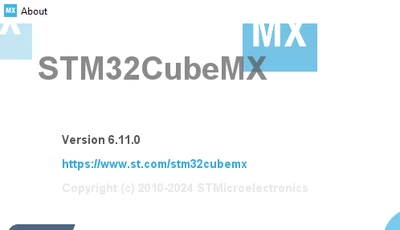
Try with the latest release (Version 6.11.0)

ImenD_0-1713252211479.png


6 replies

AScha.3
Super User
April 15, 2024

Hi,

if you choose : makefile ...?

If you feel a post has answered your question, please click on " Best Answer ".
yourighAuthor
Associate II
April 15, 2024

unfortunately, this does not work then in VScode. It would be possible but it would require a manual setup without the extension.

ST Technical Moderator
April 15, 2024

Hello @yourigh,

Please try with latest release of STM32CubeMx (V 6.11.0).

ImenD_0-1713212007153.png

AN5952 This application note describes how to use CMake in STM32CubeIDE.

In order to give better visibility on the answered topics, please click on 'Best answer' on the reply which solved your issue or answered your question. Thanks
yourighAuthor
Associate II
April 15, 2024

Thanks for the reply,

I do have exactly that version, under Windows. But I don't have the last option there. Do you have any recommendation what I can do?

yourigh_0-1713215976192.png


Imen.DBest answer
ST Technical Moderator
April 16, 2024

Hi @yourigh ,

Try with the latest release (Version 6.11.0)

ImenD_0-1713252211479.png


In order to give better visibility on the answered topics, please click on 'Best answer' on the reply which solved your issue or answered your question. Thanks
yourighAuthor
Associate II
April 16, 2024

Thank you, it works. 

I updated the Cube, but it did not go through because of the rights error, so I thought I have the latest one. After the successful update, it started to work.