CMOON.1
Associate II
May 28, 2020 8:38 AM UTC
Solved

CubeMX: Project generation have problem

MCU reference : STM32F429ZITx

FW package name : STM32Cube FW_F4 V1.25.0

MDK ARM(Keil) version : 5.30

STM32CubeMX verision : 5.6.1

​

at that time, i want to create code but i can not.

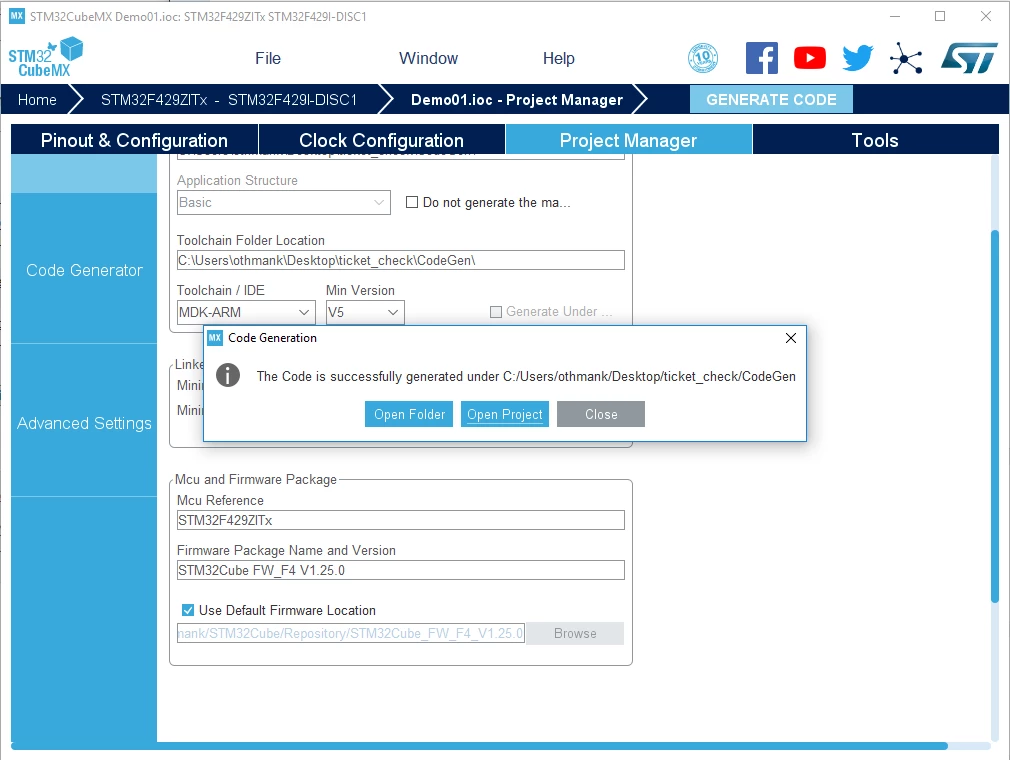
just [the code is successfully generated under ~~ .but MDK ARM V4 project generation have a problem]

how can i solve this problem?

​i can see other qeustion that may already have my problem.

but i cant sole...

ps. i try MDK ARM V4, V5, V5.27.. BUT ALL FAILED​

This topic has been closed for replies.
Khouloud OTHMAN
Khouloud OTHMANBest answer
Associate
May 29, 2020 9:43 AM UTC

Hello CMOON.1,

The max version supported by STM32CubeMX is java 11, normally there is no problem working with java JRE version 8.

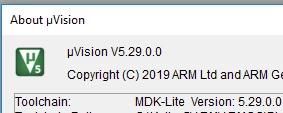
I can't reproduce the problem from my side, It works well and the project is correctly generated (I am using MDK-ARM v5.29)

Please try to uninstall then reinstall MDK-ARM.

BR,

Khouloud.

0693W000001phN9QAI.png0693W000001phNOQAY.png

15 replies

Khouloud OTHMAN
Associate
May 28, 2020 9:41 AM UTC

Hello CMOON.1,

I can't reproduce the issue, can you please attach your .ioc file to check the problem ?

BR,

Khouloud.

CMOON.1
CMOON.1Author
Associate II
May 29, 2020 5:57 AM UTC

Thank you bro.

I attached ioc file.

Khouloud OTHMAN
Associate
May 28, 2020 12:30 PM UTC

NOTE: This problem may be related to the JAVA version installed on your computer . JAVA 13 is not not supported by STM32CubeMX, the max supported version is actually JAVA 11.

CMOON.1
CMOON.1Author
Associate II
May 29, 2020 5:57 AM UTC

And you said i should use java11, but I only downloaded java runtime enviroment version8 update251.

Does this matter?

CMOON.1
CMOON.1Author
Associate II
May 29, 2020 5:57 AM UTC

Thank you bro.

I attached ioc file.

And you said i should use java11, but I only downloaded java runtime enviroment version8 update251.

Does this matter?

Khouloud OTHMAN
Khouloud OTHMANBest answer
Associate
May 29, 2020 9:43 AM UTC

Hello CMOON.1,

The max version supported by STM32CubeMX is java 11, normally there is no problem working with java JRE version 8.

I can't reproduce the problem from my side, It works well and the project is correctly generated (I am using MDK-ARM v5.29)

Please try to uninstall then reinstall MDK-ARM.

BR,

Khouloud.

0693W000001phN9QAI.png0693W000001phNOQAY.png

CMOON.1
CMOON.1Author
Associate II
Jun 6, 2020 6:16 PM UTC

thank you

i solve the problem.

I tried to generate the code in Keil right from cubeMX, but when I create and set a project in keil, it is automatically connected to cubeMX.

After that, even if the code was generated in cubeMX, it was immediately reflected in Keil.

​

Piranha
Principal III
May 30, 2020 7:28 PM UTC

bro ur lang is dump and gramar saks

P.S. And your "bro" is actually a "sis"...

MIman.1
Associate
Nov 25, 2020 1:40 PM UTC

I had the same problem! I uninstalled and re-installed Java and bingo. solved!

DI.1
Visitor II
Dec 12, 2020 9:55 PM UTC

I got the same problem. I tried different options and nothing helped. In the end I found in windows registry through regedit history Keil recently opened projects and delete this record. After that, the generation worked fine.

Also in C:\Users\%USER_NAME%\.stm32cubemx\STM32CubeMX.log I found the following entry:

Caused by: java.io.FileNotFoundException: D:\_Projects\_Electro\MyProject\MDK-ARM\MyProject.uvoptx (Can not find the file)

In general, this happened to me due to the fact that I deleted all the project files to generate a clean project with pre-existing settings. It seems to me that it shouldn't be so...

Thomas LB
Associate III
May 5, 2021 9:38 AM UTC

Hello,

I just encountered same issue.

path to the .ioc contained "[" character (folder name was "[DEBUG]_test_adc") and that is what was causing the error... renaming folder to "test_adc", no more error.

Sad bug !

Associate III
Oct 26, 2021 9:56 AM UTC

Hello friends, problem fixed installation new version CubeMX V6.3.0 for Windows 10. That solved my problem with generating code for Keil.

If you want to open an older project on a newer version of CubeMx, it will have the same problem. so I recommend that for older versions of the project done in CubeMX use v5.2.0.

Also, try some more solutions like reinstalling the Java version older than 11 or short the path to the storage location in CubeMX folder.

Also, pay attention to the Firmware version of the location (Use Default Firmware Location) as some older ones may be incompatible with newer Firmware versions, which can later cause a programming and runing code problem.

By from A.R. :)

JGali.3
Associate
Aug 2, 2022 9:07 AM UTC

I had the same problem, I've already uninstall the MXCube, MDK-ARM and Java but still the same. Do anyone have any idea on how to solve the issue? Will gladly appreciate the help!

Thomas LB
Associate III
Aug 2, 2022 3:12 PM UTC

Hello, did you check you project path ? It needs to be not too long and not contain any special character like "]".