


Solved
CubeMX ignores some settings in .ioc file
There appears to be a bug in STM32CubeMX where some settings are not loaded when reopening the app and project, even though they were previously successfully written to the .ioc file. Default settings are always used instead, and then re-saving the project (without making any changes yourself) will write these undesired settings back to the .ioc file. These settings are:
- Project Manager > Project > Firmware Location (custom path reset back to default path)
- Project Manager > Project > Add library files as reference (reset back to copy)
Steps to reproduce:
- Create a symlink to `STM32Cube/Repository` which is relative to the intended project workspace. This enables sharing projects among multiple developers, since CubeMX uses a relative path to the FW repo.
ln -s ~/STM32Cube/Repository ~/projects/demo/cube_repo- Launch CubeMX, and create a new project with the following settings:
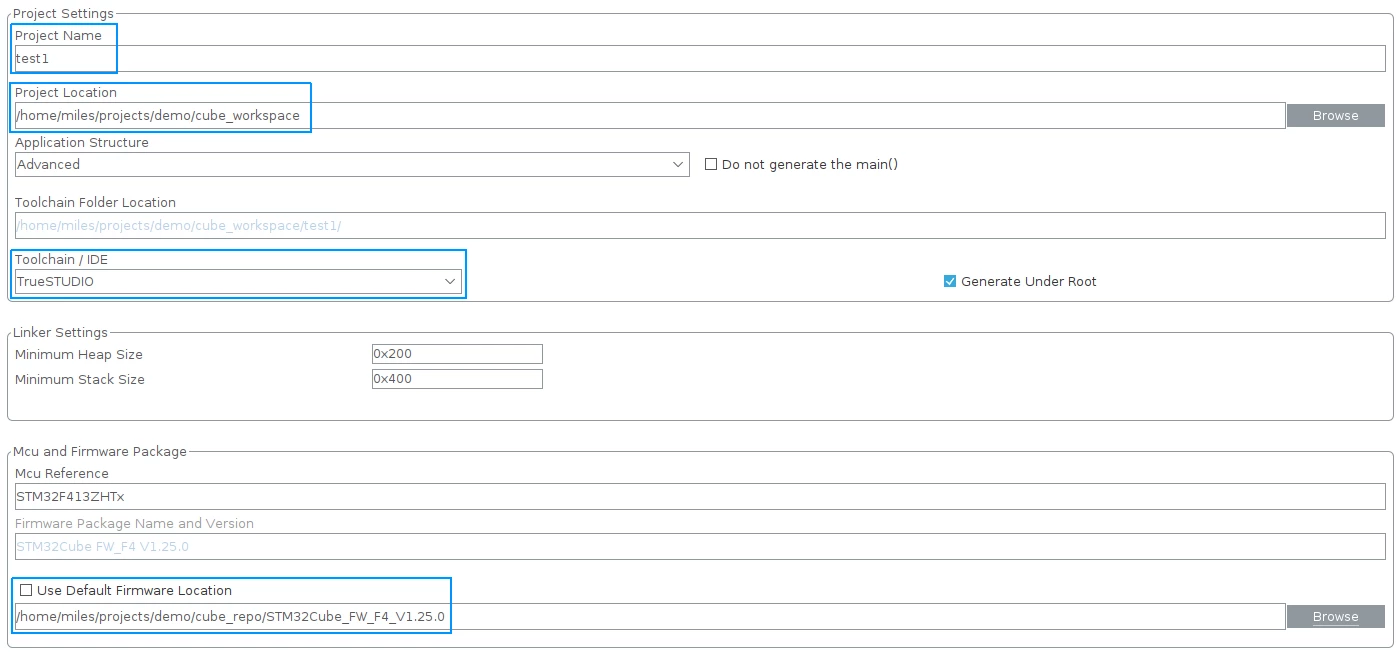
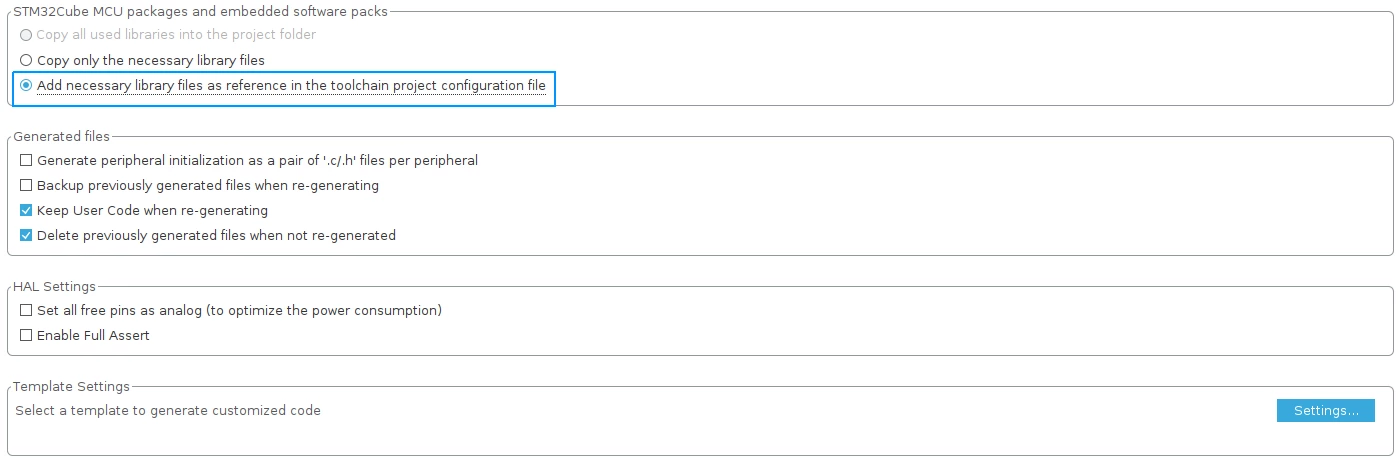
- Save and close CubeMX. This produces a .ioc file.
- Track the .ioc file with version control (this gives us more info about the upcoming bug).
- Reopen CubeMX and the previous project, note that the following settings have been reset:
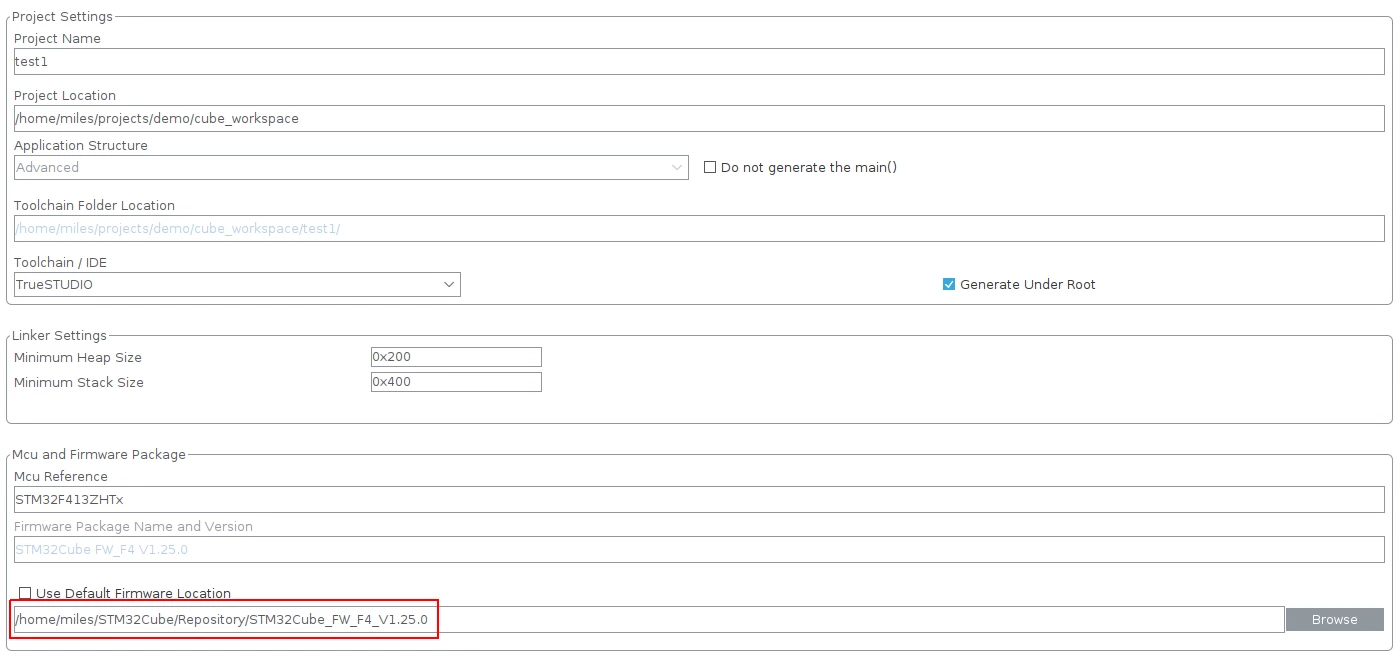
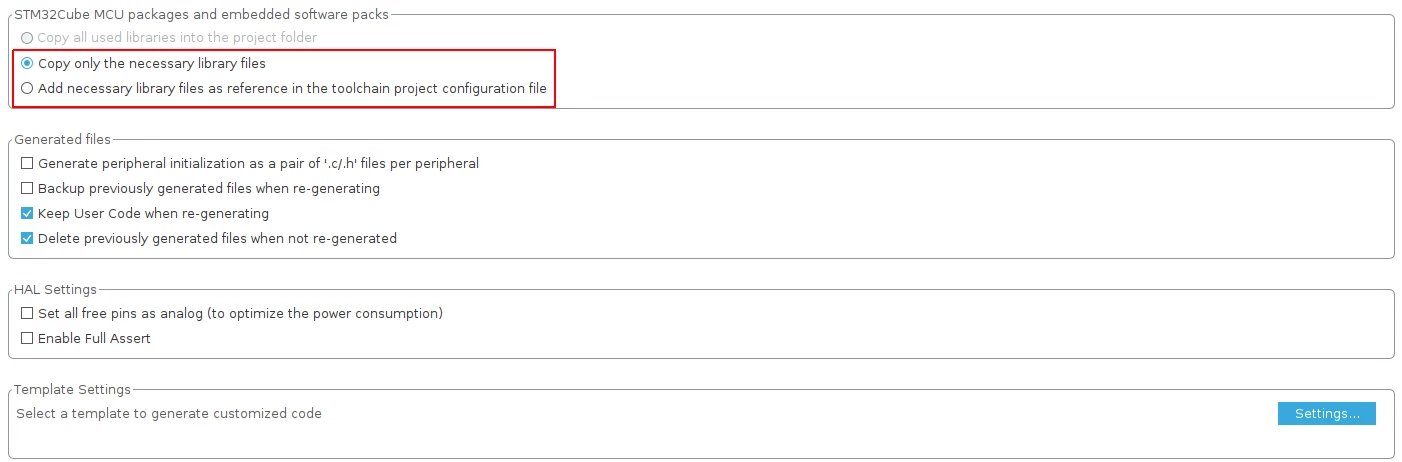
- Save the project. This updates the .ioc file, even though we did not intend to make any changes. Here is the `git diff` output showing what was reset in the .ioc file:
-ProjectManager.CustomerFirmwarePackage=../../cube_repo/STM32Cube_FW_F4_V1.25.0
+ProjectManager.CustomerFirmwarePackage=../../../../STM32Cube/Repository

-ProjectManager.LibraryCopy=2
+ProjectManager.LibraryCopy=1
System info:
- OS : Ubuntu 20.04
- STM32CubeMX version: 6.0.1
