


CubeMX Generating wrong GPIO configuration code for Input Capture
Hi,
Beforehand, let me tell you my setup:
Board selected on CubeMX: STM32L100C-DISCO.
Input Capture with TIM2, Channel 2, Pin A1.
I've been working on a project where I have to measure frequency, so I setted up the Input Capture on Timer 2 as in the Picture:
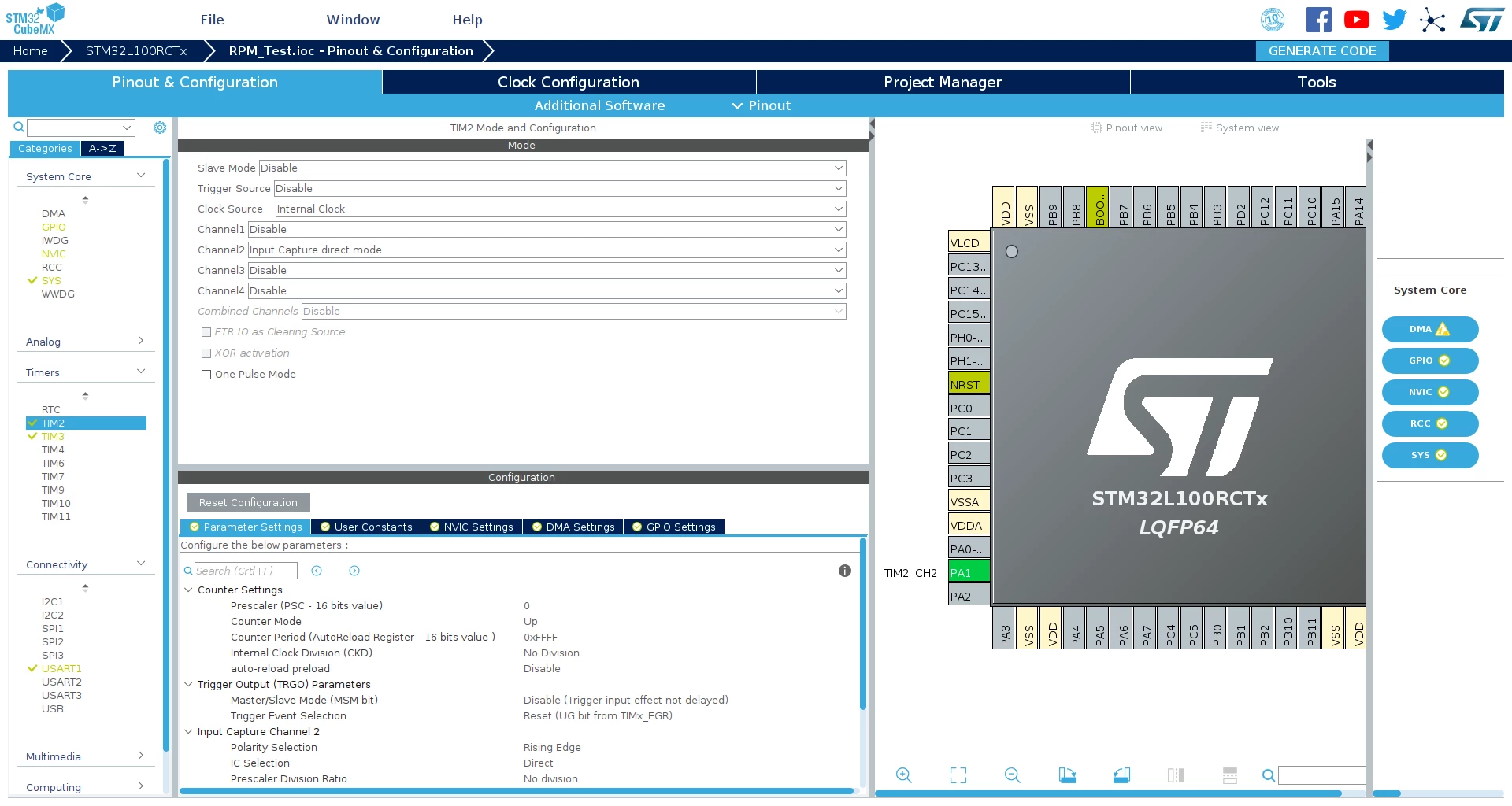
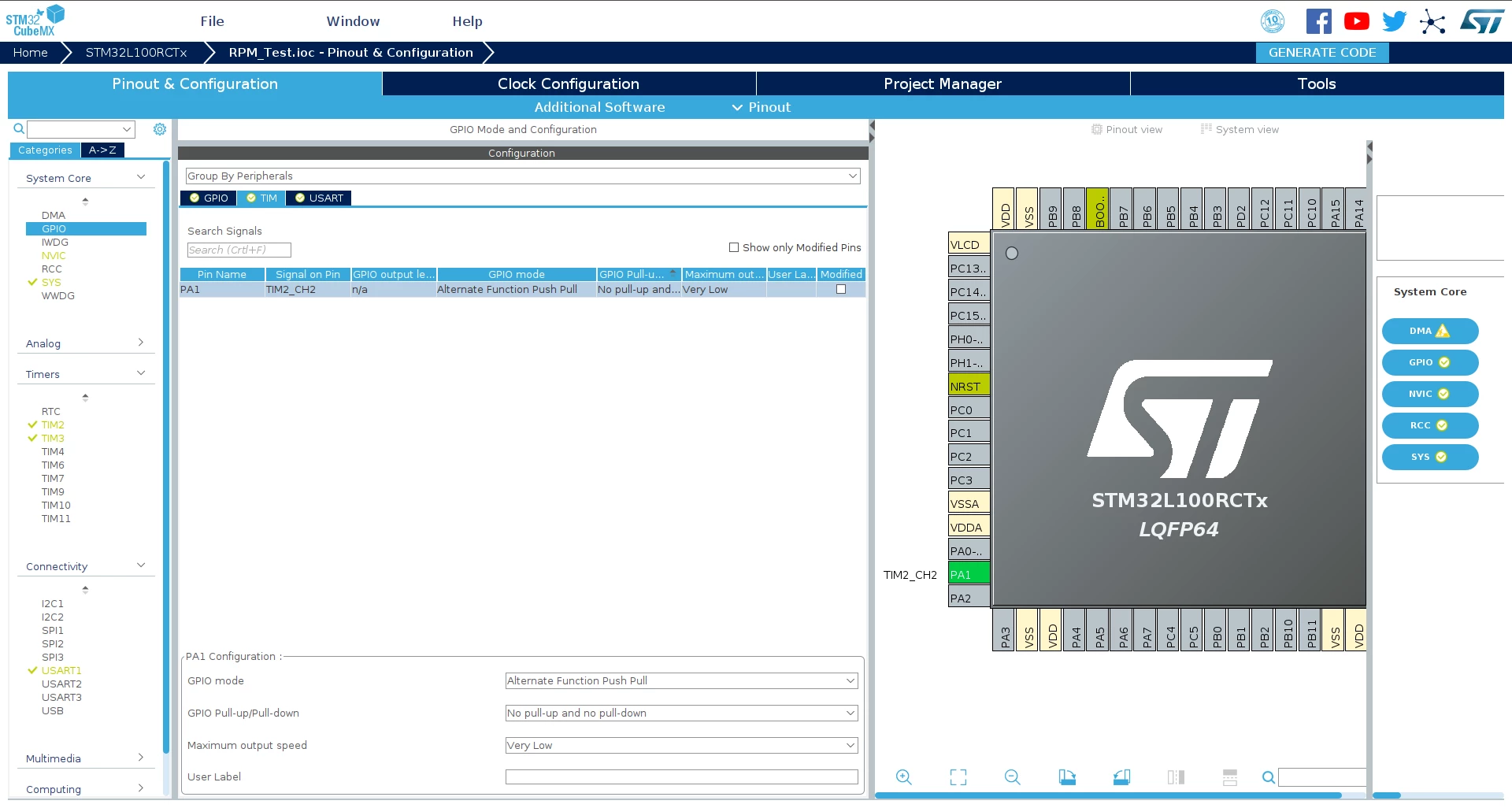
After exporting the code, and implementing the functions as needed based on a tutorial I watched I didn't get any result out, nor any execution of the interrupt that should start at the capture event, what I noticed is that the GPIO pin is being declared as a alternate function push pull output instead of an input... is that ok?, you can watch that in this picture:
In case anyone is interested, this is the tutorial I followed: https://www.youtube.com/watch?v=de4tfSzXrGM&t=693s
Thanks in advance for your comments, I am not posting the code as I first would like to check that the way cube mx is showing the info as in the pictures is correct...
Víctor.
