TDJ
Senior III
February 21, 2021
Solved

CubeMX and the latest CMSIS - how to?

  • February 21, 2021
  • 3 replies
  • 4258 views

According to this post:

https://community.st.com/s/question/0D50X0000C0vEvBSQU/cubemx-cmsisdsp-include-problems

it should be possible to use the latest CMSIS (e.g. 5.7.0 from https://github.com/ARM-software/CMSIS_5/releases/tag/5.7.0) in CubeMX 6.1.1. After package installation I can see it on the list but it does not appear under "Additional Software" section. Actually, this section is missing entirely.

What I am trying to accomplish is to get the latest version of L1 cache management functions in generated code for STM32H7A3 MPU. Versions from CMSIS 5.7.0 package seem to significantly improved compared to those from STM32Cube_FW_H7_V1.8.0 package. Of course, I can generate code and then start making changes but I would rather not in likely case I need to regenerate.
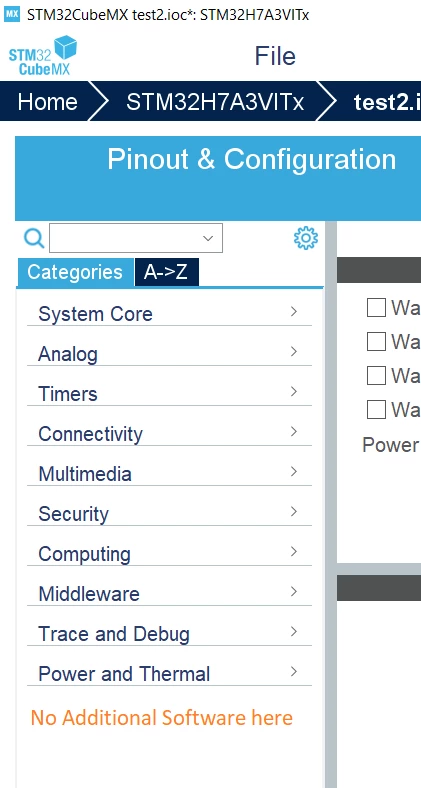
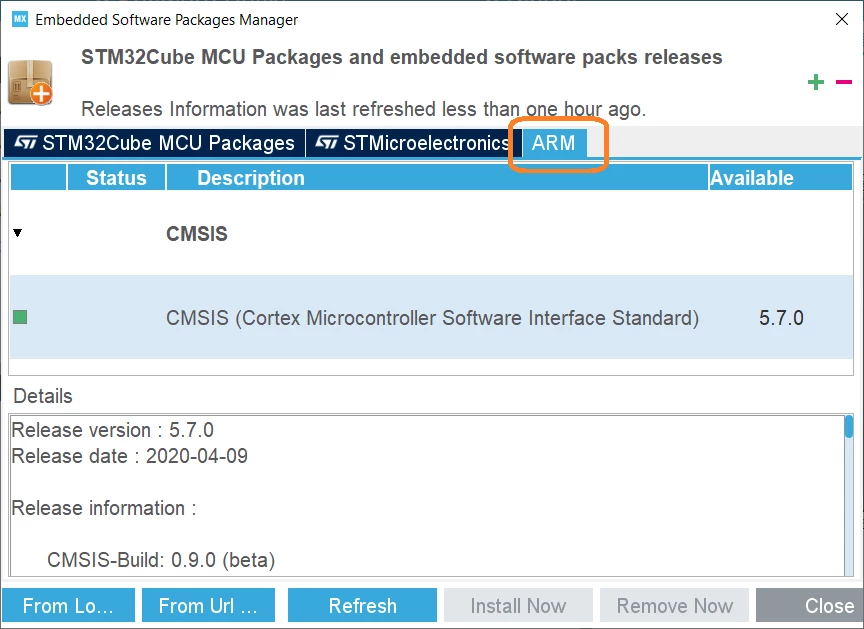
0693W000007Z1UKQA0.png0693W000007Z1UPQA0.png

This topic has been closed for replies.
Best answer by Khouloud ZEMMELI

Hi again @TJast​ ,

It seems that there's something missed in your configuration which caused the disappearance of the Additional software part.

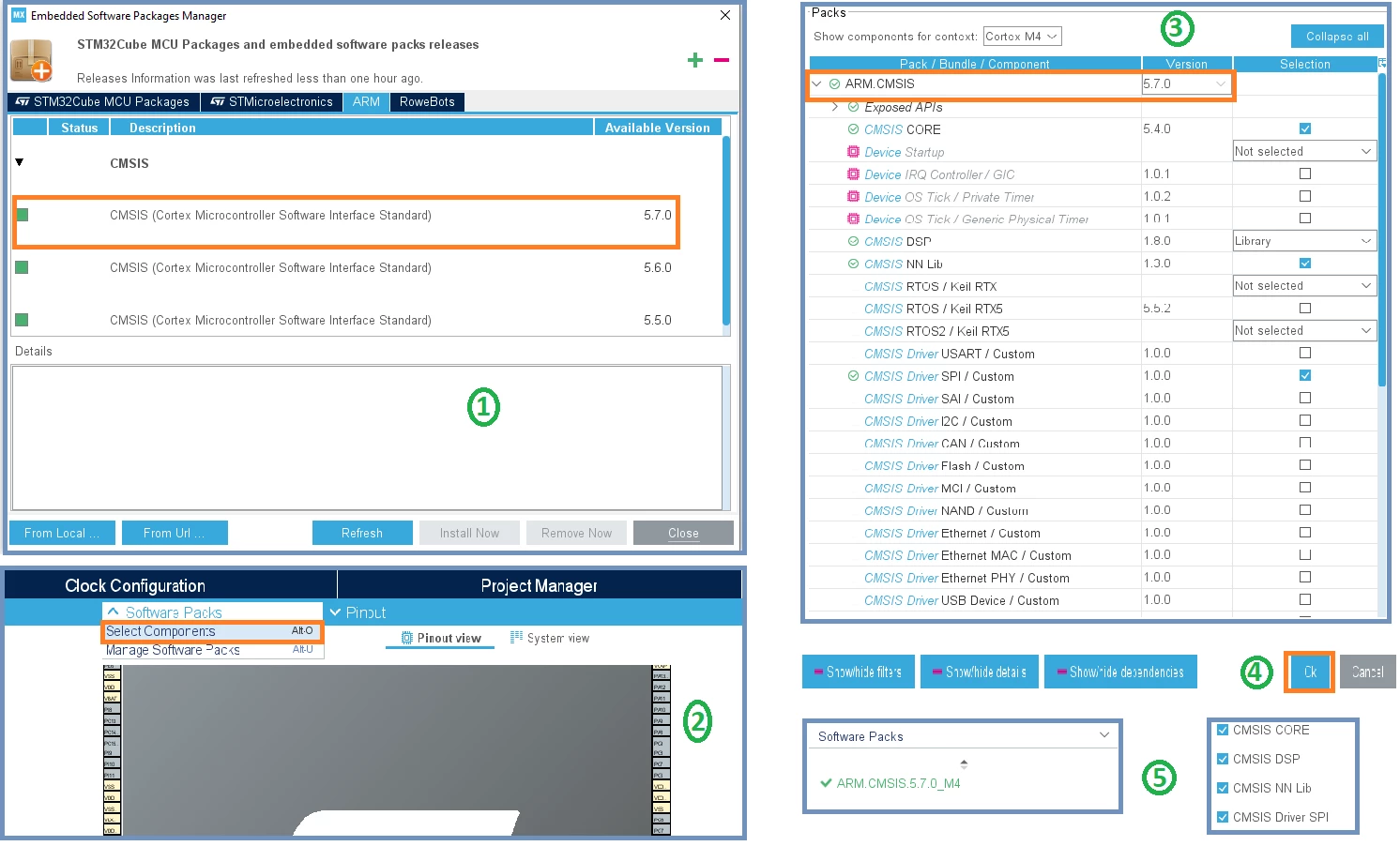
In fact, after the download and the install of the 5.7.0 CMSIS version, you have to select it under Software Packs, and configure it according to your need , click on Ok once you finish, and then the Software Packs will be appeared on CubeMX GUI, with your pack selected.

The image below explain more the steps described above to add your pack on CubeMX :

0693W000007Z3gNQAS.png 

Hope my answer helped you, when your question is answered, please close this topic by choosing Select as Best. This will help other users find that answer faster.

Thanks for your contribution, Khouloud

3 replies

Khouloud ZEMMELI
ST Employee
February 22, 2021

Hello @TJast​ ,

Thanks for your feedback, I'll check it then I'll get back to you.

Khouloud

Khouloud ZEMMELI
Khouloud ZEMMELIBest answer
ST Employee
February 22, 2021

Hi again @TJast​ ,

It seems that there's something missed in your configuration which caused the disappearance of the Additional software part.

In fact, after the download and the install of the 5.7.0 CMSIS version, you have to select it under Software Packs, and configure it according to your need , click on Ok once you finish, and then the Software Packs will be appeared on CubeMX GUI, with your pack selected.

The image below explain more the steps described above to add your pack on CubeMX :

0693W000007Z3gNQAS.png 

Hope my answer helped you, when your question is answered, please close this topic by choosing Select as Best. This will help other users find that answer faster.

Thanks for your contribution, Khouloud

TDJ
TDJAuthor
Senior III
February 22, 2021

@Khouloud ZEMMELI​ Thank you so much. I overlooked this "Software Packs" option.

Now the question is how do I use the added CMSIS Core instead of the original version since both versions get included with the generated code but this is a much different question.