Associate II
June 19, 2026
Solved

Cannot create proper project using CubeMX 1.67.0 and CubeIDE 2.1.1. STM32U575.

  • June 19, 2026
  • 3 replies
  • 99 views

Hello.
I have a project created earlier in CubeIDE 1.9.x, which I imported into the new CubeIDE 2.1.1. However, due to some issues with the project/code, I want to revert to the basics and create a fresh new project.
There are some issues:
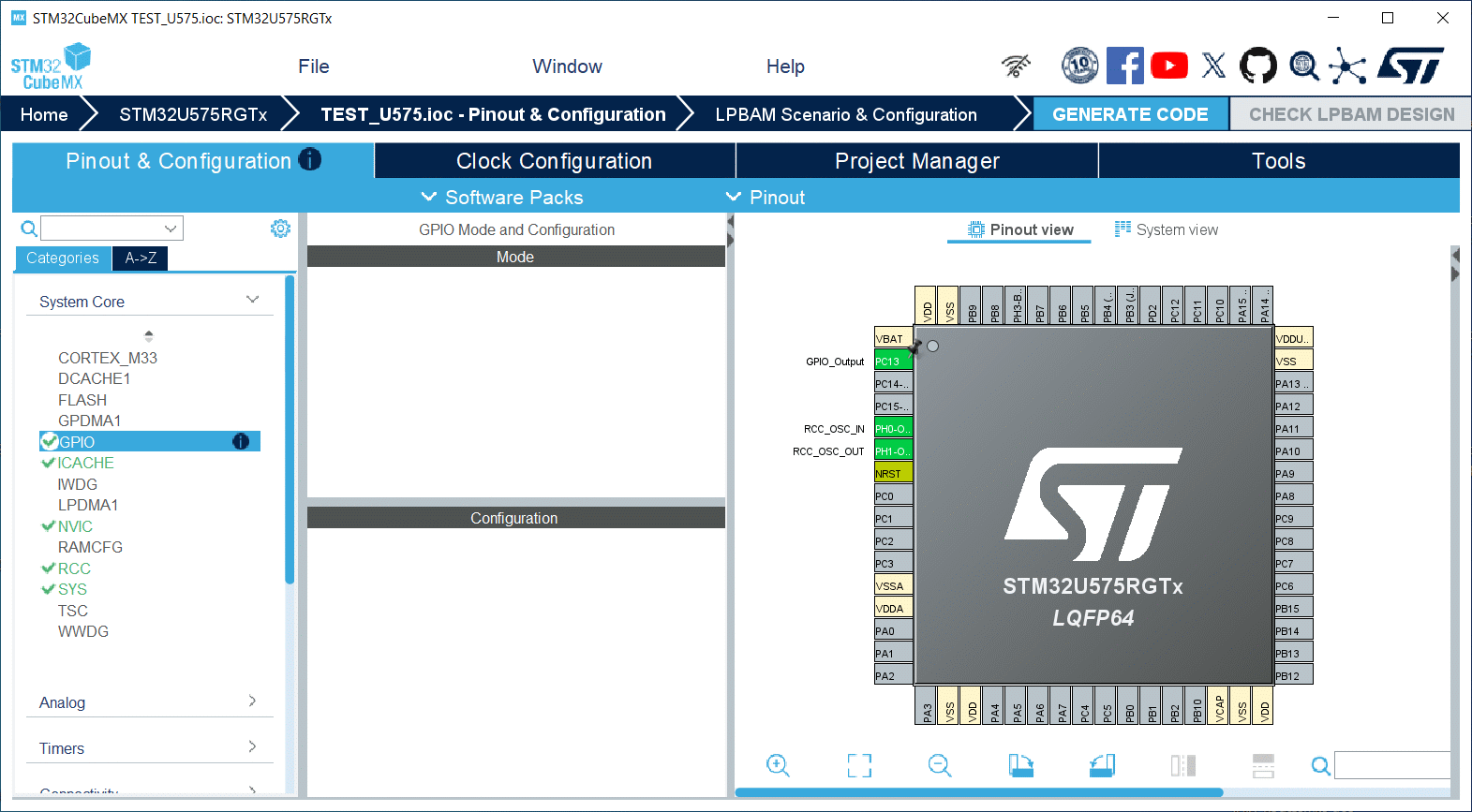
In CubeMX 6.17.0, when configuring GPIO pins, nothing appears in the GPIO window:

Additionally, there are problems with ICACHE:
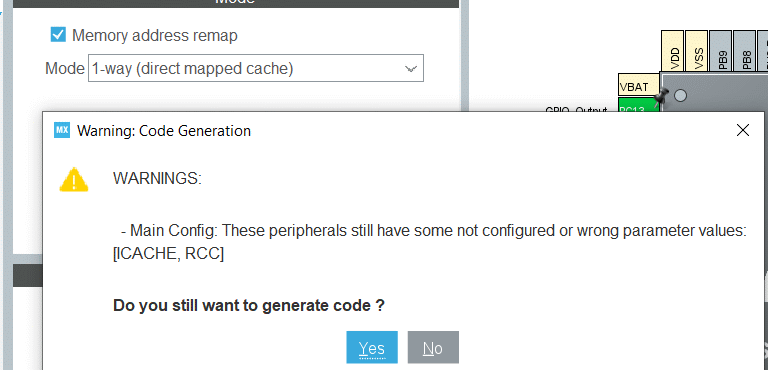

I cannot generate code without warnings.


These problems occur when creating the project.

Closing the IOC file and CubeMX, then reopening the IOC file a second time, resolves the issue. I can live with this workaround, but I’m reporting it.


The second problem is in CubeIDE: when importing a project, the “C/C++ Index” tab is missing:
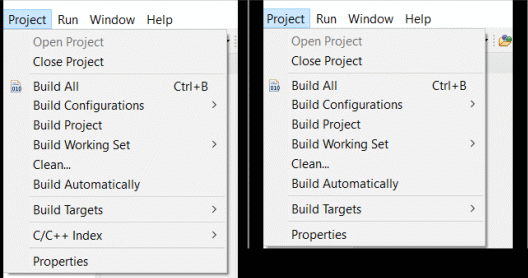
Also some tabs missing in Properties:
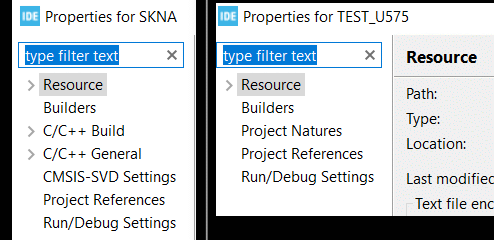

What I’m doing wrong?

I followed the instructions exactly as in the video from this topic:


PS. Sorry, there are mistake in title: CubeMX 6.17.0, not 1.67.0.

Best answer by mƎALLEm

Hello again,

Perhaps I was too fast in my previous post.

I’ve created a fresh project with CubeMx 6.17.0 with the part number STM32U575RGT, configured the pin PC13 on the pinout view and was able to see the GPIO shown in the middle.

Need to share your ioc file to reproduce the behavior.

For the CubeIDE behavior please open a separated thread for that specific topic. CubeMx and CubeIDE are two different things that need to be handled separately.

Thank you.

3 replies

mƎALLEm
ST Technical Moderator
June 19, 2026

Hello,

I will report the behavior internally for check. Internal ticket number for follow-up: CDM0063669.

I’ll get back to you for any news.

To give better visibility on the answered topics, please click "Best answer" on the reply which solved your issue or answered your question.
mƎALLEm
mƎALLEmBest answer
ST Technical Moderator
June 19, 2026

Hello again,

Perhaps I was too fast in my previous post.

I’ve created a fresh project with CubeMx 6.17.0 with the part number STM32U575RGT, configured the pin PC13 on the pinout view and was able to see the GPIO shown in the middle.

Need to share your ioc file to reproduce the behavior.

For the CubeIDE behavior please open a separated thread for that specific topic. CubeMx and CubeIDE are two different things that need to be handled separately.

Thank you.

To give better visibility on the answered topics, please click "Best answer" on the reply which solved your issue or answered your question.
AmidaAuthor
Associate II
June 19, 2026

At this moment, I also unable to reproduce this issue.

Maybe it was triggered by unique sequence of my configuration (because I also configured crystal generator, PLL  and ICACHE).

If I come across it again, I'll let you know.

For now, Thank You very much.