
Associate
June 29, 2026
Question

X-CUBE-AI not work on my IDE

  • June 29, 2026
  • 2 replies
  • 73 views

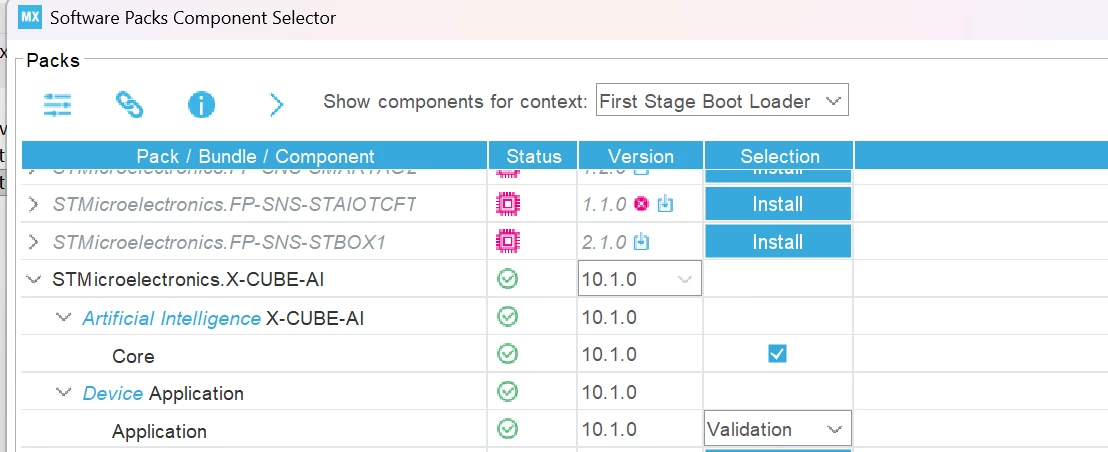
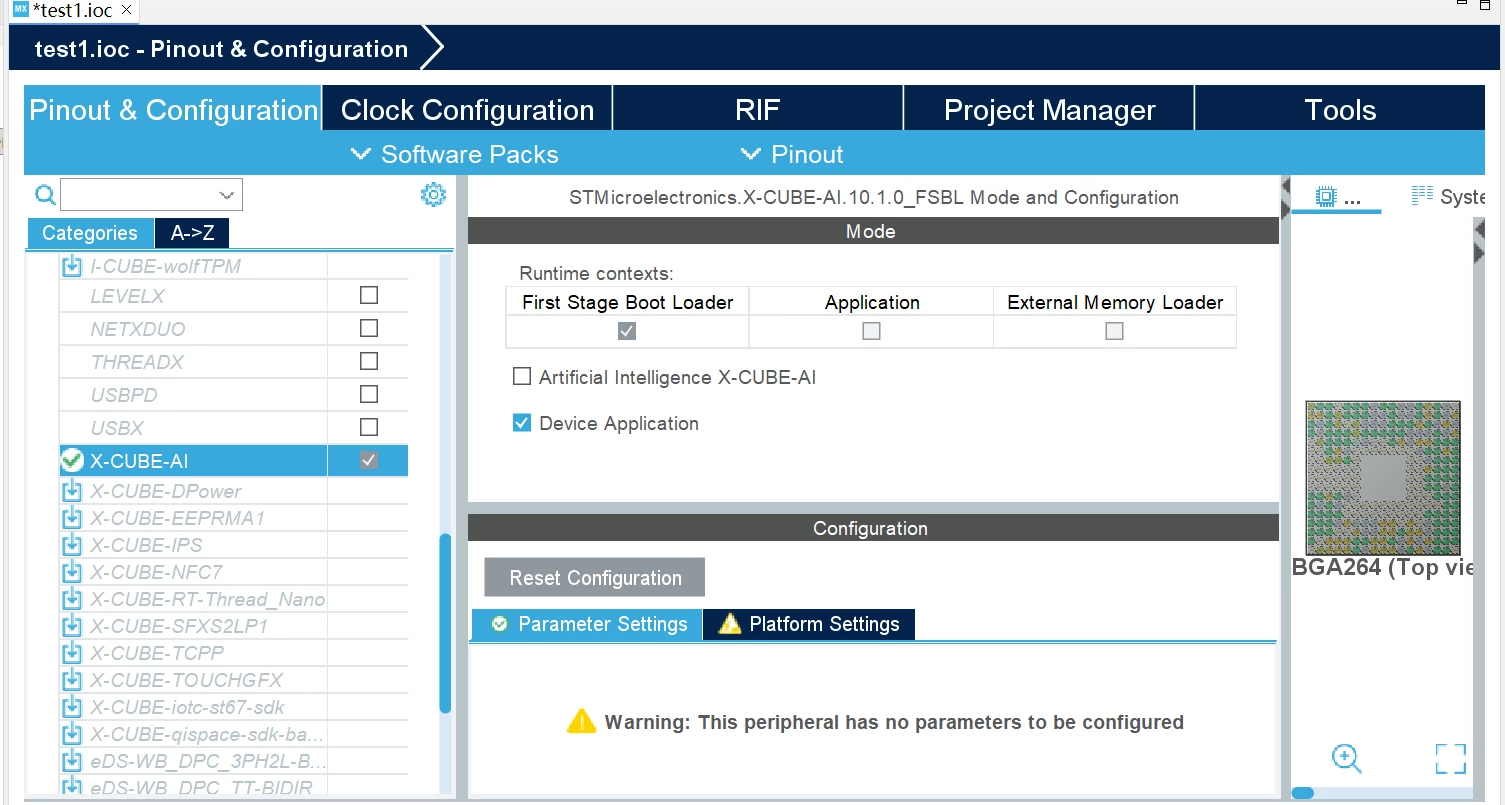
I downloaded X-CUBE-AI, but after clicking it, the Add network button did not appear, and uninstalling and reinstalling the IDE also did not work.
 

2 replies

ST Technical Moderator
June 29, 2026

Hello ​@Yista 

Could you please add further information regarding your issue: MCU name, CubeMX version..?

How to write your question to maximize your chances to find a solution | Community

BR, Souhaib

To give better visibility on the answered topics, please click on 'Best answer' on the reply which solved your issue or answered your question.
YistaAuthor
Associate
June 30, 2026

Hello Souhaib,

Thanks for your prompt reply. Here is the full detail of my issue:

  1. Target MCU: STM32N657
  2. STM32CubeMX version: 6.17.0
  3. X-CUBE-AI pack version: 10.2.0
  4. Board: STM32N6570-DK
  5. OS: Windows 11
  6. Problem description: 

    After selecting the X-CUBE-AI components in STM32CubeMX, a pop-up window appeared showing "Downloading stedgeai-windows-10.2.0.zip". I accidentally closed this window before the download completed.

    Since then, I am unable to proceed with the X-CUBE-AI configuration—the related AI configuration pages do not load properly in STM32CubeMX. I have tried uninstalling and reinstalling both STM32CubeMX and the X-CUBE-AI package multiple times, but the download pop-up no longer appears, and the issue persists.

    I am almost certain that the root cause is the premature closure of the download window, which interrupted the installation of the required ST Edge AI Core utilities. The system now seems to believe the component is already present or partially installed, preventing a fresh download attempt.

Could you please advise on how to force STM32CubeMX to re-trigger the download of stedgeai-windows-10.2.0.zip? Thank you for your time and support.

BR,Yista
