
A.D.
Associate III
May 30, 2022
Solved

Where is the "ARM" tab in the "embedded software packs manager" gone?

  • May 30, 2022
  • 3 replies
  • 3963 views

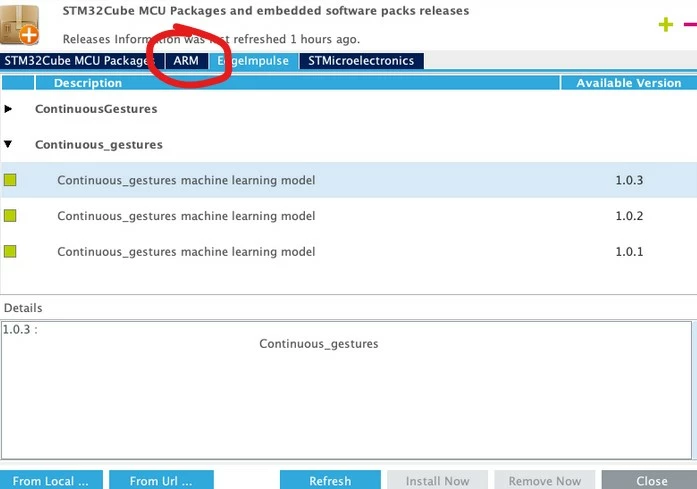
I used to manage my CMSIS install via the embedded packet manager in the CubeIDE. It was always shown, like in the second screenshot below (I pulled that one from the internet).

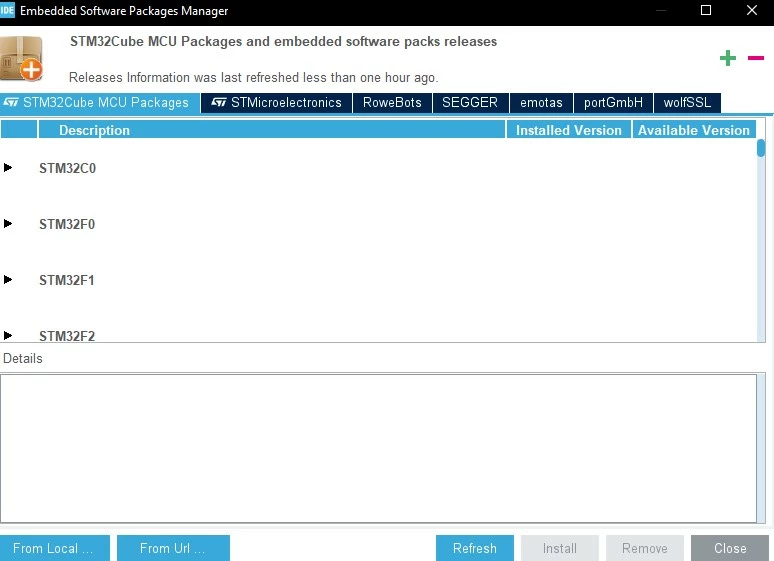
But now I freshly installed CubeIDE 1.9 on a new computer and the ARM tab is just not showing (first screenshot).

Do I have to change some settings to get that ARM tab back to manage my CMSIS package? Or what went wrong here?
0693W00000NqqgeQAB.jpg0693W00000NqqgZQAR.jpg

This topic has been closed for replies.
Best answer by Markus GIRDLAND

Hello there!

This was removed around 2 years ago with the release of STM32CubeMX 6.0, which was also integrated into STM32CubeIDE.

It was removed because the packs were conflicting with the files included in other packs and FWs.

You can still manually download the pack from the ARM website and import it.

3 replies

Markus GIRDLAND
Markus GIRDLANDBest answer
ST Employee
May 31, 2022

Hello there!

This was removed around 2 years ago with the release of STM32CubeMX 6.0, which was also integrated into STM32CubeIDE.

It was removed because the packs were conflicting with the files included in other packs and FWs.

You can still manually download the pack from the ARM website and import it.

A.D.
A.D.Author
Associate III
May 31, 2022

I see. It was a really convenient feature, I liked the ease of managing the CMSIS version.