

Associate III
April 22, 2024
Question

Unable to update STM32CubeWB package version in project

I have a STM32WB-based project (Stm32CubeIDE 1.15.0) using the STM32CubeWB 1.17.3 version and I'm not able to update the package version to the last one (nether 1.18 nor 1.19). There is not a prompt asking me to upgrade (the typical continue or migrate message). In the .ioc it is not set to not ask .

ProjectManager.AskForMigrate=true

And in the project manager I don't have the option to change package (I can't find the typical use default check).

323535420-e85cb673-80c9-4e8c-b406-9120f6dfe4b0.png

How can I update the project?

(Latest STM32CubeWB package installed:)
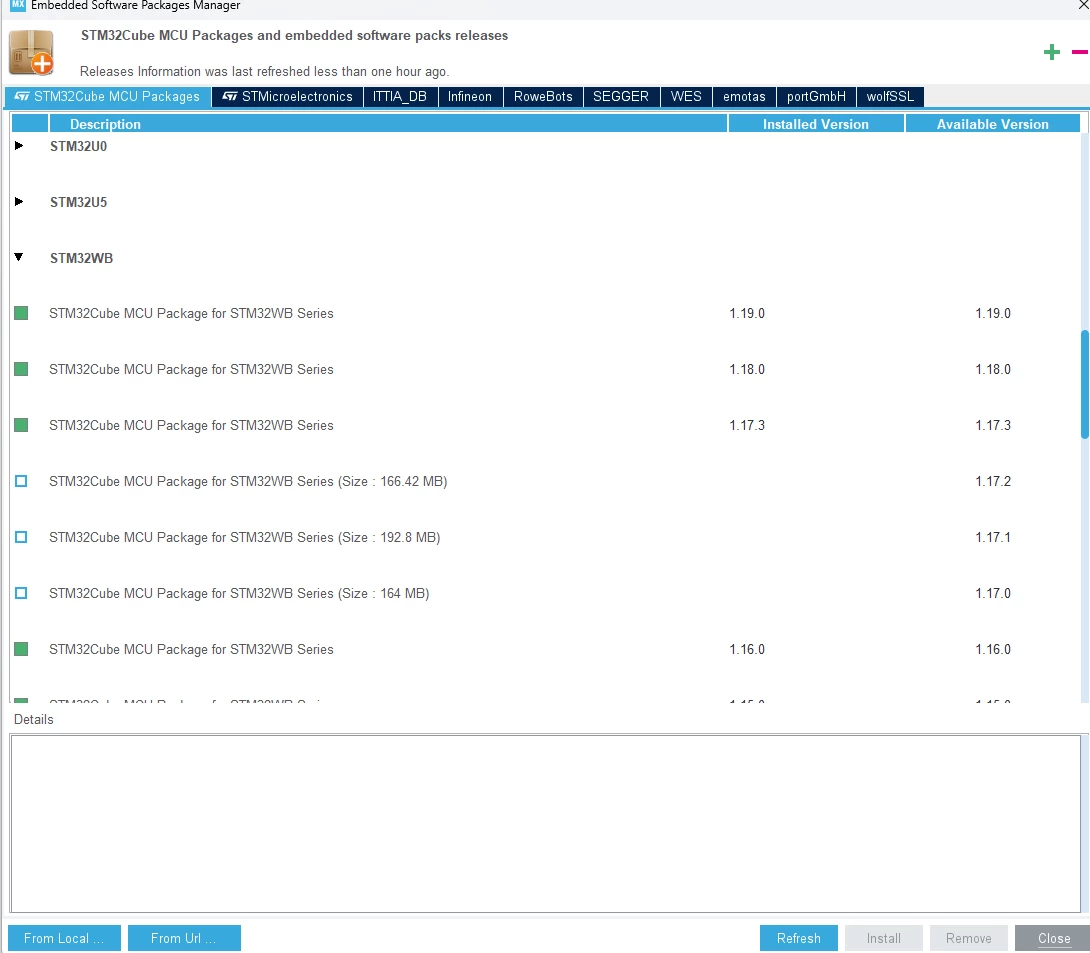
323544955-dd992e73-ae5d-4ebb-99c4-bcc2b1426333.png

This topic has been closed for replies.

3 replies

ST Technical Moderator
April 23, 2024

Hello @thealbertdev ,

First thank you for posting!

Actually, a pop-up as below should appear when you try to open your old project with the new version of CubeIDE,

SouhaibMAZHOUD_0-1713877985892.png

Could you please provide the steps you followed to update the package in order to further investigate your issue.

Regards,

Souhaib


To give better visibility on the answered topics, please click on 'Best answer' on the reply which solved your issue or answered your question.
Associate III
April 26, 2024

As I indicate, this message does not appear to me (and that is what I expect it to appear). Normally I don't do anything special to update a package. Simply, when updating STM32CubeIDE or any of its packages, the message you show appears and clicking Migrate is enough.

This weekend I will try to install STM32CubeIDE on another computer and I will try to open the project there to see if it asks me to perform the migration.

WP_it
Associate III
June 2, 2024

Struggling with the same issue here.  The "Manage Embedded Software" dialog shows that I have v1.19 of STMCube_FW_WB installed and available but my project is still using v1.17.  

Interested to hear what the solution is.