Sakthi_Murugesan
Associate II
April 10, 2024
Question

Unable to Program My STM32G0B1
  • April 10, 2024
  • 9 replies
  • 6158 views

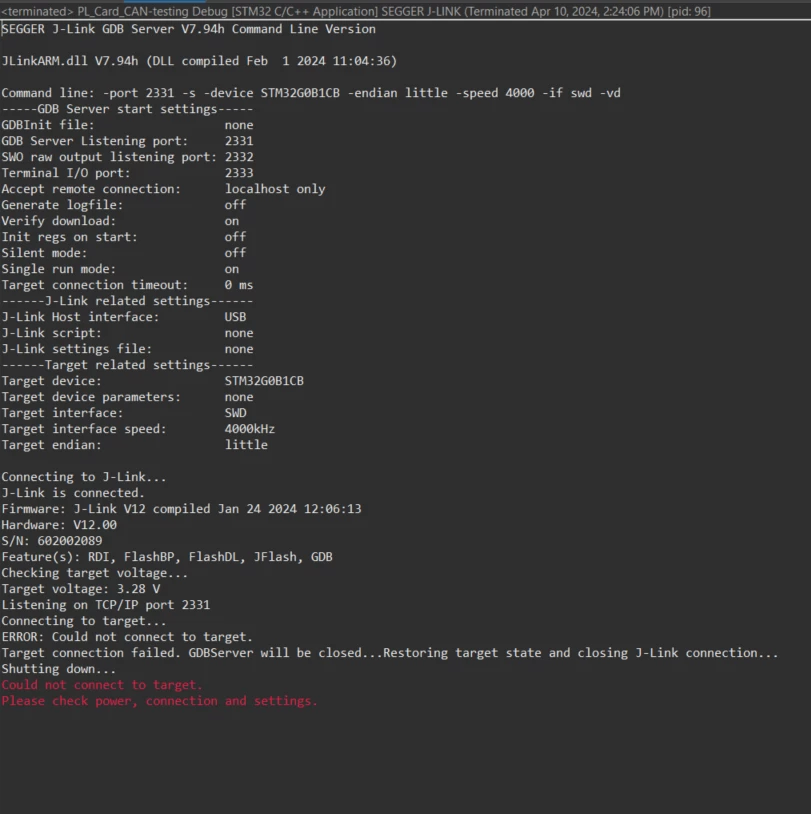
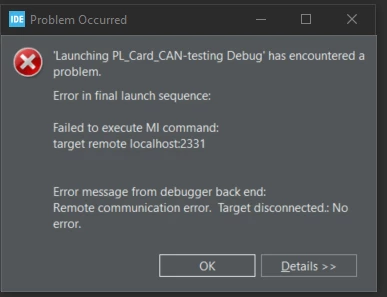
Sakthi_Murugesan_0-1712739637083.pngSakthi_Murugesan_1-1712739674040.png

I tested PCB with BOOT_0 is Pulldown to gnd & not Pulldown to gnd & tested with both Stlink-V2 & J-Link Segger 
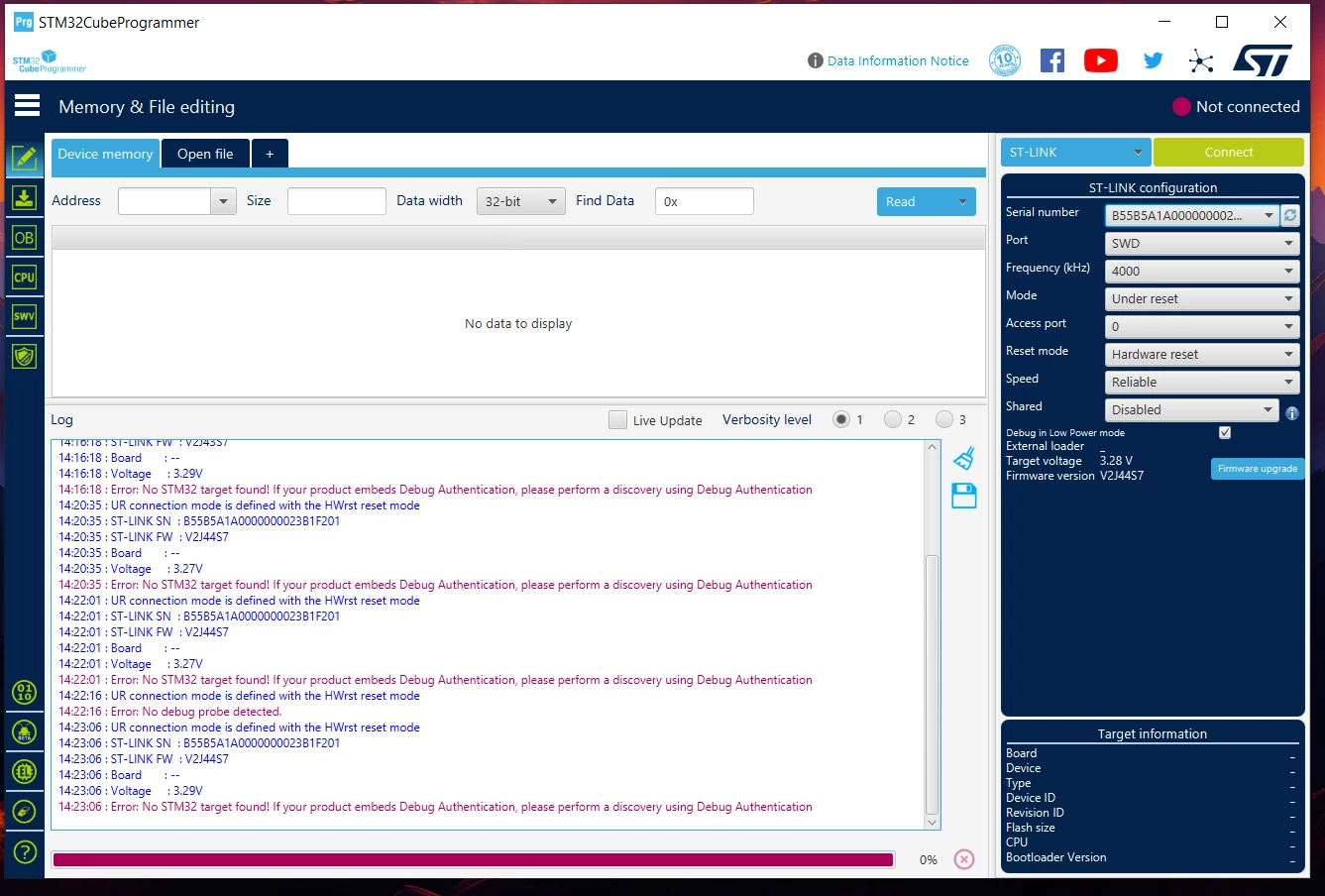
Sakthi_Murugesan_2-1712741525235.png

Even In Cube Programmer also it was not detected.
The MCU In this Board is STM32G0B1CET6 & it was bought in element14, this is the first time I try to program the MCU. 
I tried this for 5 PCBs all are having the same issues.

This topic has been closed for replies.

9 replies

mƎALLEm
ST Technical Moderator
April 10, 2024

Which board?

How you did connect st link? On board st link? External stlink? Stlink driver well installed?

Did you update the stlink firmware?

To give better visibility on the answered topics, please click "Best answer" on the reply which solved your issue or answered your question.
Sakthi_Murugesan
Associate II
April 10, 2024

The Board which I am put this controller is coustom design which was design.
The st-link is External & I was update to latest version firmware.
The stlink & the jLink Segger is working for my other STM controller, Only this one is notworking.

mƎALLEm
ST Technical Moderator
April 10, 2024

Insufficient information.

You need to provide the schematics of your custom board so community members could help you efficiently.

To give better visibility on the answered topics, please click "Best answer" on the reply which solved your issue or answered your question.
Tesla DeLorean
Guru
April 10, 2024

Suggests the board design is NOT viable. Either connecting to wrong pins or not powered properly. 

Make sure VDDA is connected.

Provide salient portions of schematic. 

Tips, Buy me a coffee, or three.. PayPal Venmo (See Profile) Up vote any posts that you find helpful, it shows what's working..
Sakthi_Murugesan
Associate II
April 10, 2024

image.png

Here is the schematic for refence in The same design I used both STM32G0B1CBT6 & STM32G0B1CET6
The STM32G0B1CBT6 is working But with STM32G0B1CET6 not working I check in STMCUBEMX Both are pin compactable just memory size is different.

mƎALLEm
ST Technical Moderator
April 12, 2024

I don't see something suspecious in your schematics except the nRST pull-up resistor. No need for this resistor as there is one internal on the chip.

You can refer to the reference design provided by AN5096 / Figure 15. STM32G0 Series reference schematic:

SofLit_0-1712941319219.png


The STM32G0B1CBT6 is working But with STM32G0B1CET6 not working I check in STMCUBEMX Both are pin compactable just memory size is different.

This statement makes me having a doubt about the chip itself. It could be broken. Is there a possibility to desolder this chip and solder one you know that is working?

To give better visibility on the answered topics, please click "Best answer" on the reply which solved your issue or answered your question.
Sakthi_Murugesan
Associate II
April 11, 2024

Did Anyone Face this kind of issue, or anyone have any solution for this?

Tesla DeLorean
Guru
June 11, 2024

Get an endless stream of people with non-working custom boards here..

Solutions come from examining the situation in hand and testing, rather than me-too some anecdotes.

Failure to connect generally means the part is dead in the water for some reason, be it power, part orientation, shorts, misread documentation, incorrect/fake parts, etc.

That one type works and the other doesn't suggests more of a part issue.

Perhaps share a picture of the chip top marking, and the trace codes on the original ST packaging if available.

Tips, Buy me a coffee, or three.. PayPal Venmo (See Profile) Up vote any posts that you find helpful, it shows what's working..
mƎALLEm
ST Technical Moderator
June 11, 2024

Hello @Sakthi_Murugesan 

Did you solved your issue? if yes could you please tell us how? or Accept as Solution the comment that answered your question?

Thank you.

To give better visibility on the answered topics, please click "Best answer" on the reply which solved your issue or answered your question.