

FWu.3
Associate III
March 27, 2022
Solved

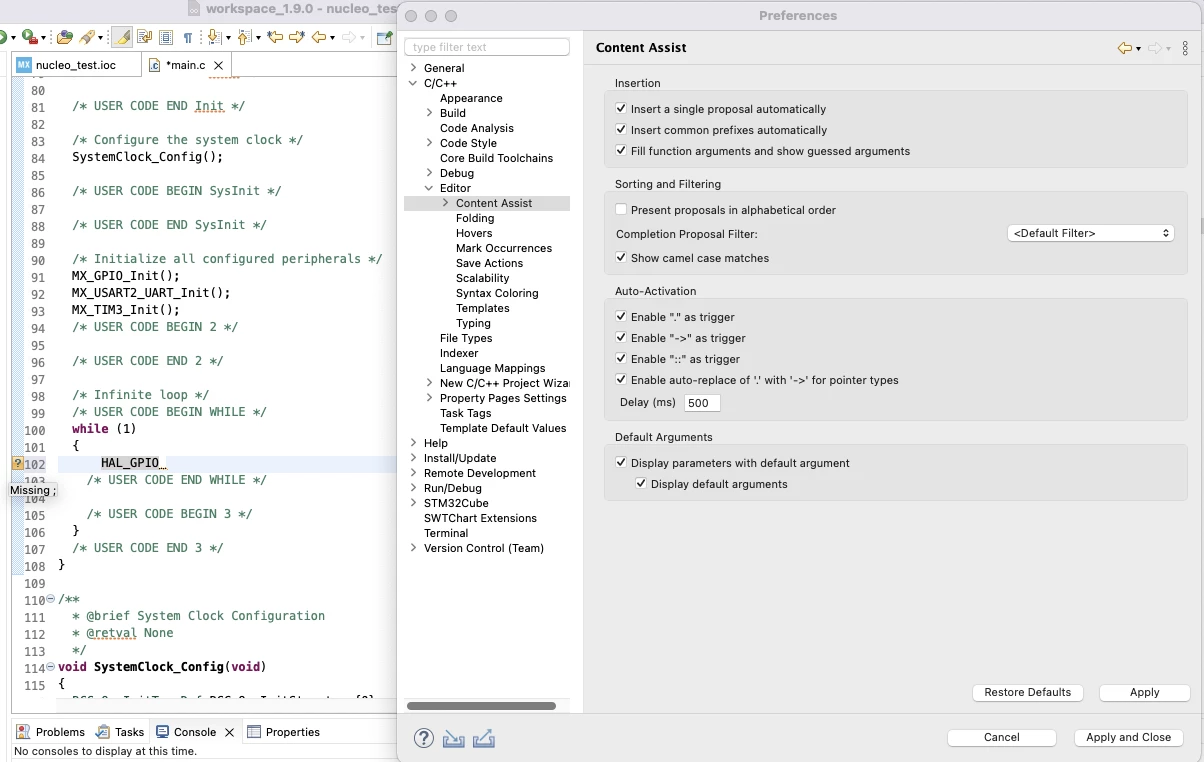
The content assist is not working on macOS.(STM32CubeIDE_1.9.0)

  • March 27, 2022
  • 5 replies
  • 1983 views

(STM32CubeIDE_1.9.0)

I am using macOS and I found that the content assist is not working when I press either "ctrl + space" or "command + space".

Is there any setting I missed?
0693W00000LvuL3QAJ.png

This topic has been closed for replies.
Best answer by FWu.3

I found that the answer. It is a mistake... For macOS, content assist is option + / . Thanks a lot!

5 replies

TDK
March 28, 2022

Does the project build? If you press F3 while on a function, does it jump to the definition?

You can try rebuilding the index with Project -> C/C++ Index -> Rebuild...

"If you feel a post has answered your question, please click ""Accept as Solution""."
FWu.3
FWu.3Author
Associate III
March 28, 2022

I pressed F3, nothing happened...

After I rebuilt it, nothing happened as well...

0693W00000LvulLQAR.pngand I tested the LED function. It worked. I think the project has been built, but I do not know why I can not use content assist...

TDK
March 28, 2022
Sounds like you need to rebuild the index. Context assist and jump to definition use the same info.
"If you feel a post has answered your question, please click ""Accept as Solution""."
FWu.3
FWu.3AuthorBest answer
Associate III
March 28, 2022

I found that the answer. It is a mistake... For macOS, content assist is option + / . Thanks a lot!

Markus GIRDLAND
ST Employee
March 30, 2022

If you prefer another keybind you should be able to change it with the following setting0693W00000LwFYcQAN.png
