

myakbiyik
Associate
January 17, 2022
Question

The codes "Download Verified Successfully" but Led of STM32 dont blink, why?
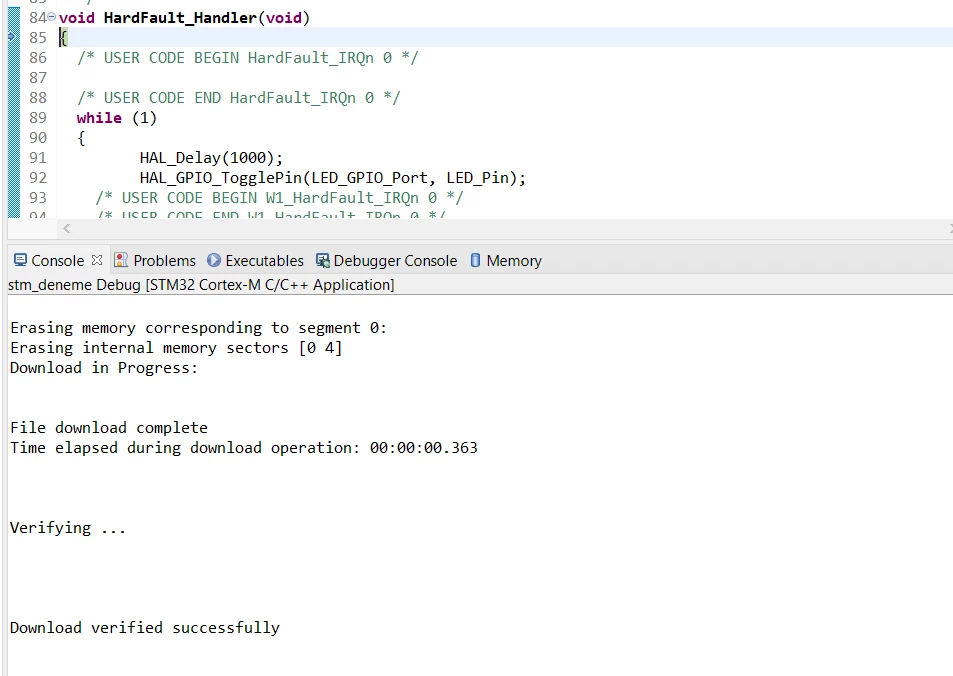
0693W00000JMI5dQAH.pngI do everything like videos but my stm32 don't blink with Cube IDE. By the way its working with Arduino IDE. What is the problem? Thanks for replies.

This topic has been closed for replies.

10 replies

ACaba.2
Associate
January 17, 2022

Have you tried to reset your microcontroller after uploading code? If you are using a nucleo board simply press reset button (also make sure it runs on newest firmware).

myakbiyik
myakbiyikAuthor
Associate
January 17, 2022

Yes i reset microcontroller, changed cables, reset my PC but it didnt change.

Markus GIRDLAND
ST Employee
January 18, 2022

Hello there!

You could try to clean the project (right click -> clean project) in the Project Explorer view. Also, with STM32CubeProgrammer standalone you could connect to the board and clean it to be 100% certain that the flash is cleaned before the new debug session.

STM32CubeProgrammer standalone is available for free here.

myakbiyik
myakbiyikAuthor
Associate
January 18, 2022

I did the things that you say but anything changed.

myakbiyik
myakbiyikAuthor
Associate
January 18, 2022

Can this problem happen because of my st link ?

Markus GIRDLAND
ST Employee
January 19, 2022

What board are you using? Maybe if I have one in the office I can create a project which works for me and send it to you.

myakbiyik
myakbiyikAuthor
Associate
January 20, 2022

STM32F103C8 ( Blue Pill) and St-link Mini Sir. I tried program with Cube IDE.

thundertronics.com
Visitor II
January 20, 2022

Pleas show your pin configuration window, how GPIOs are configured. Also check if LED_GPIO_Port and LED_Pin are connected to the LED on the board you use.

BSura.1
Visitor II
February 16, 2023

i experienced the same thing.

Download verified successfully. but the blink doesn't work at all.

I tried another bluepill, it worked.

it happened after i unlocked read only protection.