

Associate
February 17, 2025
Solved

stuck on creating a new project from ioc file

  • February 17, 2025
  • 2 replies
  • 1615 views

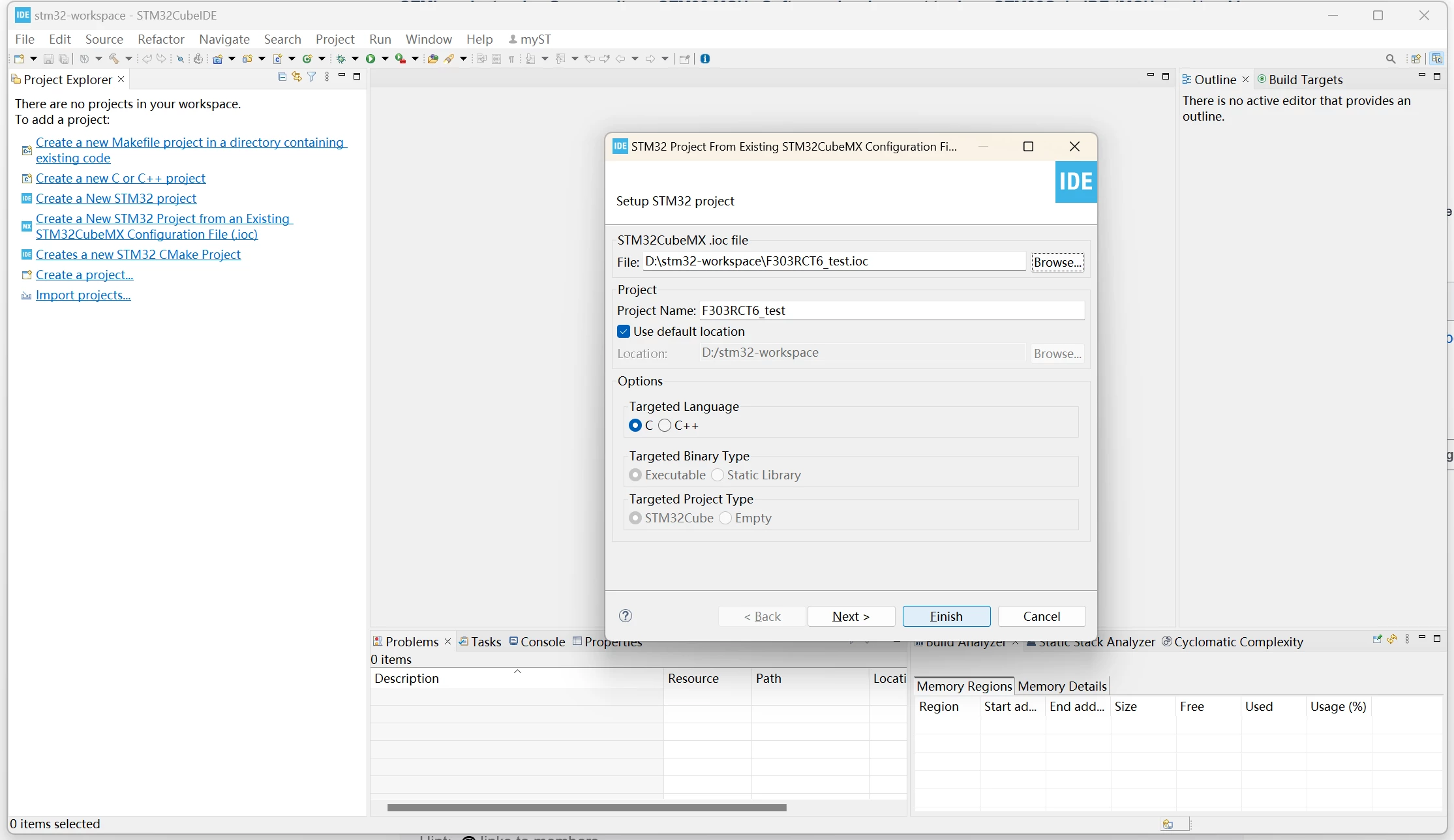
I'm trying to create a new project from a exiting ioc file.
soapshepard_0-1739770170418.png

When I click the "finish" button, it shows a progress bar but disappear very fast, and it did nothing else. No new project created, no nothing. I don't know what went wrong. Is there an error log or something so that I can see what's happening?

This topic has been closed for replies.
Best answer by STTwo-32

Hello @soapshepard and welcome to the ST Community.

Could you please try to create your project using the Standalone version of the STM32CubeMX and generate it to the CubeIDE (by setting the IDE on the project manager tab to STM32CubeIDE). Else, could you please try to uninstall and reinstall the STM32CubeIDE (please ensure that you are using the last version). You can also try to restart your PC.

Best Regards.

STTwo-32

2 replies

STTwo-32
STTwo-32Best answer
ST Technical Moderator
February 17, 2025

Hello @soapshepard and welcome to the ST Community.

Could you please try to create your project using the Standalone version of the STM32CubeMX and generate it to the CubeIDE (by setting the IDE on the project manager tab to STM32CubeIDE). Else, could you please try to uninstall and reinstall the STM32CubeIDE (please ensure that you are using the last version). You can also try to restart your PC.

Best Regards.

STTwo-32

To give better visibility on the answered topics, please click on Accept as Solution on the reply which solved your issue or answered your question.
Associate
February 17, 2025

Restart pc solved the problem. 

Should add a prompt in the installation process to tell people restart their machine after the installation.