DVouf.1
Associate
May 10, 2021
Question

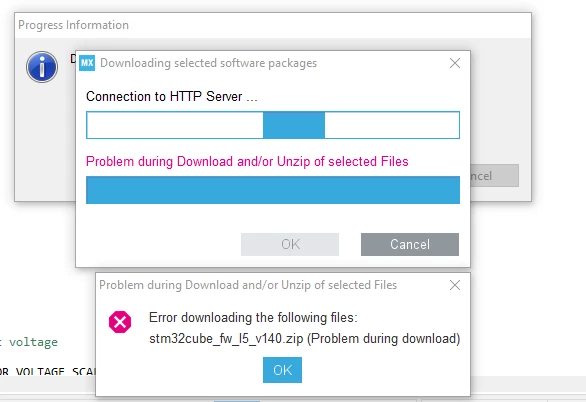
STM32IDE can't connect to Internet.

Hello everyone,

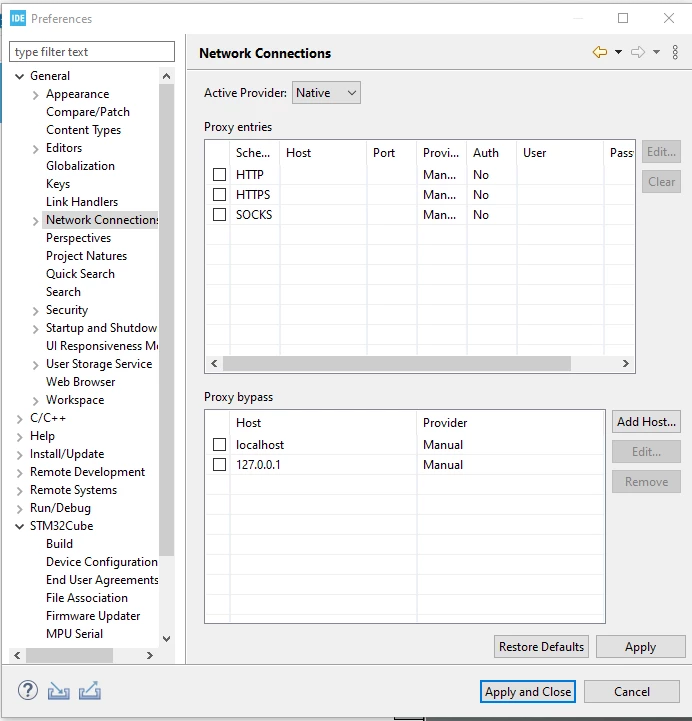
I have had a problem with the STM32IDE software for over a week. When I want to create a new project, I am asked to download some files from the internet but the software can't connect to the internet to download them. I am using a Desktop PC which is connected to the internet via a LAN Cable. According to some videos on Youtube, I should enter settings such as PROXY and others, but I don't use these settings. Can you explain what I should do? Thanks in advance.

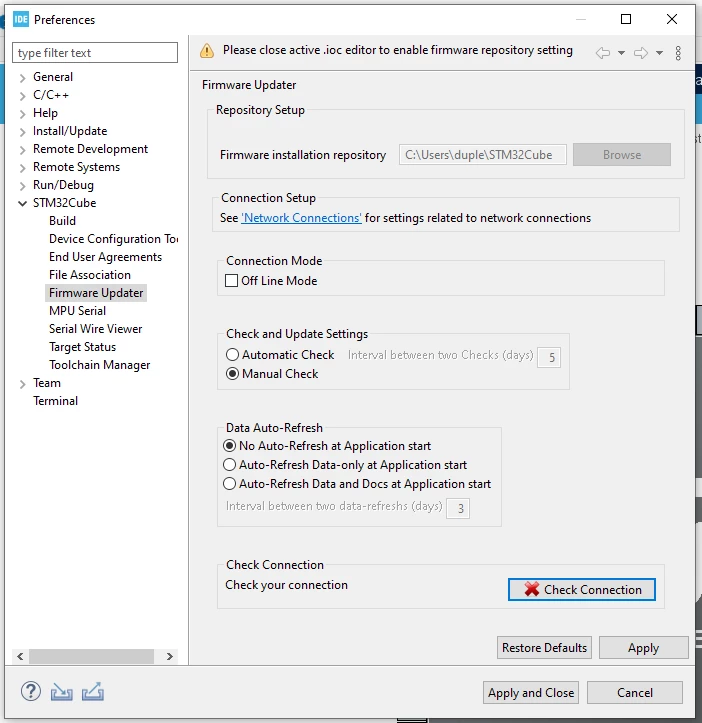
Some screenshots of the error codes follow.
0693W00000ANqX8QAL.png0693W00000ANqWyQAL.png0693W00000ANqXDQA1.png

This topic has been closed for replies.

9 replies

Peter BENSCH
ST Technical Moderator
May 10, 2021

The connection depends on the local conditions, proxy settings are only necessary if you are behind a proxy.

Please try:

  • setting to Direct instead Native in Network Connections
  • then Apply and
  • go back to Firmware Updater and click Check Connection
  • don't forget Apply and Close, if the connection works.

Good luck!

/Peter

In order to give better visibility on the answered topics, please click on Accept as Solution on the reply which solved your issue or answered your question.
DVouf.1
DVouf.1Author
Associate
May 10, 2021

Hello,

Thank for the answer... I just tried it, but it didn't work out.

Is there something else, that i can do???

Dupleix

0693W00000ANrHuQAL.png

Peter BENSCH
ST Technical Moderator
May 10, 2021

Just to be sure, did you complete all of the previous steps?

Which Windows version you are currently using?

What are your internet properties of the machine (VPN, etc)?

In order to give better visibility on the answered topics, please click on Accept as Solution on the reply which solved your issue or answered your question.
DVouf.1
DVouf.1Author
Associate
May 10, 2021

Yes i did.

I'm using Windows 10 Pro. I don't use a VPN... just an Ethernet Connexion... which other propreties do you want to know?

Peter BENSCH
ST Technical Moderator
May 10, 2021

Internet connections > Connections > LAN settings

In order to give better visibility on the answered topics, please click on Accept as Solution on the reply which solved your issue or answered your question.
DVouf.1
DVouf.1Author
Associate
May 10, 2021

here are the parameters I found:

Peter BENSCH
ST Technical Moderator
May 10, 2021

Please do not provide any personal information such as your IP address or MAC address as this is a global forum that anyone can access.

I didn't mean network parameters, but internet options.

You can access them in your German Windows using:

  • Win-S > Internetoptionen > Verbindungen > LAN-Einstellungen

In order to give better visibility on the answered topics, please click on Accept as Solution on the reply which solved your issue or answered your question.
DVouf.1
DVouf.1Author
Associate
May 10, 2021

0693W00000ANs5CQAT.pngHere

Hhtfe.1
Visitor II
August 2, 2021

I am facing similar kind of issues in my device sometimes it connects to the internet but automatically disconnects and consistently doing the same thing I need help to solve this issue.