

December 9, 2019
Question

STM32CubeIDE USB Host FS (1.5MBit/s) HID - Mini keyboard Touchpad Wireless is stopping responding when it enters standby or touchpad mode

  • December 9, 2019
  • 11 replies
  • 3989 views

Does anyone know how to make this keyboard work?

With the MAX3421E chip in conjunction with the USH30 library this works but with STM32CubeIDE not working properly.
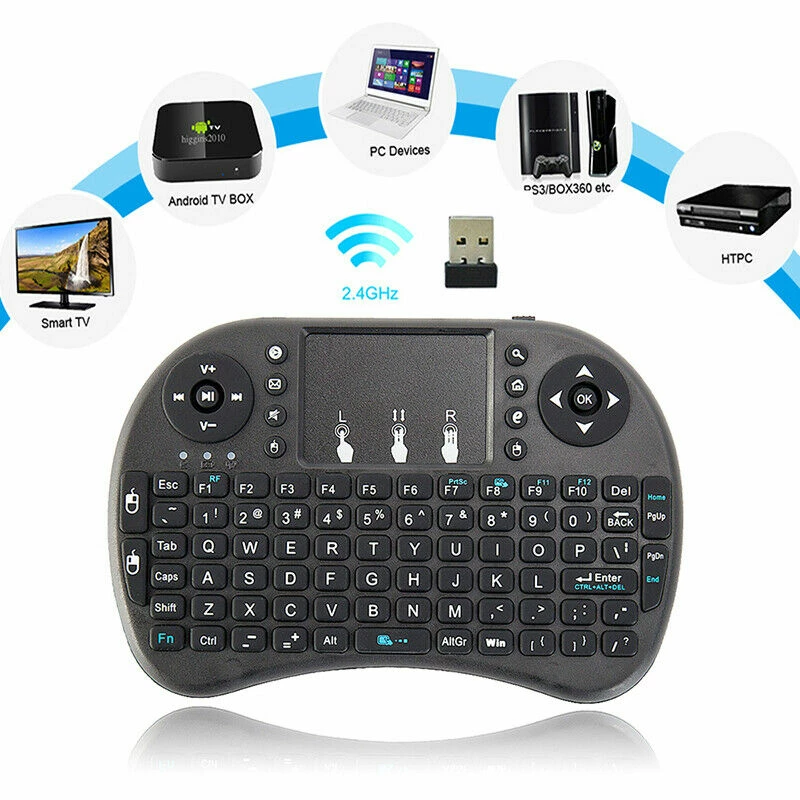
0690X00000AsNmkQAF.jpg

https://www.amazon.com/Rii-Wireless-Keyboard-Touchpad%EF%BC%86QWERTY-Raspberry/dp/B00B9996LA

This topic has been closed for replies.

11 replies

December 9, 2019

It seems that USBH_UserProcess is called several times so it stops responding.

December 9, 2019

Note: Common (wired) mouse and keyboard work separately. Wireless mouse did not work (Logtech M185).

December 10, 2019

I noticed that with the wired keyboard the variable Appli_state gets the state APPLICATION_READY. But with the wireless keyboard the Appli_state variable goes into APPLICATION_START state, so the keyboard stops responding.

Is there any use example with state variable APPLICATION_START?

Reference Subroutine:

static void USBH_UserProcess (USBH_HandleTypeDef *phost, uint8_t id)

{

   /* USER CODE BEGIN CALL_BACK_21 */

   switch(id)

   {

   case HOST_USER_SELECT_CONFIGURATION:

      break;

   case HOST_USER_DISCONNECTION:

      Appli_state = APPLICATION_DISCONNECT;

      printf("FS DISCONNECT\r\n");

      break;

   case HOST_USER_CLASS_ACTIVE:

      Appli_state = APPLICATION_READY;

      printf("FS READY\r\n");

      break;

   case HOST_USER_CONNECTION:

      Appli_state = APPLICATION_START;

      printf("FS START\r\n");

      break;

   default:

      break;

   }

   /* USER CODE END CALL_BACK_21 */

}

December 10, 2019

I have enabled data output for DEBUG:

usbh_conf.h --> #define USBH_DEBUG_LEVEL     3U // 0U

Note that processes are restarted several times, and then the process stops responding.

Log:

[00]USB Device Attached

PID: 318h

VID: 513h

Address (#1) assigned.

Manufacturer : N/A

Product : N/A

Serial Number : N/A

Enumeration done.

This device has only 1 configuration.

Default configuration set.

Device remote wakeup enabled

Switching to Interface (#0)

Class   : 3h

SubClass : 1h

Protocol : 1h

KeyBoard device found!

HID class started.

USB Device disconnected

USB Device Attached

PID: 318h

VID: 513h

Address (#1) assigned.

Manufacturer : N/A

Product : N/A

Serial Number : N/A

Enumeration done.

This device has only 1 configuration.

Default configuration set.

Device remote wakeup enabled

Switching to Interface (#0)

Class   : 3h

SubClass : 1h

Protocol : 1h

KeyBoard device found!

HID class started.

USB Device disconnected

USB Device Attached

PID: 318h

VID: 513h

Address (#1) assigned.

Manufacturer : N/A

Product : N/A

Serial Number : N/A

Enumeration done.

This device has only 1 configuration.

Default configuration set.

Device remote wakeup enabled

Switching to Interface (#0)

Class   : 3h

SubClass : 1h

Protocol : 1h

KeyBoard device found!

HID class started.

USB Device disconnected

USB Device Attached

PID: 318h

VID: 513h

Address (#1) assigned.

Manufacturer : N/A

Product : N/A

Serial Number : N/A

Enumeration done.

This device has only 1 configuration.

Default configuration set.

Device remote wakeup enabled

Switching to Interface (#0)

Class   : 3h

SubClass : 1h

Protocol : 1h

KeyBoard device found!

HID class started.

USB Device disconnected

USB Device Attached

PID: 318h

VID: 513h

Address (#1) assigned.

Manufacturer : N/A

Product : N/A

Serial Number : N/A

Enumeration done.

This device has only 1 configuration.

Default configuration set.

Device remote wakeup enabled

Switching to Interface (#0)

Class   : 3h

SubClass : 1h

Protocol : 1h

KeyBoard device found!

HID class started.

USB Device disconnected

USB Device Attached

PID: 318h

VID: 513h

Address (#1) assigned.

Manufacturer : N/A

Product : N/A

Serial Number : N/A

Enumeration done.

This device has only 1 configuration.

Default configuration set.

Device remote wakeup enabled

Switching to Interface (#0)

Class   : 3h

SubClass : 1h

Protocol : 1h

KeyBoard device found!

HID class started.

USB Device disconnected

USB Device Attached

PID: 318h

VID: 513h

Address (#1) assigned.

Manufacturer : N/A

Product : N/A

Serial Number : N/A

Enumeration done.

This device has only 1 configuration.

Default configuration set.

Device remote wakeup enabled

Switching to Interface (#0)

Class   : 3h

SubClass : 1h

Protocol : 1h

KeyBoard device found!

HID class started.

USB Device disconnected

USB Device Attached

December 10, 2019

If a keyboard key is pressed continuously, the process remains stable, but when the keyboard is turned off by its power switch, the process restarts, and then locks up. To work again you need to restart uC.

[00]USB Device Attached

PID: 318h

VID: 513h

Address (#1) assigned.

Manufacturer : N/A

Product : N/A

Serial Number : N/A

Enumeration done.

This device has only 1 configuration.

Default configuration set.

Device remote wakeup enabled

Switching to Interface (#0)

Class   : 3h

SubClass : 1h

Protocol : 1h

KeyBoard device found!

HID class started.

aaaaaaaaaaaaaaaaaaassssaasssssbb <--- (Pulsed keys)

USB Device disconnected <--- (Keyboard: power off)

USB Device Attached

PID: 318h

VID: 513h

Address (#1) assigned.

Manufacturer : N/A

Product : N/A

Serial Number : N/A

Enumeration done.

This device has only 1 configuration.

Default configuration set.

Device remote wakeup enabled

Switching to Interface (#0)

Class   : 3h

SubClass : 1h

Protocol : 1h

KeyBoard device found!

HID class started.

USB Device disconnected

USB Device Attached

December 10, 2019

Would an automatic reset be required when the device is disconnected?

December 10, 2019

Note: I am not using additional pins like Drive_VBUS or VBUS, I am using only DM and DP wires. Could this be affecting the reboot process?

December 12, 2019

I watched the training videos on YouTube:

(https://www.youtube.com/watch?v=rI3yBmnfAZU&list=PLnMKNibPkDnFFRBVD206EfnnHhQZI4Hxa)

The video examples worked, but I still can't make this keyboard work properly.

I noticed that the library found two interfaces.

How can I receive data from both interfaces at the same time?

It seems that the library is implementing only the first interface, and when the touchpad is triggered the library gets lost and stops responding.

Got some data on Windows using USBPcap

1-Descriptor Request DEVICE:

0690X00000BuWPxQAN.png

2-Descriptor Response DEVICE:

0690X00000BuWQ2QAN.png

3-GET DESCRIPTOR Request CONFIGURATION:

0690X00000BuWQ7QAN.png

4a-GET DESCRIPTOR Response CONFIGURATION:

0690X00000BuWQHQA3.png

4b-GET DESCRIPTOR Response CONFIGURATION:

0690X00000BuWQRQA3.png

5-SET CONFIGURATION Request:

0690X00000BuWQWQA3.png

6-SET CONFIGURATION Response:

0690X00000BuWQbQAN.png

7-URB_INTERRUPT in:

0690X00000BuWQgQAN.png

8-URB_INTERRUPT in:

0690X00000BuWQlQAN.png

9-URB_INTERRUPT in:

0690X00000BuWQqQAN.png

December 12, 2019

I may have found the answer to this keyboard not working.

Source: https://community.st.com/s/question/0D50X00009XkgdbSAB/usb-library-with-device-having-multiple-interfaces

Post content found:

USB Library with device having multiple interfaces

Posted on October 22, 2016 at 04:27

I am not sure if this is a bug fix or an enhancement.

I am developing on a proprietary board using the STM32F7 series processor. I have a device connected via USB using the USB Host Library. This particular device has more than just a CDC interface and the CDC is NOT the first one in the descriptor list. The USB Library source file usbh_core.c has code which should be looking through all of the interfaces, but only looks at the first. To fix this, I changed this:

case HOST_CHECK_CLASS:
 if (phost->ClassNumber == 0)
 {
 USBH_UsrLog(''No Class has been registered.'');
 }
 else
 {
 phost->pActiveClass = NULL;
 for (idx = 0; idx < 
 USBH_MAX_NUM_SUPPORTED_CLASS
 ; idx++)
 {
 if ((phost->pClass [ idx ]->ClassCode == phost->device.CfgDesc.Itf_Desc [ 0 ].bInterfaceClass))
 {
 phost->pActiveClass = phost->pClass [ idx ];
 }
 }

to this:

case HOST_CHECK_CLASS:
 if (phost->ClassNumber == 0)
 {
 USBH_UsrLog(''No Class has been registered.'');
 }
 else
 {
 phost->pActiveClass = NULL;
 for (idx = 0; idx < 
 USBH_MAX_NUM_SUPPORTED_CLASS
 ; idx++)
 {
 for (int 
 infx
 = 
 0
 ; infx < USBH_MAX_NUM_INTERFACES; infx++)
 {
 if ((phost->pClass [ idx ]->ClassCode == phost->device.CfgDesc.Itf_Desc [ infx ].bInterfaceClass))
 {
 phost->pActiveClass = phost->pClass [ idx ];
 break;
 }
 }
 }

This picks up all of the interfaces in the descriptor. I also modified usbh_cdc.c in the

  1. static USBH_StatusTypeDef USBH_CDC_InterfaceInit(USBH_HandleTypeDef *phost)

function to return separate notification and data interfaces. Worked out well in the long run. You should also change the SetLineCoding and GetLineCoding functions - and maybe a couple of others - so that the ''0'' interface is not the default interface. Use the current interface. I spent a week wondering why everything worked great over the base/notification interface but terrible on the data interfaces. Discovered the problem tonight. In usbh_core.c

uint8_t USBH_FindInterface(USBH_HandleTypeDef *phost, uint8_t Class, uint8_t SubClass, uint8_t Protocol, int8_t startWith)
 {
 USBH_InterfaceDescTypeDef *pif;
 USBH_CfgDescTypeDef *pcfg;
 int8_t if_ix = startWith; //0; <-- was searching from the first interface for the associated data interface - should start from current interface

So, references to this function need an extra parameter for setting a starting index. The bug here is that the function was always returning the data interface for the first interface when I needed it from the next interface pair after the first. Hope this helps people who are using USB devices with multiple interfaces or fixes a bug in the library. #!stm32-!usb-!library-!interfaces

December 12, 2019

I manually set it to handle only the second interface and now things have reversed, the HID process no longer recognizes the keyboard keys but recognizes the touchpad buttons and movements.

File usbh_hid.c: (interface = 1)

static USBH_StatusTypeDef USBH_HID_InterfaceInit (USBH_HandleTypeDef *phost)
{
	uint8_t max_ep;
	uint8_t num = 0U;
	uint8_t interface;
 
	USBH_StatusTypeDef status = USBH_FAIL;
	HID_HandleTypeDef *HID_Handle;
 
	interface = 1; // USBH_FindInterface(phost, phost->pActiveClass->ClassCode, HID_BOOT_CODE, 0xFFU);

Debug output:

USB Device Attached

PID: 318h

VID: 513h

Address (#1) assigned.

Manufacturer : N/A

Product : N/A

Serial Number : N/A

Enumeration done.

This device has only 1 configuration.

Default configuration set.

Device remote wakeup enabled

Active Class: 3, Interface: 0

Number of Interfaces: 2

Switching to Interface (#1)

Class   : 3h

SubClass : 1h

Protocol : 2h

Mouse device found!

HID class started.

Mouse action: x= 0x1, y= 0x0, button1 = 0x0, button2 = 0x0, button3 = 0x0

Mouse action: x= 0x2, y= 0x0, button1 = 0x1, button2 = 0x0, button3 = 0x0

Mouse action: x= 0x0, y= 0x0, button1 = 0x1, button2 = 0x0, button3 = 0x0

Mouse action: x= 0x2, y= 0x0, button1 = 0x1, button2 = 0x0, button3 = 0x0

Mouse action: x= 0x0, y= 0x0, button1 = 0x1, button2 = 0x0, button3 = 0x0

Mouse action: x= 0x0, y= 0xf3, button1 = 0x1, button2 = 0x0, button3 = 0x0

Mouse action: x= 0x0, y= 0xf3, button1 = 0x1, button2 = 0x0, button3 = 0x0

Mouse action: x= 0x0, y= 0xf3, button1 = 0x1, button2 = 0x0, button3 = 0x0

Mouse action: x= 0x0, y= 0xf6, button1 = 0x1, button2 = 0x0, button3 = 0x0

Mouse action: x= 0x0, y= 0xf5, button1 = 0x1, button2 = 0x0, button3 = 0x0

Mouse action: x= 0x0, y= 0xf4, button1 = 0x1, button2 = 0x0, button3 = 0x0

Mouse action: x= 0x0, y= 0xf9, button1 = 0x1, button2 = 0x0, button3 = 0x0

Mouse action: x= 0x0, y= 0xf9, button1 = 0x1, button2 = 0x0, button3 = 0x0

Mouse action: x= 0x0, y= 0xfb, button1 = 0x1, button2 = 0x0, button3 = 0x0

Mouse action: x= 0x0, y= 0xfd, button1 = 0x1, button2 = 0x0, button3 = 0x0

Mouse action: x= 0x0, y= 0xff, button1 = 0x1, button2 = 0x0, button3 = 0x0

Mouse action: x= 0x0, y= 0x0, button1 = 0x1, button2 = 0x0, button3 = 0x0

Mouse action: x= 0x0, y= 0x3, button1 = 0x1, button2 = 0x0, button3 = 0x0

Mouse action: x= 0x0, y= 0x5, button1 = 0x1, button2 = 0x0, button3 = 0x0

Mouse action: x= 0x0, y= 0x9, button1 = 0x1, button2 = 0x0, button3 = 0x0

Key of keyboard pressed:

USB Device disconnected

USB Device Attached

PID: 318h

VID: 513h

Address (#1) assigned.

Manufacturer : N/A

Product : N/A

Serial Number : N/A

Enumeration done.

This device has only 1 configuration.

Default configuration set.

Device remote wakeup enabled

Active Class: 3, Interface: 0

Number of Interfaces: 2

Switching to Interface (#1)

Class   : 3h

SubClass : 1h

Protocol : 2h

Mouse device found!

HID class started.

Mouse action: x= 0x1, y= 0x0, button1 = 0x0, button2 = 0x0, button3 = 0x0

Mouse action: x= 0x0, y= 0x0, button1 = 0x1, button2 = 0x0, button3 = 0x0

Note that the HID process restarted when a key was pressed. So the problem is dealing with both interfaces, the library is working with only the first interface (0).