


JJank
Associate
September 15, 2019
Solved

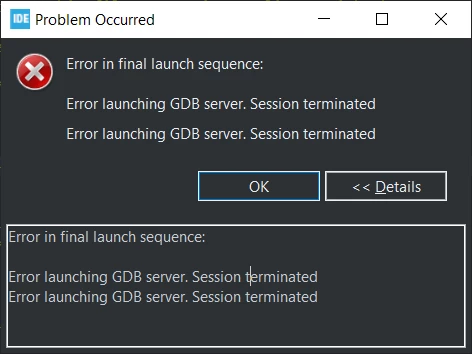
STM32CubeIDE unable to debug. Error in final launch sequence, error launching GDB server
  • September 15, 2019
  • 6 replies
  • 9300 views

0690X00000ARDH1QAP.pngSo, I am learning stm32 mcus, using a nucleo f4 board.

Everything was working fine and now debug launch fails.

Actually, I was doing one debug, closed it and next debug session won't launch.

Atollic TrueSTUDIO does work with the same settings (st-link gdb server in the debugger settings).

CubeIDE works in linux.

This topic has been closed for replies.
Best answer by JJank

Guys, avast antivirus deletes the st link server exe file. It is absolutely because of it.

I had to add an exception for the exe file.

6 replies

JJank
JJankAuthor
Associate
September 15, 2019

After a few reinstalls, I noticed that when the error raises, in the folder plugins\com.st.stm32cube.ide.mcu.externaltools.stlink-gdb-server.win32_1.0.0.201904160814\tools\bin the st link server execbutable is missing.

On this fresh reinstall, I backed it up.

I'm using avast free antivirus, maybe it is giving me problems. The server is allowed in windows firewall.

JJank
JJankAuthorBest answer
Associate
September 15, 2019

Guys, avast antivirus deletes the st link server exe file. It is absolutely because of it.

I had to add an exception for the exe file.

MEwen.1
Associate II
May 2, 2020

jjank, I'd just like to thank you for making this public. I banged my head against this for a long time before finding your explanation.

I'll report it to Avast as a false positive.

NChoi
Visitor II
September 22, 2019

I've got same problem and along with dedi1's way, finally got working set of st link with gdb.

Thanks dedi1 ;)

Rahul Chowdary
Associate
August 22, 2020

Thank you guys. The solution is perfect and working 100% percent.