Associate II
January 25, 2024
Solved

STM32cubeIDE SWV trace autostop

  • January 25, 2024
  • 1 reply
  • 3584 views

Hello,

I am new on STM32CubeIDE. I try to use SWV to trace some parameters from Nucleo-H743ZI2. At the beginning, everything is ok. I can see the data in the trace window. But the trace will automatically stop after a certain duration. The board is still running, as I can see the LED still blinking. I am thinking if there is any limitation on the trace duration or data size? 

Can anyone give me some guide where I should check? Thank you.
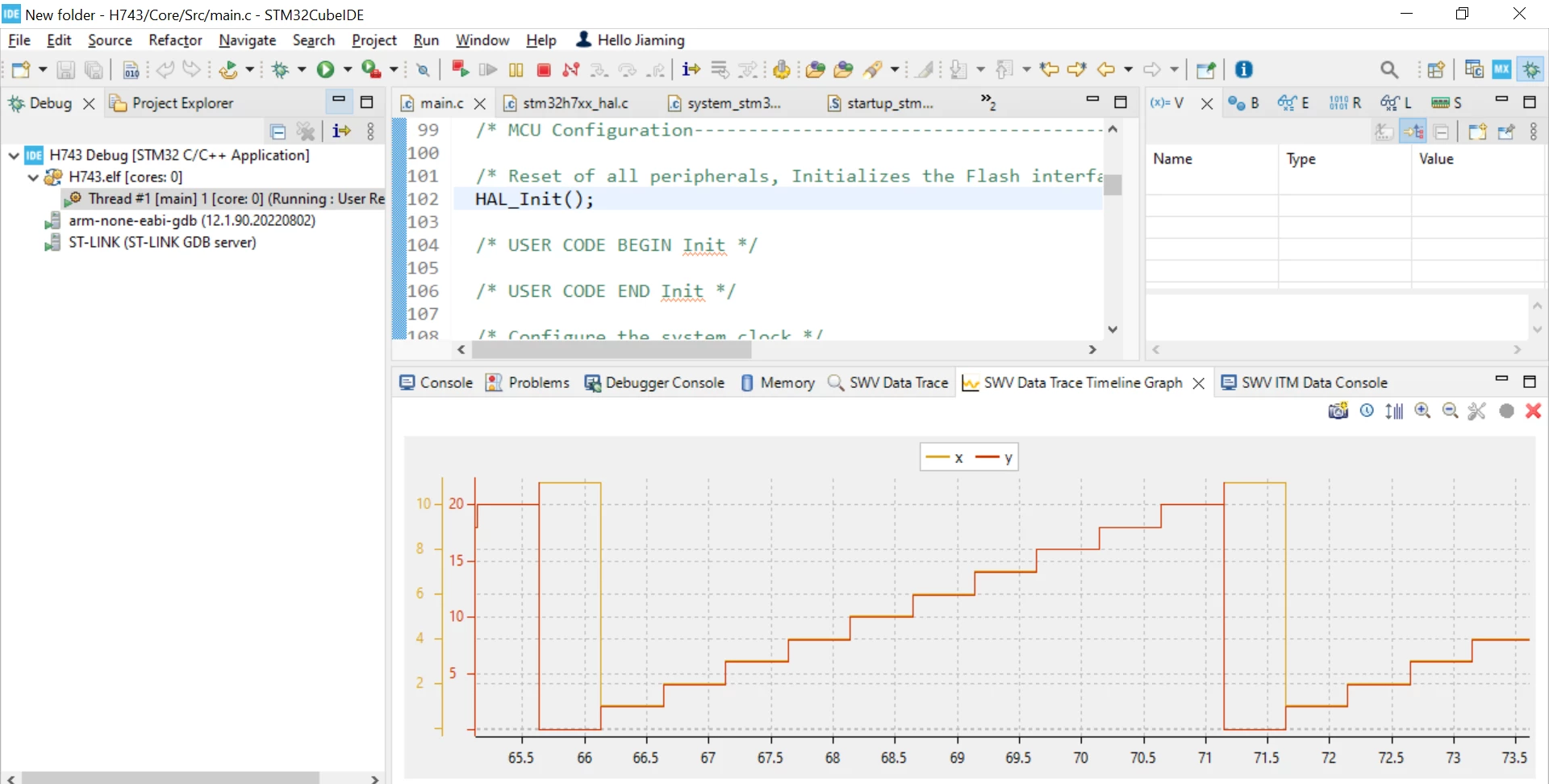
Capture.PNG


    This topic has been closed for replies.
    Best answer by LaurentL

    Hello,

    There was a regression in STLink fw V3J13 for SWV.

    So, check your Fw version and update to V3J14.

    Rgds,

    Laurent

    1 reply

    STTwo-32
    Technical Moderator
    January 25, 2024

    Hello @Jiaming 

    I suggest you increase the Trace buffer size under Window >Preferences >STM32Cube >Serial Wire Viewer.

    Best Regards.

    STTWo-32 

    To give better visibility on the answered topics, please click on Accept as Solution on the reply which solved your issue or answered your question.
    JiamingAuthor
    Associate II
    January 26, 2024

    Hello @STTwo-32,

    I increased the buffer size in the Serial Wire Viewer, from 2,000,000 to 20,000,000, but the trace still stopped at the exact same time as before, at 73.5s

    It seems something limited the trace to continue...Is it because the target does not have enough memory? After the SWV trace stopped, i can see the value in the upper right "Live Expressions" is still updating. 

    2.PNG

    1.PNG

    3.PNG

    BR,

    JN

    LaurentL
    LaurentLBest answer
    ST Employee
    January 26, 2024

    Hello,

    There was a regression in STLink fw V3J13 for SWV.

    So, check your Fw version and update to V3J14.

    Rgds,

    Laurent

    To give better visibility on the answered topics, please click on Accept as Solution on the reply which solved your issue or answered your question.