

Associate III
April 28, 2024
Solved

STM32CubeIDE Library issues

  • April 28, 2024
  • 1 reply
  • 2495 views

Hello, I am trying to use the TensorFlow Lite Micro library for my project in STM32CubeIDE.

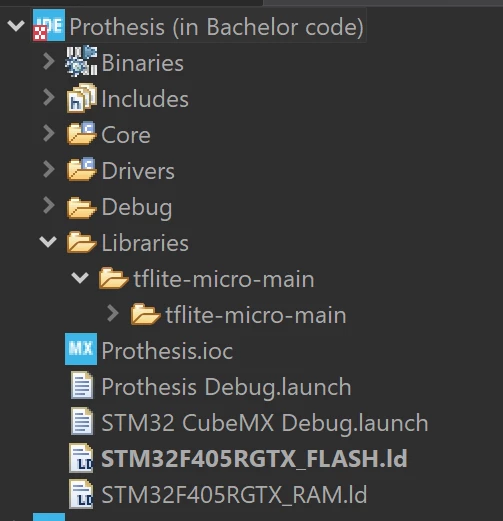
I have made a folder for the library in my project as shown: 
mathieusteketee_0-1714264556733.png

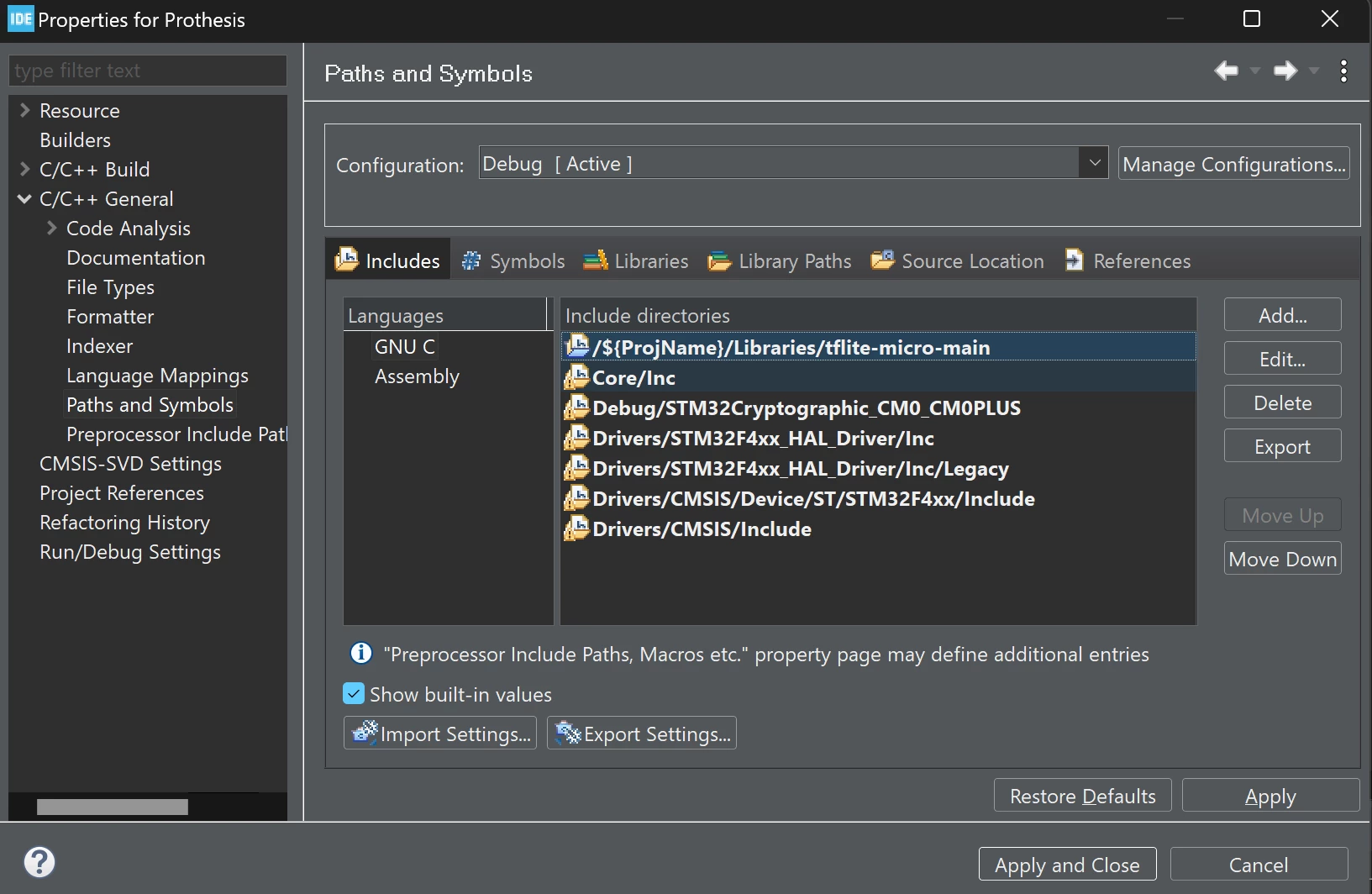
I have included the directory for the folder in under the "Path and Symbols" tab:
mathieusteketee_1-1714264745926.png

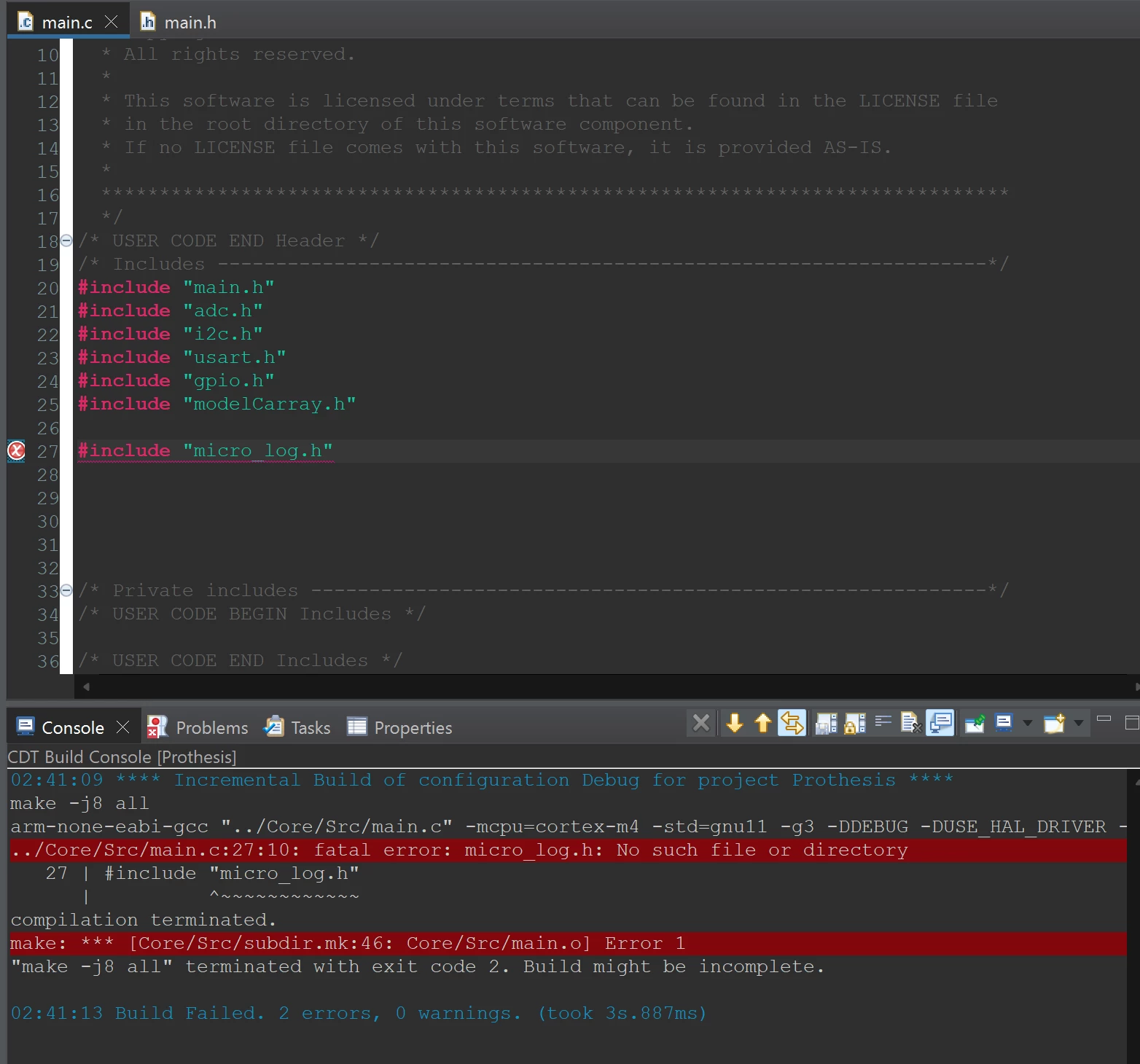
When I simply try to include one of the header files in the Core/main.c code I receive this message:
mathieusteketee_2-1714264895949.png

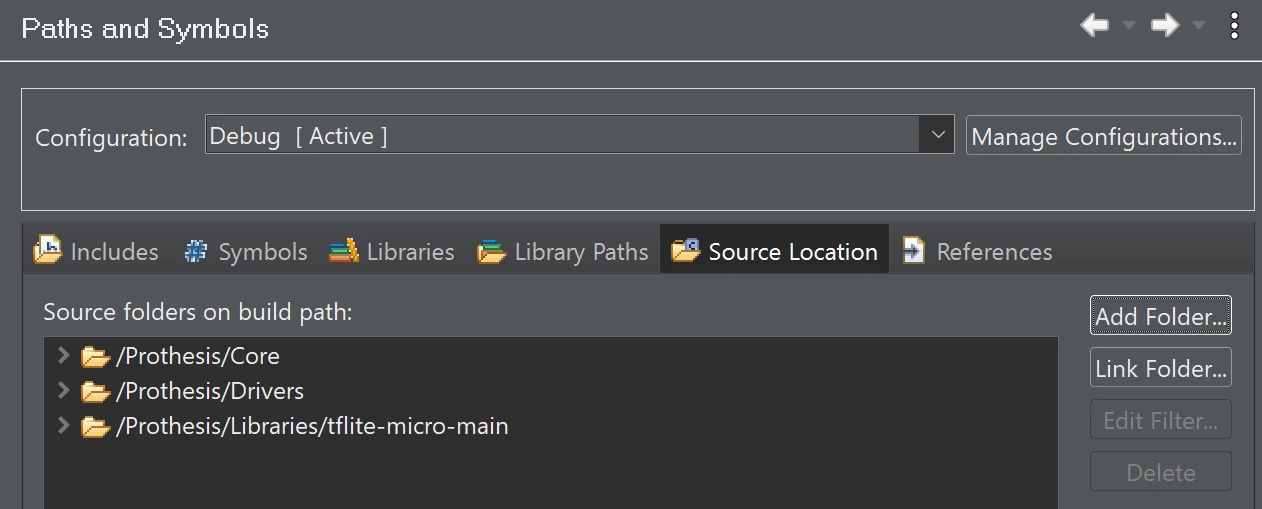
When I then also try to adding the Source Location:
mathieusteketee_3-1714264973248.png

I recieve even more errors. Where most of the errors are: "No such file or directory". See image:
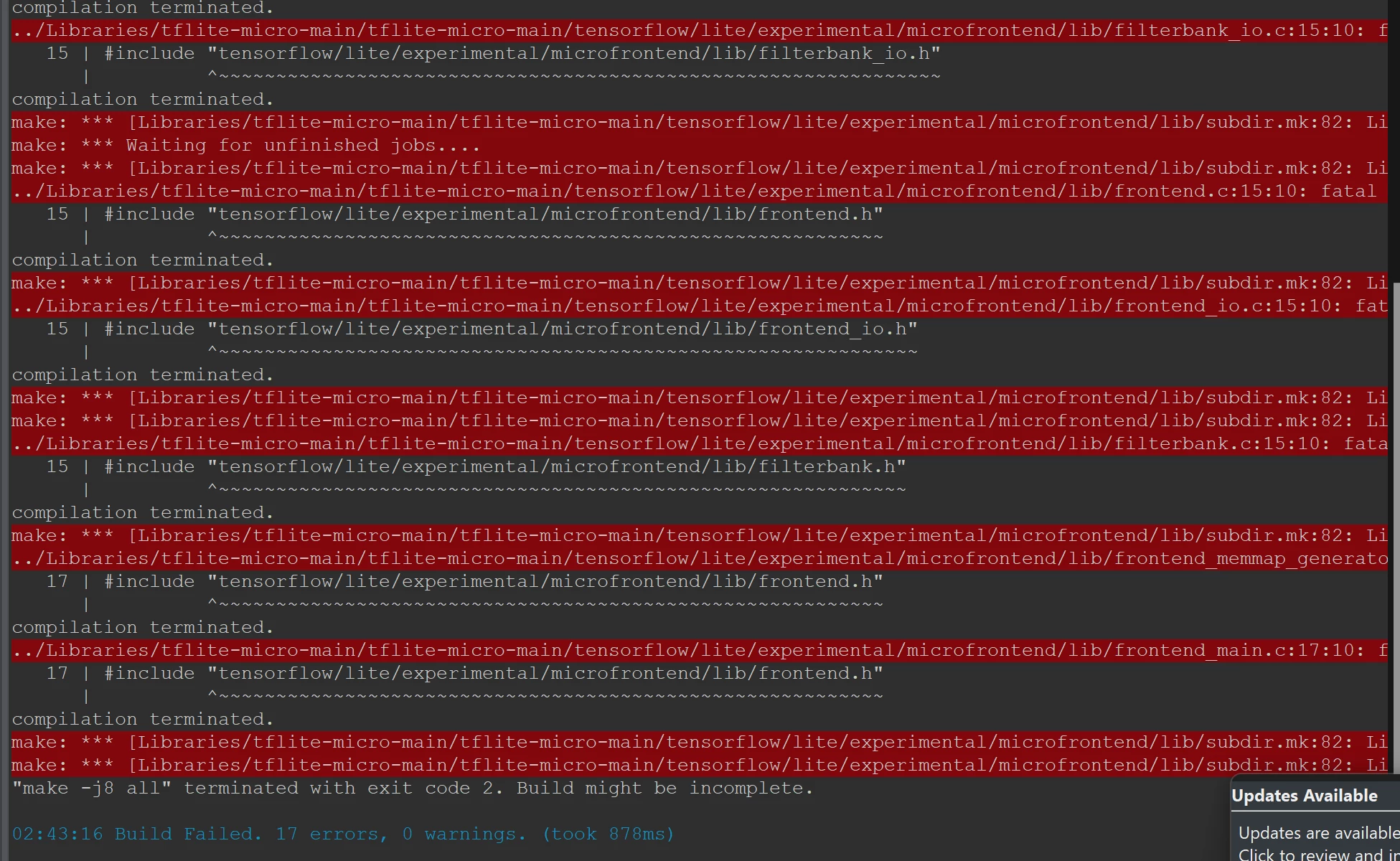
mathieusteketee_4-1714265044620.png


I have also trying the folder location in the C/C++ Build settings under MCU GCC Linker/Libraries, but with no success:
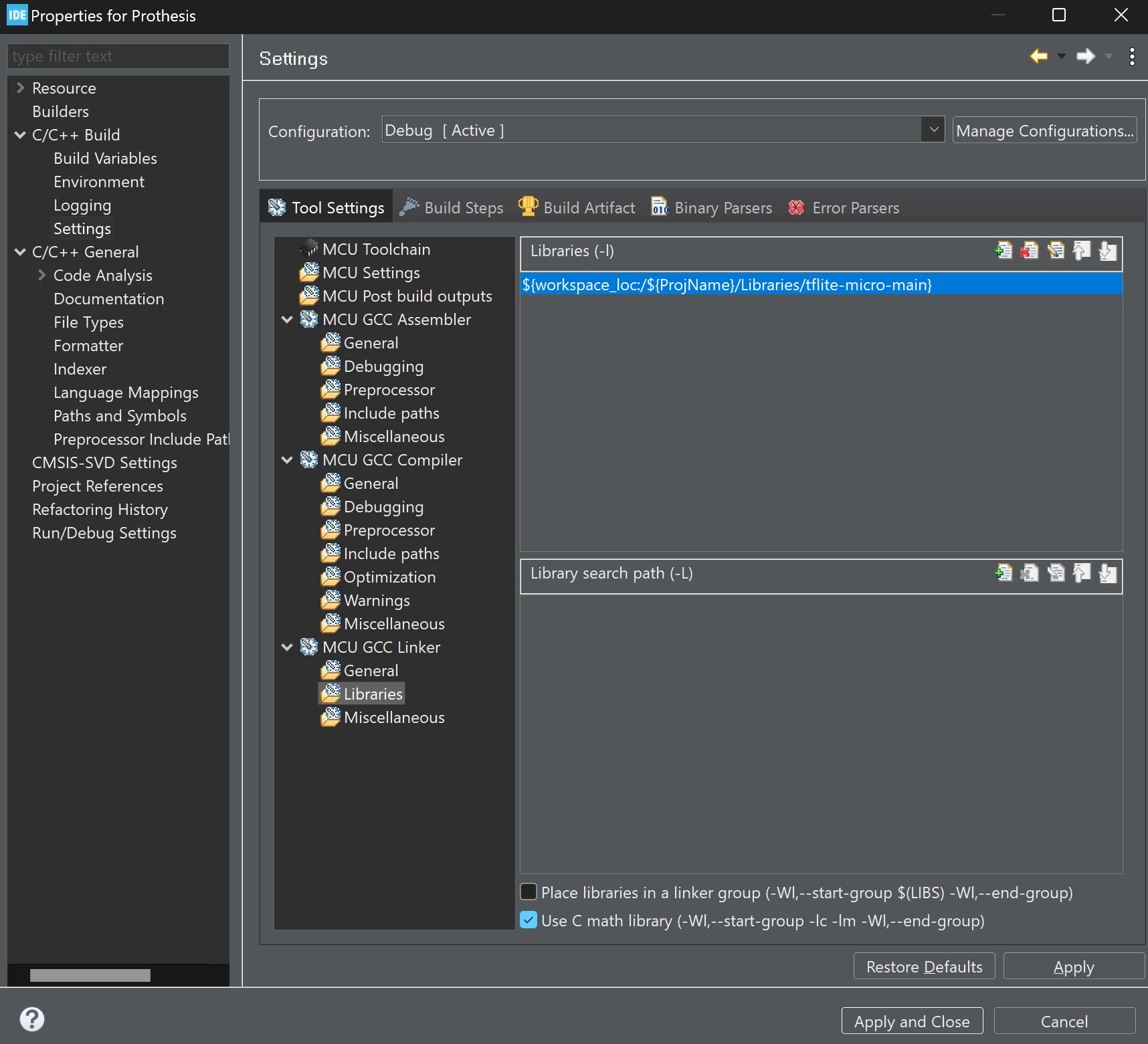
mathieusteketee_5-1714265204004.png


Does anyone know how to fix this problem or have any tips?


Thank you.


    This topic has been closed for replies.
    Best answer by mathieusteketee

    Thank you for your reply @Rim LANDOLSI!

    I have looked at this article you sent and did exactly as described.

    I however found my soultion was downloading the STM32 X-Cube-AI and following the steps from the following video:  

    https://www.youtube.com/watch?v=crJcDqIUbP4

    1 reply

    Rim LANDOLSI
    ST Employee
    April 29, 2024

    Hello @mathieusteketee  and welcome to the community,

    This knowledge base article may help you link an external library to the STM32CubeIDE project. Otherwise, according to the screenshot, there is a mismatch of the included path of the library is ../libraries/tflite-micro-main, but in the IDE project under ../libraries/tflite-micro-main/tflite-micro-main.

    Hope this helps you!

    Thanks,
    Rim.

    mathieusteketeeAuthorBest answer
    Associate III
    May 2, 2024

    Thank you for your reply @Rim LANDOLSI!

    I have looked at this article you sent and did exactly as described.

    I however found my soultion was downloading the STM32 X-Cube-AI and following the steps from the following video:  

    https://www.youtube.com/watch?v=crJcDqIUbP4