Associate
November 21, 2023
Solved

STM32CubeIDE installation gets stuck on License Agreement Windows10 22H2

  • November 21, 2023
  • 9 replies
  • 6235 views

Hi,

has anyone experienced similar issue when installing STM32CubeIDE?

I am downloading STM32CubeIDE from ST official here , unzipping and double-clicking received exe file (in this particular case st-stm32cubeide_1.13.2_18220_20230914_1601_x86_64.exe)

3.PNG

I am starting installation with admin rights and see:
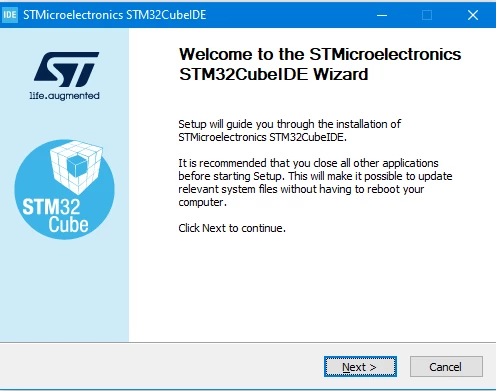
1.PNG

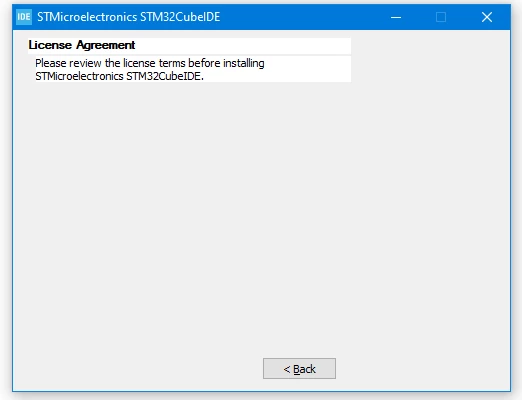
but it gets stuck here:

2.PNG

it simply disappears after few seconds and I can do nothing ;(

I have tried also with other version and the same result.


Basically I had previously STM32CubeIDE 1.8.0 and worked fine, but uninstalled to update to the newest version. And problems started.


Any hints what to check, where to check?
 

    This topic has been closed for replies.
    Best answer by mch

    Hi,

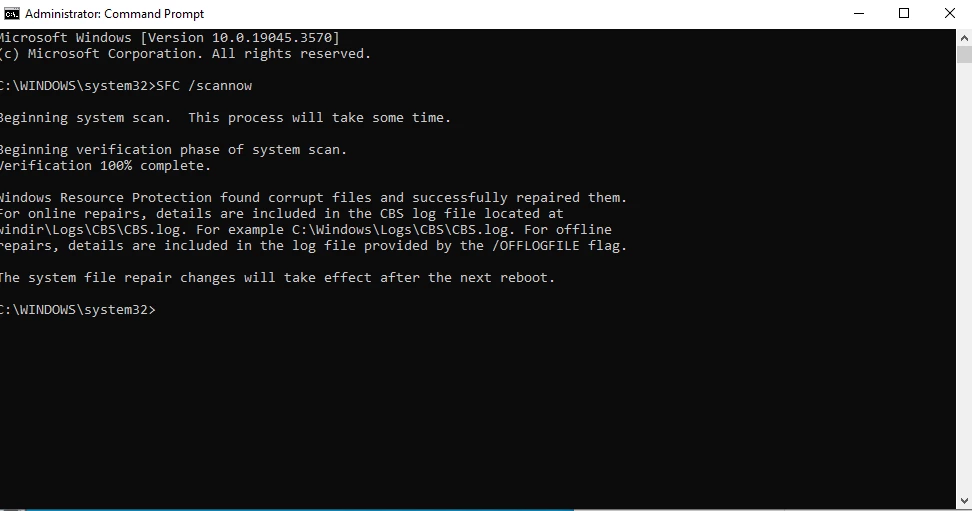
    seems I have been able to fix this with running CMD with Admin rights and typing command

    SFC /scannow

    This is Windows tool to repair when some Windows functions do not work.

    I have got summary after this

    1.PNG

    Seems good so far, I was able to install STMCubeIDE 1.14.0 and CubeMX 6.10.0

    Hopefully it solves the issue finally.

    Thanks for your support!

    9 replies

    Semer CHERNI
    ST Employee
    November 23, 2023

    Hello @mch 

    First let me thank you for posting.

    I am  not able to reproduce the described behavior.
    However, the CubeIDE 1.14.0 is available could you make the test with the latest version and give me your feedback.

    KR,

    Semer.

    To give better visibility on the answered topics, please click on Accept as Solution on the reply which solved your issue or answered your question.
    mchAuthor
    Associate
    November 24, 2023

    Hi @Semer CHERNI 

    thanks for letting me know about 1.14.0 version however story remains the same, I can not install STM32CubeIDE.

    I have double-checked registry looking for any stm32 keyword and this is as follows:

    searching conditions

    5.PNG

    results:

    6.PNG

    This one can not be deleted:

    8.PNG


    Any further hints?


    Visitor II
    November 25, 2023

    What's your operating system?

    mchAuthor
    Associate
    November 25, 2023

    Windows10 22H2 as mentioned in the topic

    mchAuthorBest answer
    Associate
    November 25, 2023

    Hi,

    seems I have been able to fix this with running CMD with Admin rights and typing command

    SFC /scannow

    This is Windows tool to repair when some Windows functions do not work.

    I have got summary after this

    1.PNG

    Seems good so far, I was able to install STMCubeIDE 1.14.0 and CubeMX 6.10.0

    Hopefully it solves the issue finally.

    Thanks for your support!

    AScha.3
    Super User
    November 28, 2023

    surprise !  no new bug .

    on my Laptop (on Win10/64 ) STMCubeIDE never could open an existing workspace a second time...so useless.

    i tried IDE version 1.8. ... 1.13.1 , all same - can generate one project, but never open again, after close ide.

    now i just tried running this SFC , as shown. after some minutes scanning : " no problems found" . ok.

    BUT:   STMCubeIDE now starting ! in every workspace... unbelievable !!!

    Thanks !!!

    If you feel a post has answered your question, please click on " Best Answer ".
    mchAuthor
    Associate
    November 28, 2023

    Hi @AScha.3 

    you can check the log in default directory which is

    C:\Windows\Logs\CBS\CBS.log

     perhaps you will find there something interesting ;)

    mchAuthor
    Associate
    November 28, 2023

    my IT department is simply great! :)