[STM32CubeIDE bugreport] #1 - unable to create an empty project with STM32CubeIDE, #2 - build job gets stuck forever trying to compile STM32Cube project
I'm using STM32CubeIDE v1.0.0 with CubeMX v5.2.0 under Windows 10 x64.
There are two bugs i discovered. Please assist, thank you
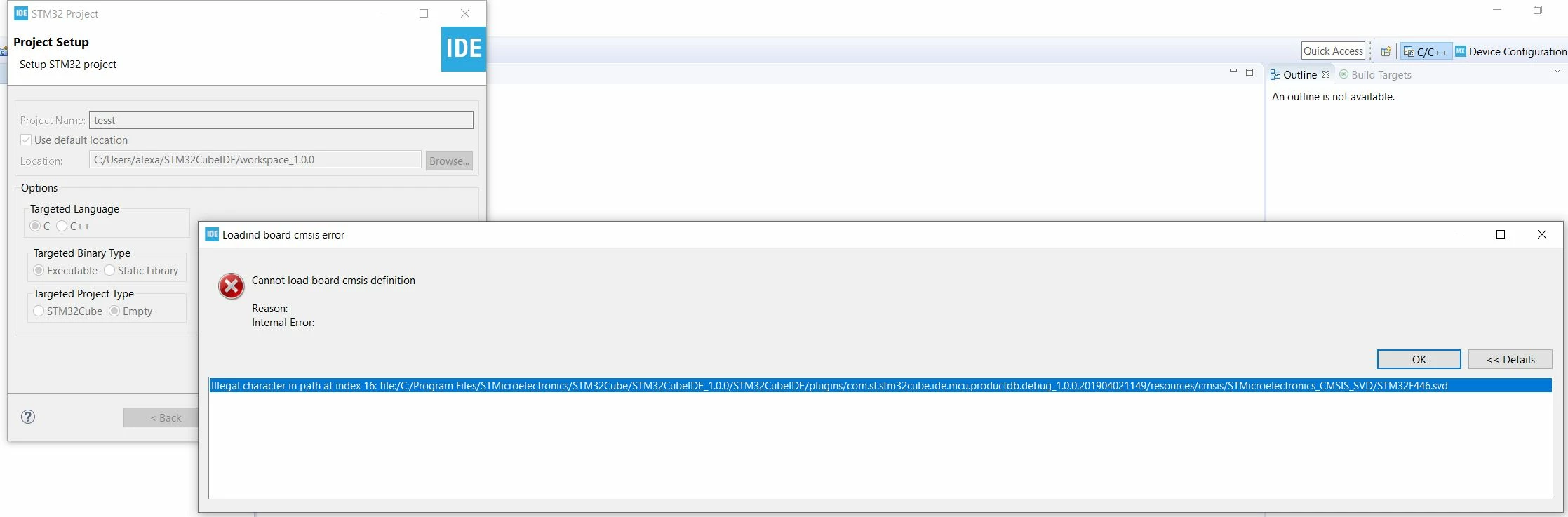
Bug #1. When i try to create an empty project using the wizard, the following error message comes up:
Internal Error:
Illegal character in path at index 16: file:/C:/Program Files/STMicroelectronics/STM32Cube/STM32CubeIDE_1.0.0/STM32CubeIDE/plugins/com.st.stm32cube.ide.mcu.productdb.debug_1.0.0.201904021149/resources/cmsis/STMicroelectronics_CMSIS_SVD/STM32F446.svd
It mentions character at index 16, which is obviously a space in "Program Files".
For more details please see the attached screenshot:
Program Files folder is the default install directory under Windows, so this clearly needs to be fixed.
Bug #2.
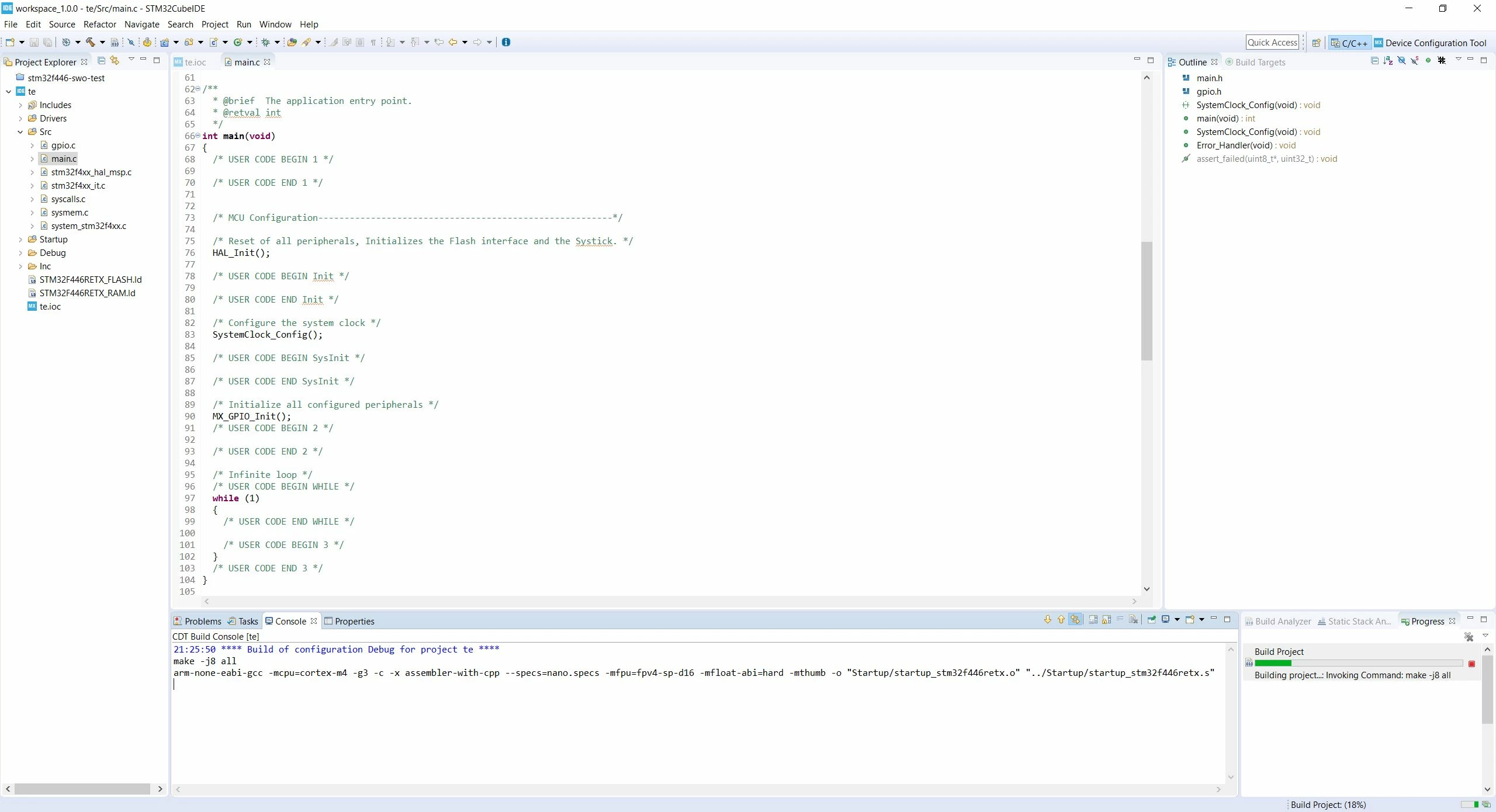
When I create an STM32Cube project via embedded wizard and then try to Build the project, the build hangs after calling the assembler on startup_stm32f446retx.s (does not proceed to compiling the individual files).
Here's the console output:
21:25:50 **** Build of configuration Debug for project te ****
make -j8 all
arm-none-eabi-gcc -mcpu=cortex-m4 -g3 -c -x assembler-with-cpp --specs=nano.specs -mfpu=fpv4-sp-d16 -mfloat-abi=hard -mthumb -o "Startup/startup_stm32f446retx.o" "../Startup/startup_stm32f446retx.s"
After that there's nothing and build job never ends.
It also hangs when I try to clean the project (gets stuck on "rm rf */"). Deleting the Debug folder, rebuilding index, etc doesn't help.
Please see the attached screenshot, notice the console log