
Associate III
January 2, 2024
Solved

STM32cube ide

  • January 2, 2024
  • 3 replies
  • 2236 views

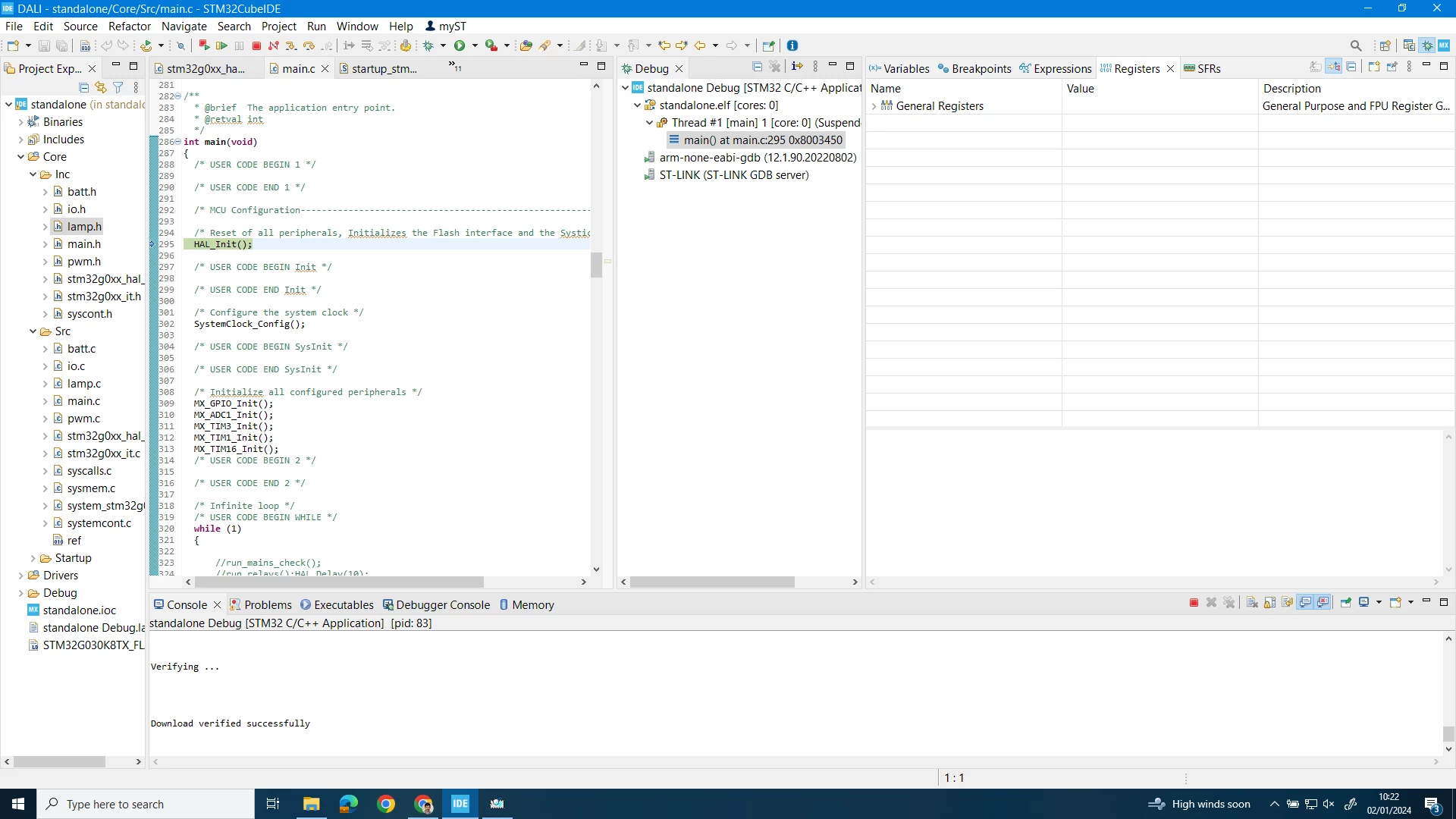
Hi people...I couldn't able to get live expressions on debug can anyone help me to find a solution

SRAM11_0-1704191203347.png


    This topic has been closed for replies.
    Best answer by Mahmoud Ben Romdhane

    Hello @SRAM.11  ,

    First let me thank you for posting and welcome to ST Community.

    I suggest that you Select the menu command [Window]>[Show View]>[Others] and tap [Live Expression] or use the [Quick Access] field and search for “Live Expression” and select it from the views.

    Thanks.

    Mahmoud.

    3 replies

    AScha.3
    Super User
    January 2, 2024

    Hi,

    did you enable it, in debug configuration ? ->

    AScha3_0-1704191668233.png


    +

    Have you selected (while in debug session) in menu:  window-> show view -> live expressions  ?


    If you feel a post has answered your question, please click on " Best Answer ".
    ST Technical Moderator
    January 2, 2024

    Hello @SRAM.11  ,

    First let me thank you for posting and welcome to ST Community.

    I suggest that you Select the menu command [Window]>[Show View]>[Others] and tap [Live Expression] or use the [Quick Access] field and search for “Live Expression” and select it from the views.

    Thanks.

    Mahmoud.

    To give better visibility on the answered topics, please click on Accept as Solution on the reply which solved your issue or answered your question.
    SRAM.11Author
    Associate III
    January 2, 2024

    thank you so much....i updated my workspace so i missed .Thank you