

STM32-H755ZI system clock configuration error with changed CPU clocks from default
Hello everyone,
I choose the stm32 H755ZI (develop board) because I need a dual core microcontroller and a fast one. I never worked with dual core before (I did with STM32 and CubeIDE) so i let everything for default mode and tried to debug my project with this tutorial:
https://www.youtube.com/watch?v=jI1k6p-fduE&t=254s
It worked and it seem time to change the settings too my project.
My settings for the clock:
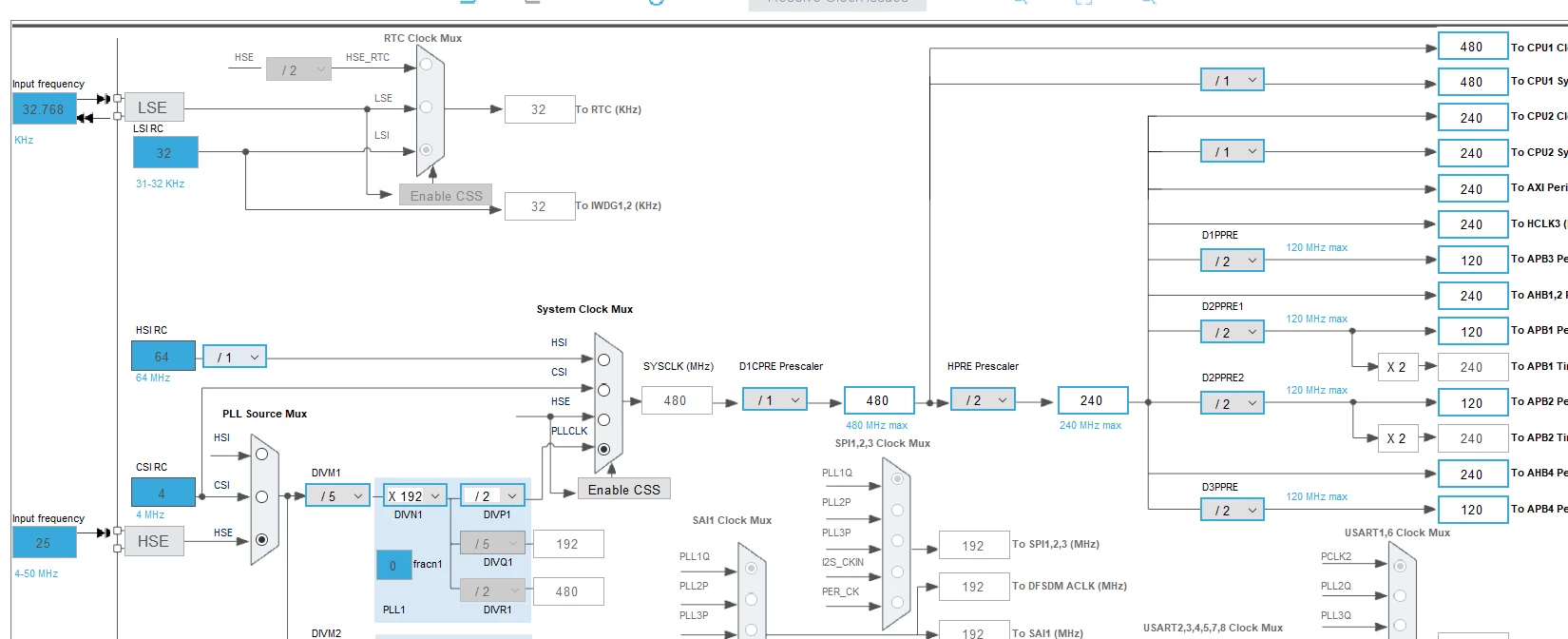
RCC settings:
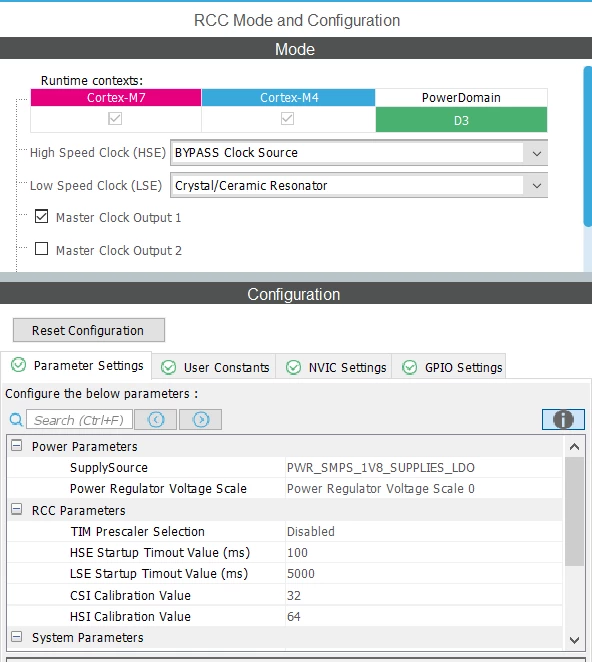
and some other stuff with timers etc.
Then I wanted to debug again and the M4 core passed out and the M7 core ended up in this while loop in system clock config:
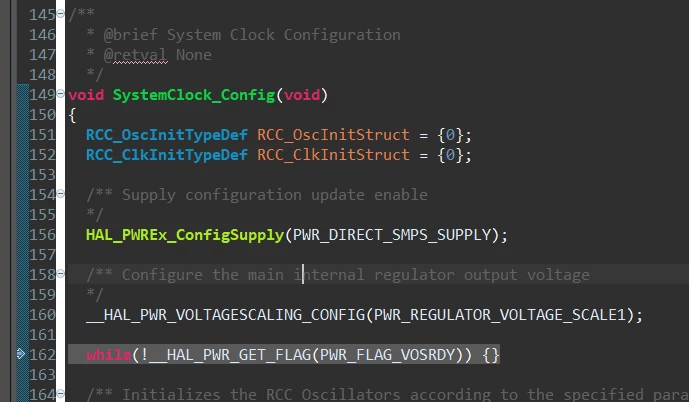
I tried multipel things: 1. lower clock config 2. lower clock config in combination with SMPS instead of LDO, but nothing works. Can anyone help me please? Thanks!!
Greetings from Holland