Senior
March 3, 2024
Solved

ST Link connection issue

  • March 3, 2024
  • 2 replies
  • 2513 views

Hi,

I have converted ST Link into J link by performing instructions here.

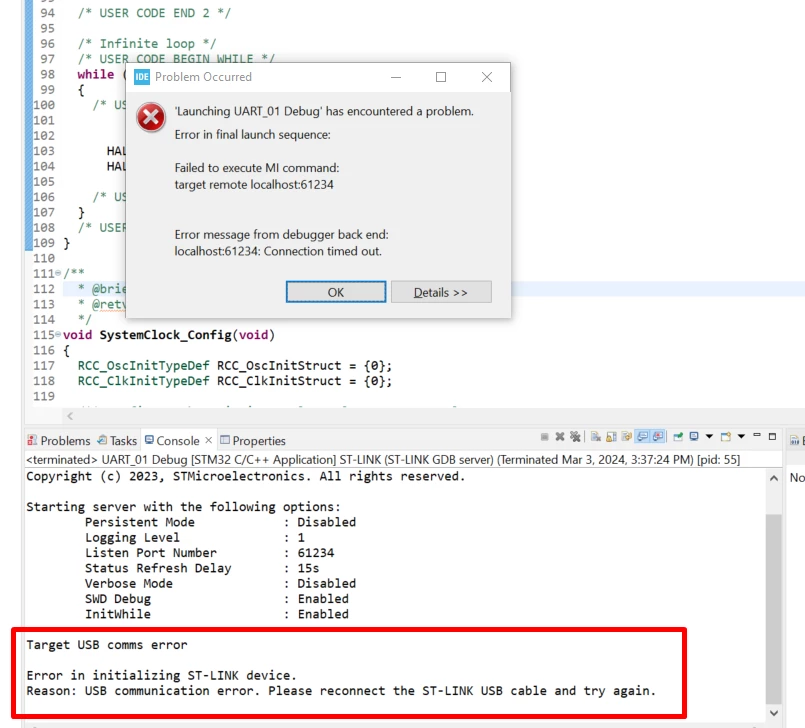
Afterwards, I converted J-Link into ST Link. But, I can not use ST Link driver. I can not connect to the board via ST Link. I get this error below. Could anyone help me with this please ?
 

demir_0-1709469551719.png

I have connected the board directly to the USB port on PC, not via hub or deck.

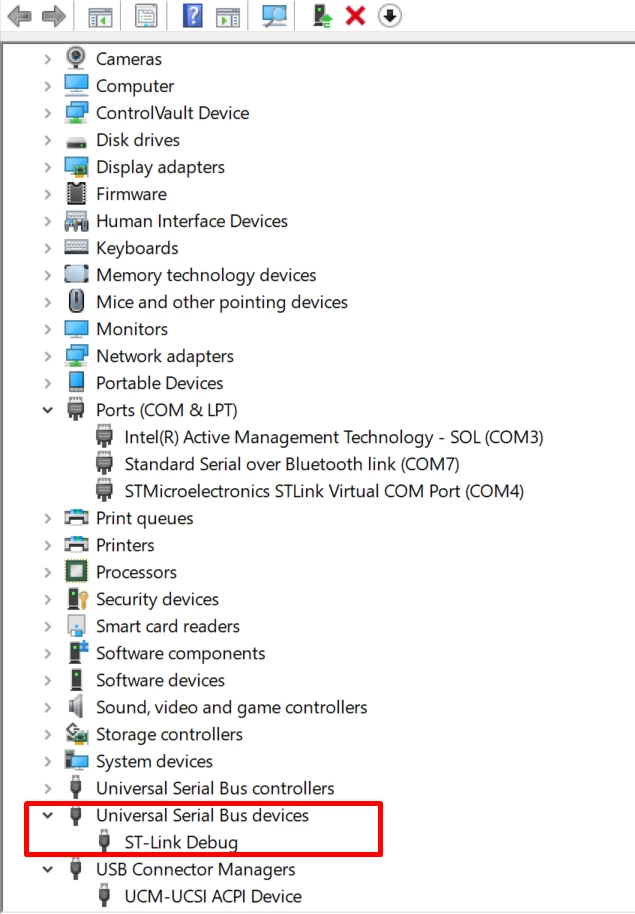
I have checked that, ST-Link Debug is seen under device manager.
demir_1-1709469611756.png


    This topic has been closed for replies.
    Best answer by demir

    I have found out the solution and now it works again!

    I think this is a common issue, so I hope the ones who encounter this problem will use this solution from onwards.

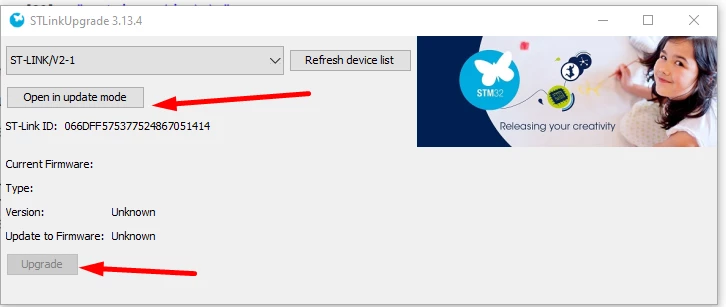
    Unplug the usb cable from the PC, then plug it and immediately click on Help --> St Link upgrade -- > Open in Update Mode --> Upgrade.


    demir_0-1709474606280.png


    2 replies

    TDK
    Super User
    March 3, 2024

    Can you connect with STM32CubeProgrammer? Does the STLink show up? Does the target voltage show up?

    "If you feel a post has answered your question, please click ""Accept as Solution""."
    demirAuthor
    Senior
    March 3, 2024

    I can not.

    demir_0-1709472992462.png


    TDK
    Super User
    March 3, 2024

    Wonder if the "unflashing" of J-link didn't quite return things to normal. Have you rebooted since then? I'd try that, but am otherwise out of ideas.

    "If you feel a post has answered your question, please click ""Accept as Solution""."
    demirAuthor
    Senior
    March 3, 2024

    Thanks.

    Yes, I rebooted but that didnt return things to normal. I have double checked unflashing of J-Link is successful or not, please see below image from STLinkReflash tool.

    demir_0-1709473695861.png


    demirAuthorBest answer
    Senior
    March 3, 2024

    I have found out the solution and now it works again!

    I think this is a common issue, so I hope the ones who encounter this problem will use this solution from onwards.

    Unplug the usb cable from the PC, then plug it and immediately click on Help --> St Link upgrade -- > Open in Update Mode --> Upgrade.


    demir_0-1709474606280.png