Associate II
August 16, 2026
Question

Problem with compiling the project STM32H7R7

  • August 16, 2026
  • 4 replies
  • 35 views

Hello everyone.

I'm creating a TouchGFX project for a custom PCB with an STM32H7R7I8T6. After initial compilation issues, I unchecked the "Generate Under Root" option in the project manager and managed to compile the empty project and upload it to the MCU. Now I want to add a driver for the GT911 touch panel. I add one file, gt911.h, to the "Appli/Core/Inc" location, and it's visible, but the gt911.c file in the "Appli/Core/Src" location isn't visible to the project. This is my first time using this project organization and I can't figure it out.
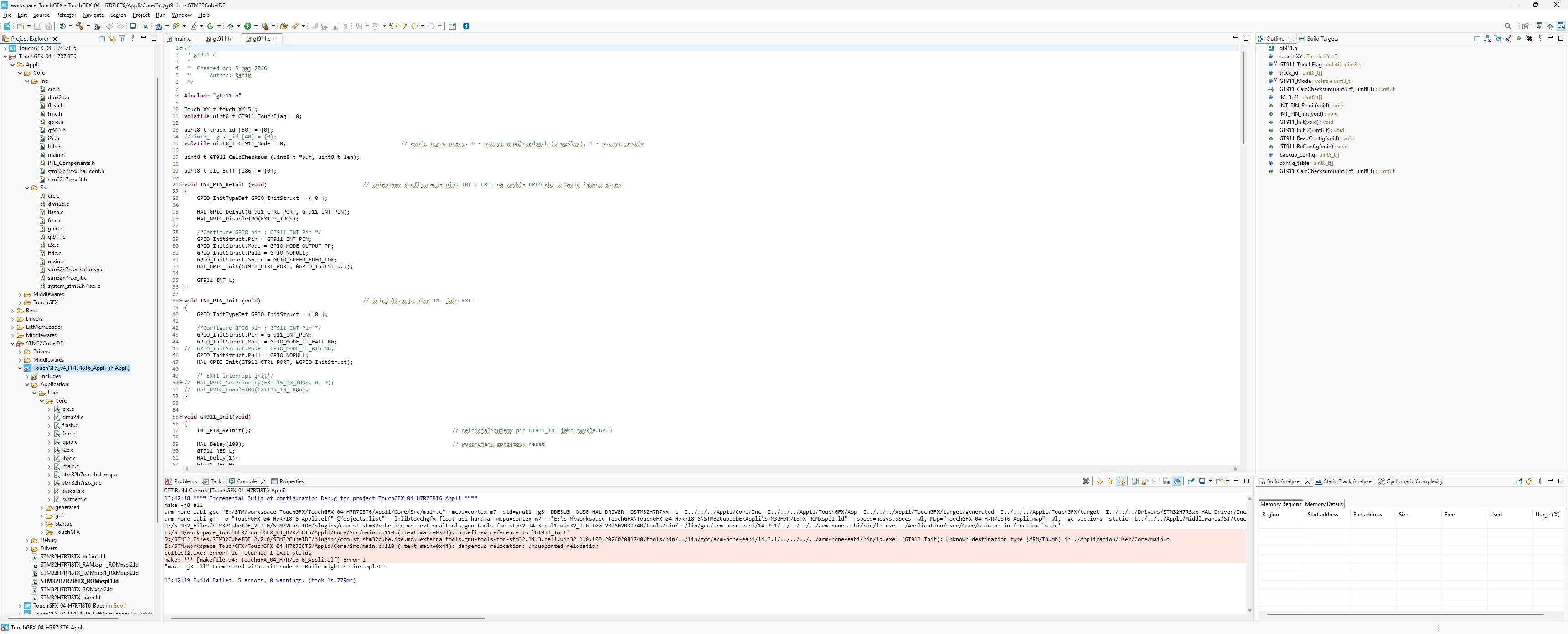
Please help.

4 replies

AScha.3
Super User
August 16, 2026

Hi,

> I add one file, gt911.h,

How you “add” ?

To let the IDE know, you want something add to a project, you have to import it.

right click on the folder, you want it to be, maybe : project...core….Src 

- > import - > general > file system - > choose directory with file(s) to import.

Do it for inc and .c , to get them to the directory in project you like.

If you feel a post has answered your question, please click on " Best Answer ".
ProcekAuthor
Associate II
August 16, 2026

I copied the file into the folder from the IDE as I always do, and I never had a problem...

I used your method, but the result is the same.

Previously, whenever I needed to add a custom driver, I added a "Source Folder," created two additional folders, "Src" and "Inc," and then right-clicked the "Src" folder and selected "Add/remove include path...". I've never had a problem with this. This is the first time I've created a project that actually consists of three projects: Appli, Boot, and ExtiMemLoader.

With the "Generate under root" option selected in the Stm32CubeMx "Project Manager," there are too many problems, especially with TouchGfx, and they recommend against selecting this option. Without it, the project looks and behaves completely differently...

ProcekAuthor
Associate II
August 16, 2026

I managed to solve the problem somewhat through the backdoor.

I edited the ".project" file and manually added the following entry:

</link>
    <name>Application/User/Core/gt911.c</name>
    <type>1</type>
    <locationURI>PARENT-2 PROJECT_LOC/Appli/Core/Src/gt911.c</locationURI>
</link>


Pavel A.
August 16, 2026

This actually adds a “linked” source file to Eclipse project. 

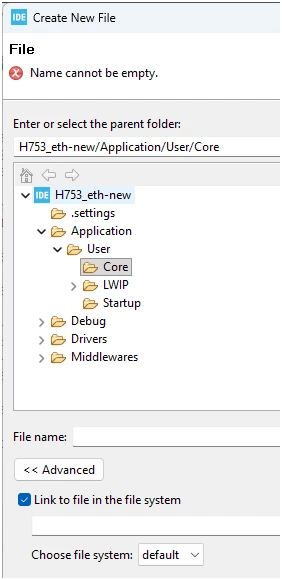
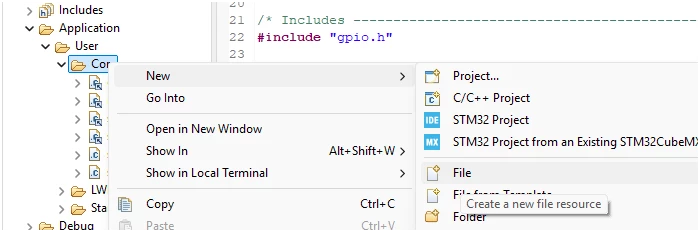
In the GUI: select New… File


Then : Advanced -> Link to file in the file system, and enter the actual .c file path.

It can differ from the “link” filename, just as usual with symlinks.

There are few ways to add source files to a project.

CubeIDE is based on Eclipse CDT IDE. The latter is widespread, but not very easy for beginners. Take your time, get to know it. Read the User guide.