

APant.1
Associate II
December 28, 2021
Solved

Problem uploading code in custom board.

  • December 28, 2021
  • 3 replies
  • 3759 views

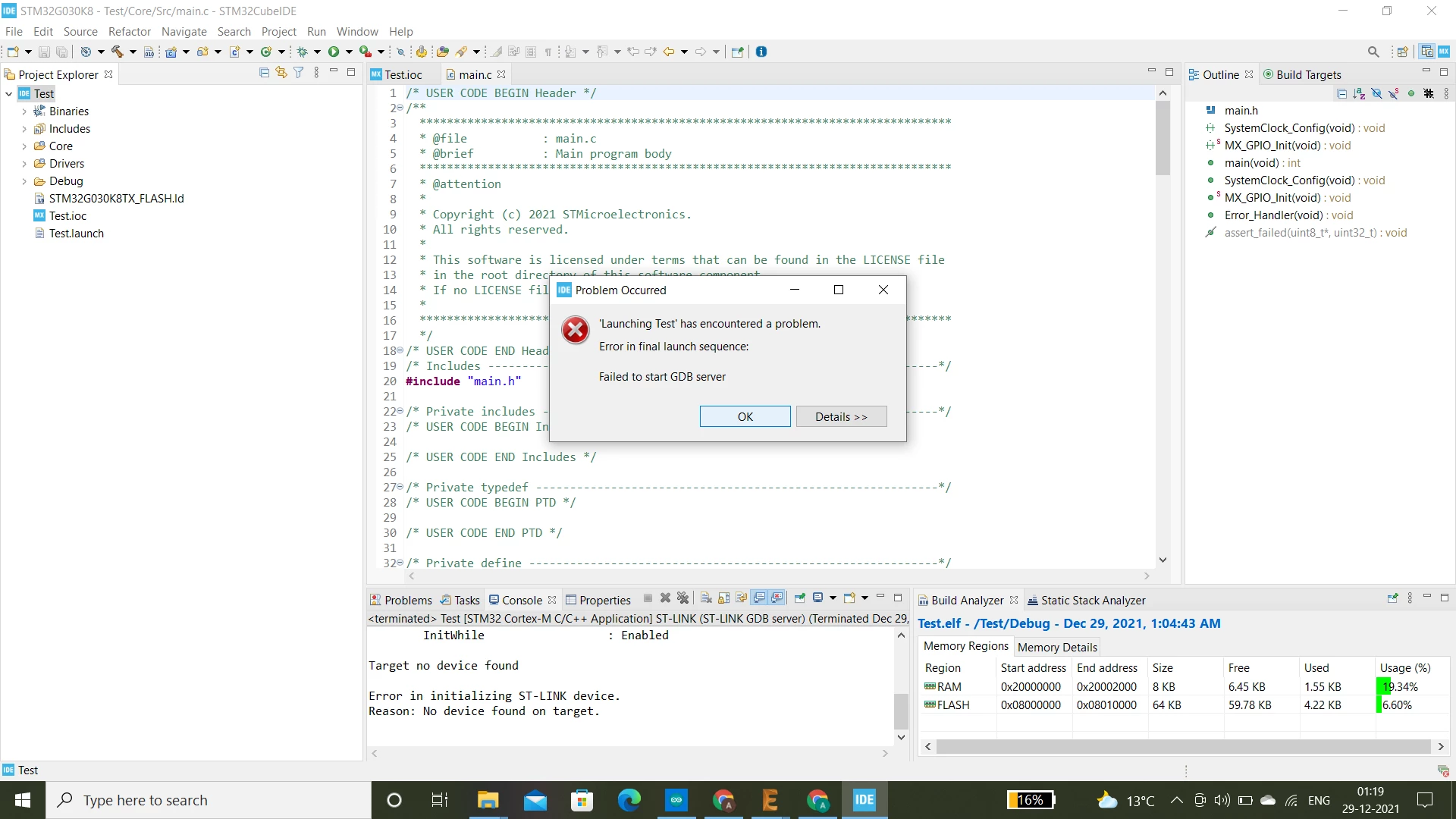
Hi I designed a custom board based on the STM32G030K8 MCU, I was able to upload my code on the device successfully and the device was working fine, I updated the code a few times and was able to successfully upload the code to the board. However I disabled the Serial wire in the .ioc file under SYS mode and configuration tab, the code uploaded successfully, but now I am unable to upload the code again on the same board, I am attaching a screenshot of the error here as well, I used the ST link to upload code in other devices and they seem to be working fine, I am not even able to upload a blank code on the board now. Can someone explain this please.

Thanks0693W00000Hq06NQAR.png
This topic has been closed for replies.
Best answer by APant.1

Hi, I found a solution for the problem, I erase the STM32 chip using the ST link utility tool before flashing the chip again, this works for me, however if you could explain why the chip stopped working it would be very helpful.

3 replies

TDK
Super User
December 28, 2021

If you have reassigned the SWD pins very early on in your program, you will need to hold BOOT0 high while resetting to enter bootloader mode, which will allow SWD to connect. You can also try "connect under reset" if you have NRST connected.

The SWD pins are enabled by default after reset, so they don't actually need to be configured in the IOC file. You just can't assign them to something else.

"If you feel a post has answered your question, please click ""Accept as Solution""."
APant.1
APant.1Author
Associate II
December 28, 2021

I am not using the SWD pins for any other purpose apart from uploading the code, I tried the connect under reset method and it did not work, as for the BOOT 0 pin, it is the same pin as SWCLK in STM32G030K8 microcontroller, and that is also not working for me. Can you please explain what went wrong now, I was able to upload code successfully a few hours ago

APant.1
APant.1AuthorBest answer
Associate II
December 28, 2021

Hi, I found a solution for the problem, I erase the STM32 chip using the ST link utility tool before flashing the chip again, this works for me, however if you could explain why the chip stopped working it would be very helpful.

TDK
Super User
December 28, 2021
STM32CubeProgrammer uses the same interface as the ST-Link Utility. It doesn't make sense that one can connect and not the other. Could be a bug.
"If you feel a post has answered your question, please click ""Accept as Solution""."
